I Accidentally Logged as Admin Into a Threat Actor Website
Introduction
Most cybersecurity investigations start with an alert.
This one started with curiosity.
While scrolling through X (formerly Twitter), I came across a post discussing a suspicious website that appeared to be distributing software downloads. At first glance, it looked like another fake download portal. But after spending several hours investigating it, I found myself doing something I never expected:
I accidentally logged into the threat actor’s dashboard.
This article documents the investigation, infrastructure analysis and lessons learned from interacting with a live threat actor website.
Discovery on X
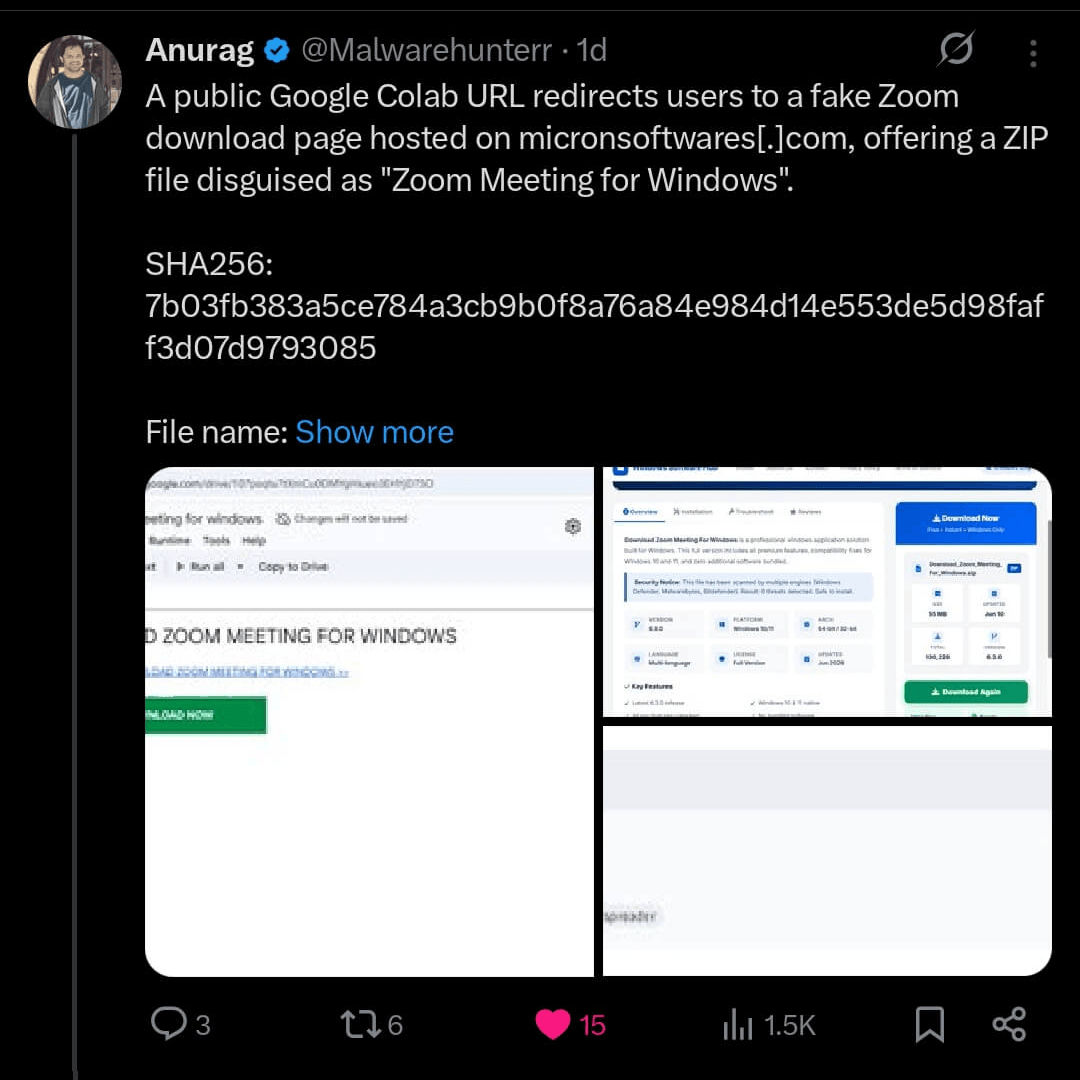
While scrolling through X, I came across a cyber intelligence post that appeared in my feed. Since I follow several professionals in the cybersecurity and threat intelligence community, my timeline frequently recommends content related to cyber threats, malware analysis and indicators of compromise (IOCs).
As part of my routine, I review these posts and analyze any IOCs that are shared. If I identify relevant indicators, I add them to our security environment for further investigation and detection purposes.
In this particular case, the post attracted my attention because of its engaging visual presentation and clear delivery of threat intelligence. Without conducting a deeper validation at first, I extracted the IOC and investigated the associated domain. During the analysis, I discovered that the domain was still active and likely Vibecoded.
Curiosity Took Over
Instead of stopping at surface-level analysis, I started enumerating the web application.
Directory brute forcing quickly revealed something interesting:
/admin/login.php
/config/database.php
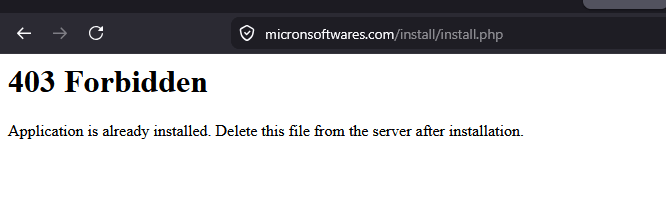
/install/install.php
The directory enumeration performed with ffuf revealed several interesting paths, but /install/install.php stood out immediately. Although the application was already deployed and actively serving content, the installation page remained accessible.
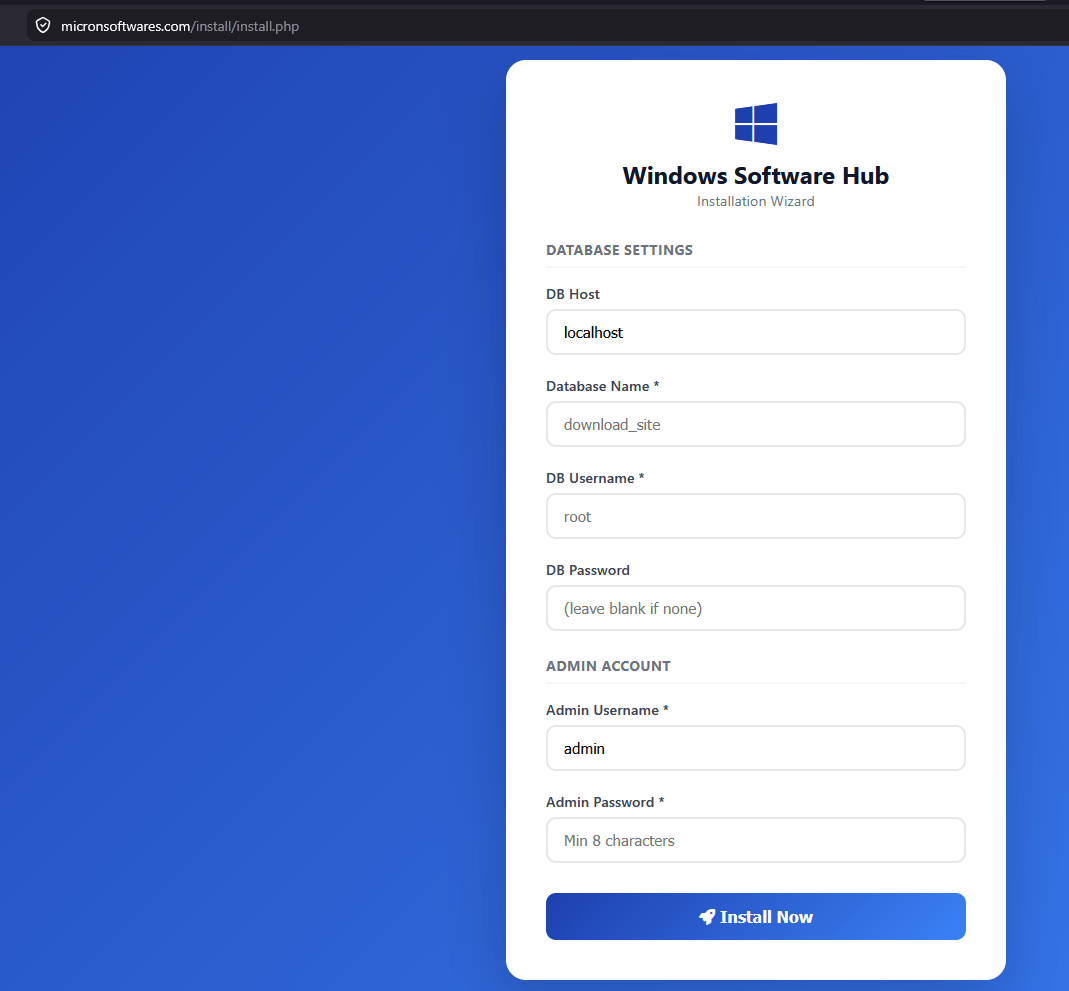
This raised an obvious question: was the installer properly locked after deployment? To answer that, I decided to try my luck and attempt a reinstallation. Before proceeding, however, I needed to understand the application’s setup process and gather the required information to avoid breaking the existing deployment.
Setup MySQL Instance and Took Over the DB
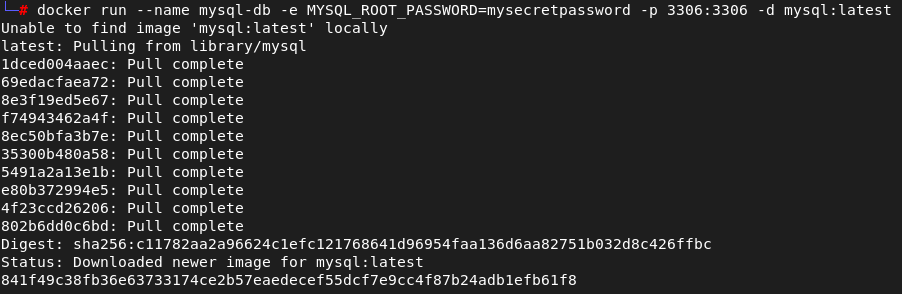
Based on the directories discovered with ffuf, I took a closer look at the installation page. The form was asking for a MySQL database connection, which looked exactly like the onboarding process used when the application is first deployed.
Curious to see what would happen, I spun up a MySQL instance in Docker and exposed it so the target application could reach it. After filling in the required fields, I submitted the installation process and, to my surprise, it completed successfully.
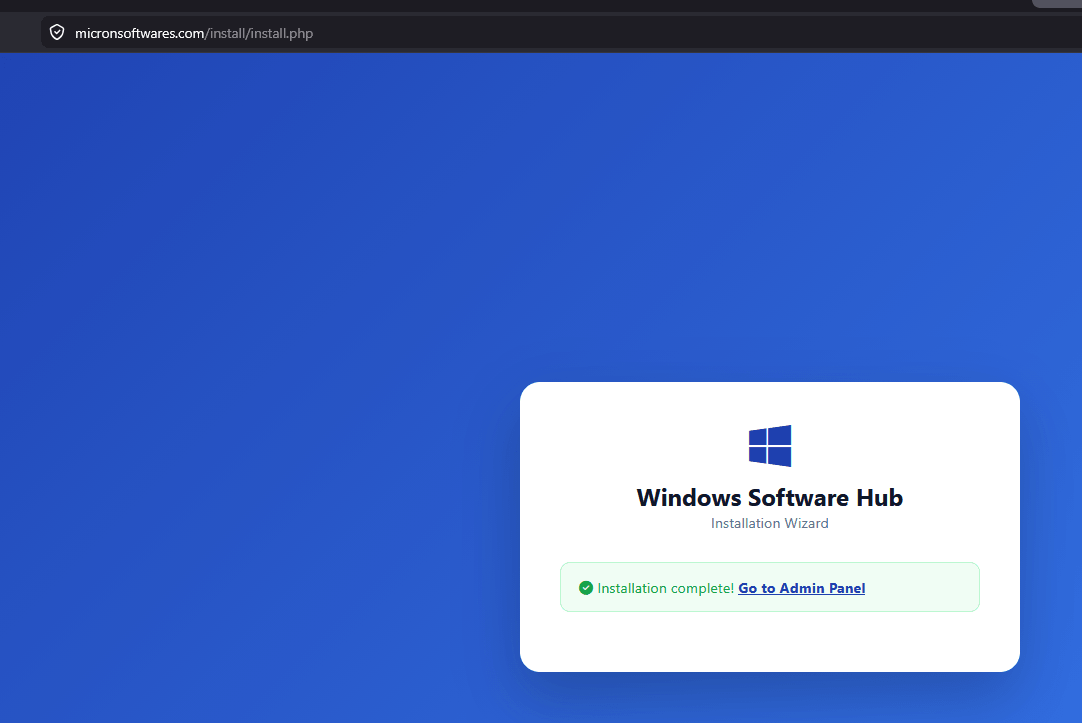
That was the first sign something was wrong. Even though the application was already running in production, there was nothing preventing the installer from being executed again. There were no checks to verify whether the application had already been initialized.
As part of the setup process, I was asked to create the initial administrator account. Once the installation finished, I checked my MySQL instance and saw the application creating its tables and populating the database schema.
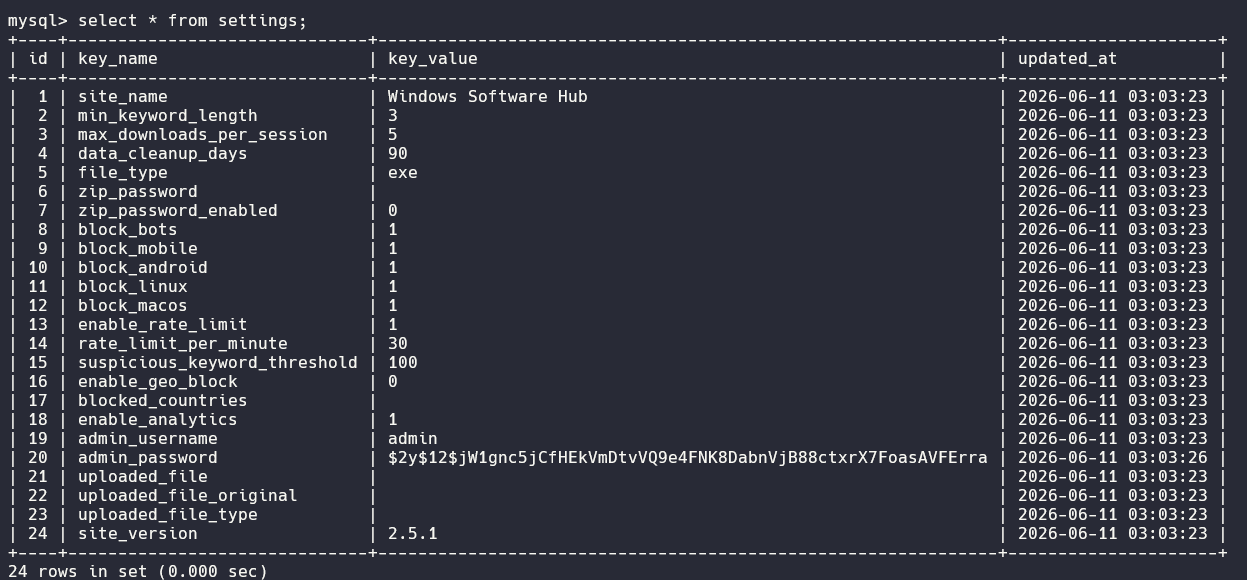
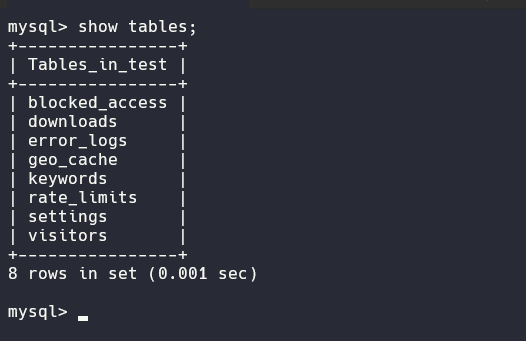
At that point, the application was connected to infrastructure I controlled and I had valid administrative credentials created through the installation workflow itself.
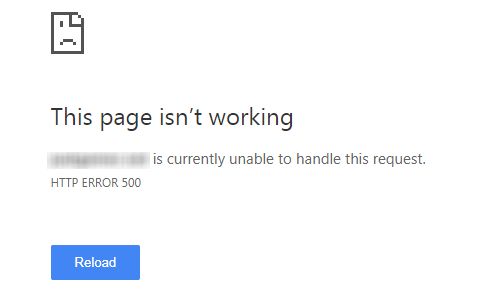
Something strange happened after the installation completed. I was able to log in with the administrator credentials I had just created, but the dashboard immediately returned a 500 Internal Server Error.
My initial assumption was that there was a synchronization issue between the database and the application files on the server. The installation process had succeeded, but something clearly wasn’t lining up correctly on the backend.
Since I couldn’t access the dashboard properly, I eventually shut down my ngrok tunnel and MySQL instance. Shortly after, the domain itself started returning 500 errors, likely because the application was still trying to connect to the database instance I had provided during the reinstallation process.
Read also: Hacking Phishing-as-a-Service
The Dashboard Suddenly Loaded
After taking a break, I checked the domain again and noticed it was back online. The threat actor had clearly fixed the database issue and restored the application.
I opened my last tab that shown 500 error again and refresh the page. To my surprise, the dashboard loaded successfully this time. Then I remembered something important: this was a PHP application.
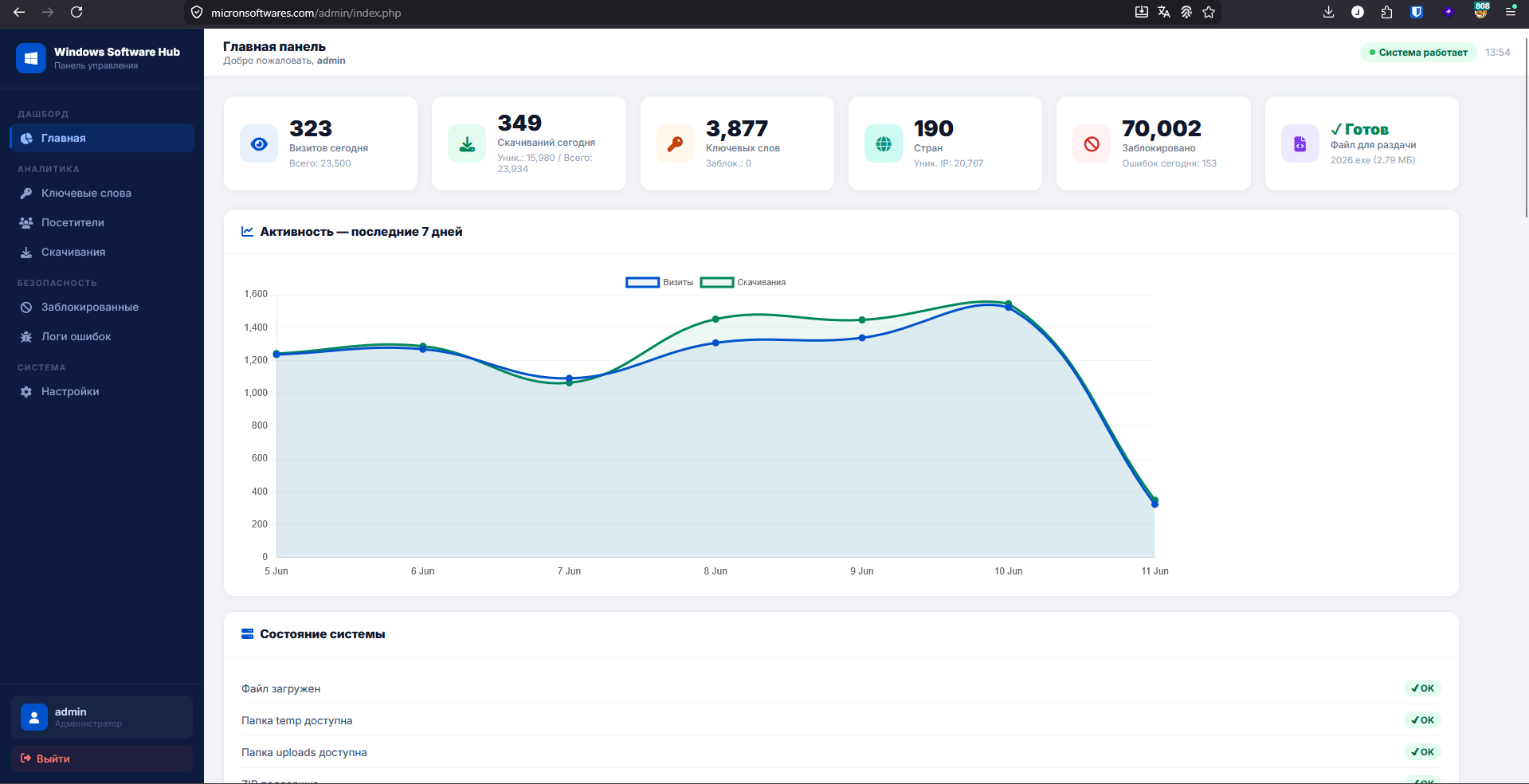
My previous login session was still valid. The application appeared to store session state on the server rather than in the database, so even though the backend had been reconfigured, my session cookie was still recognized. I sent the same session token and the application simply responded as if nothing had happened.
No re-authentication, no session invalidation, just a valid session and a fully working dashboard.
Evidences
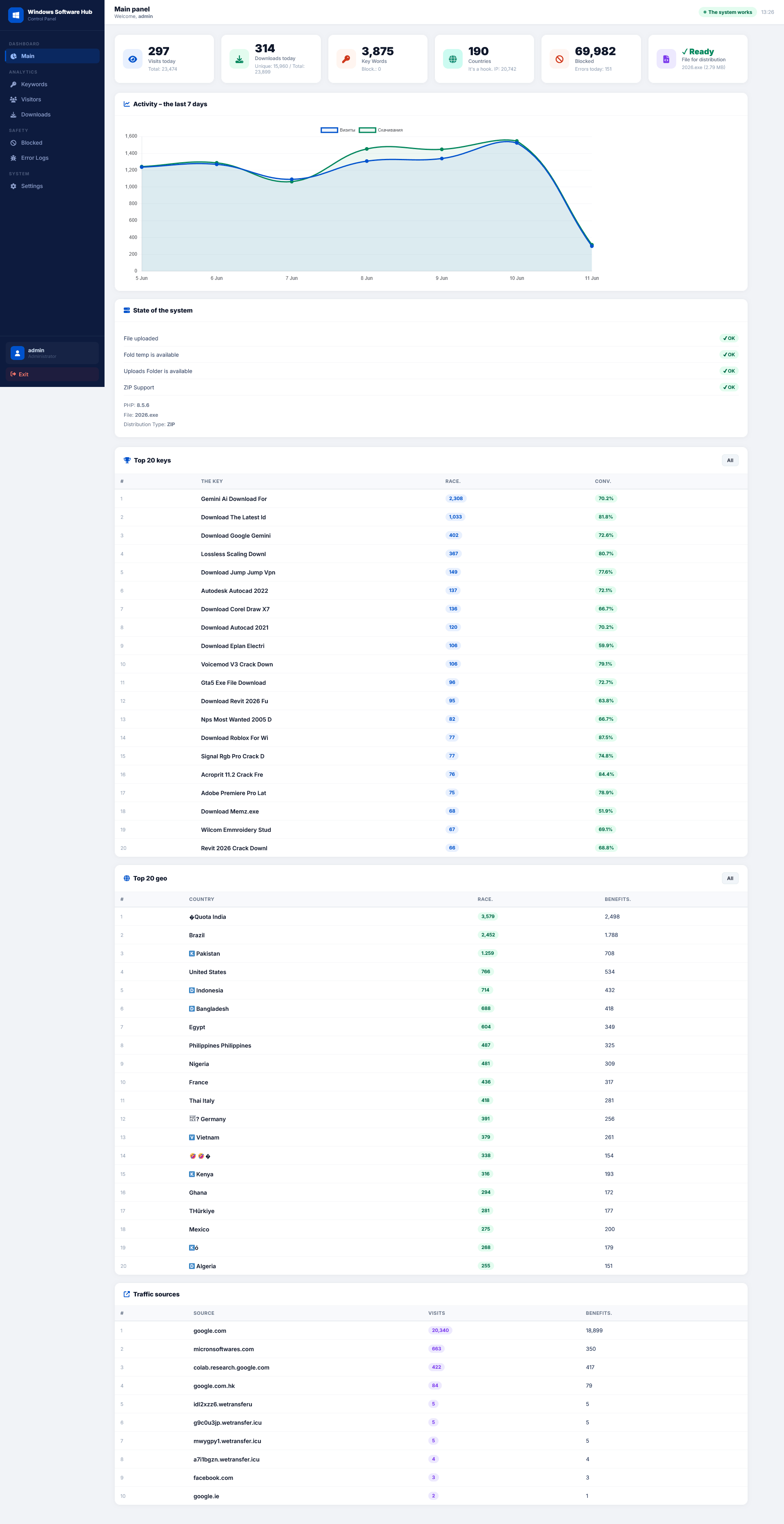
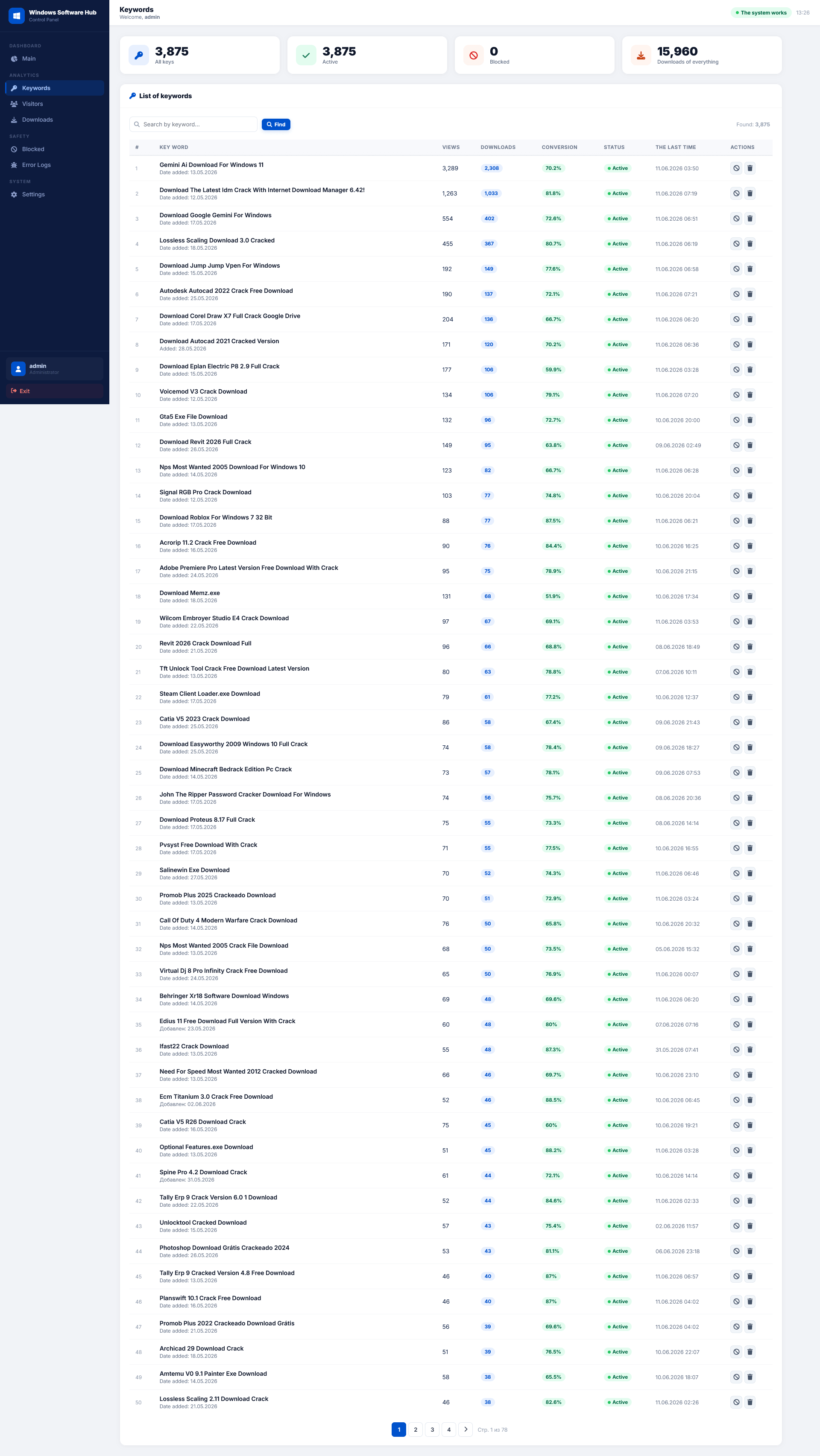
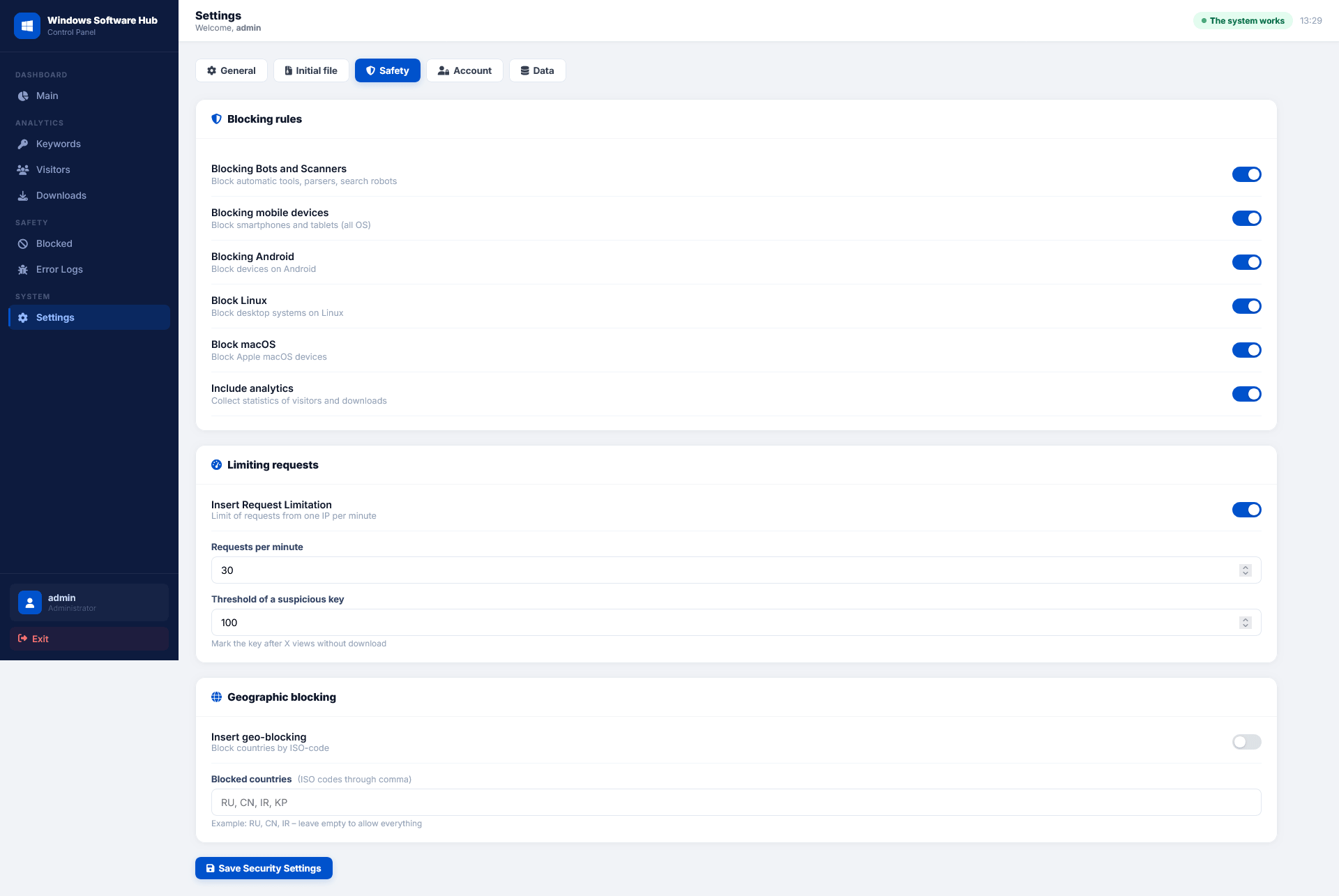
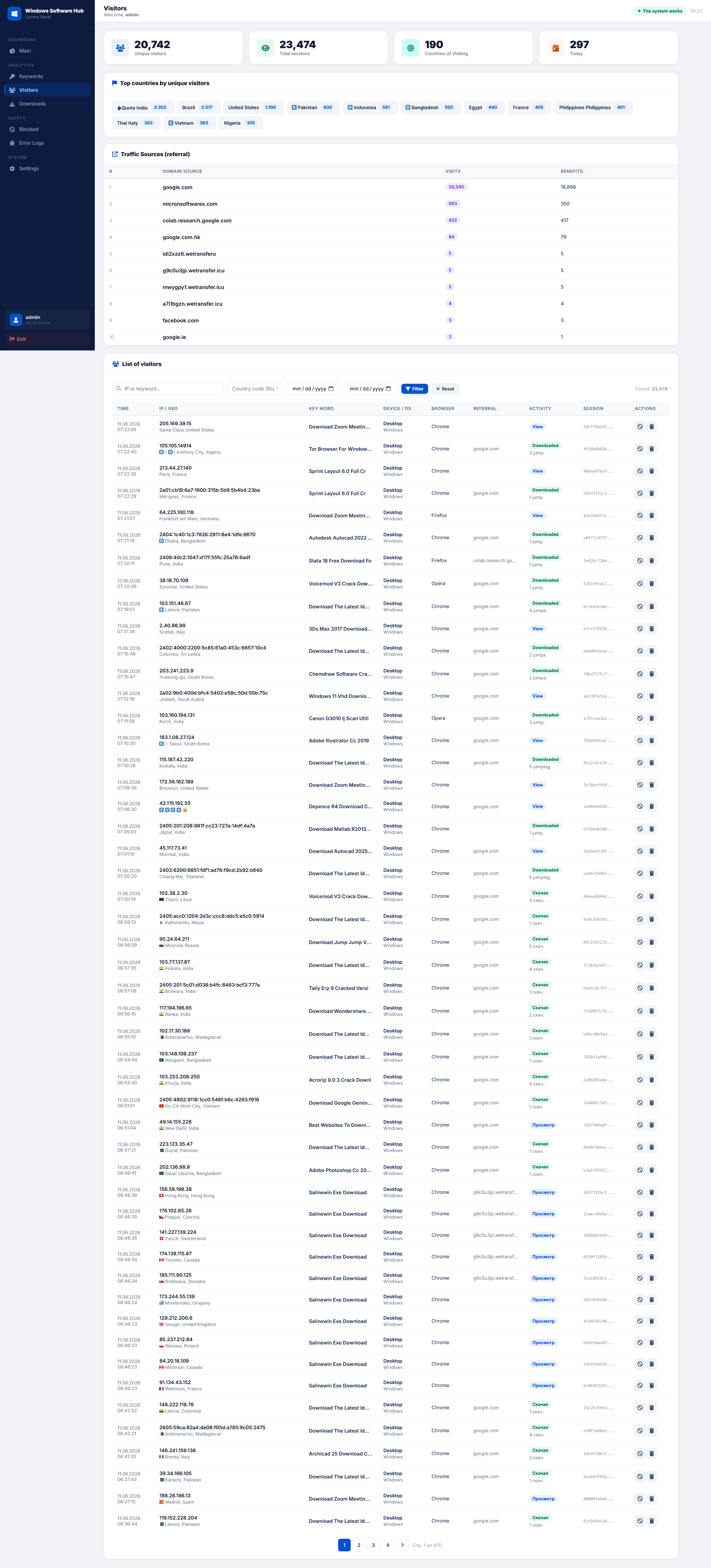
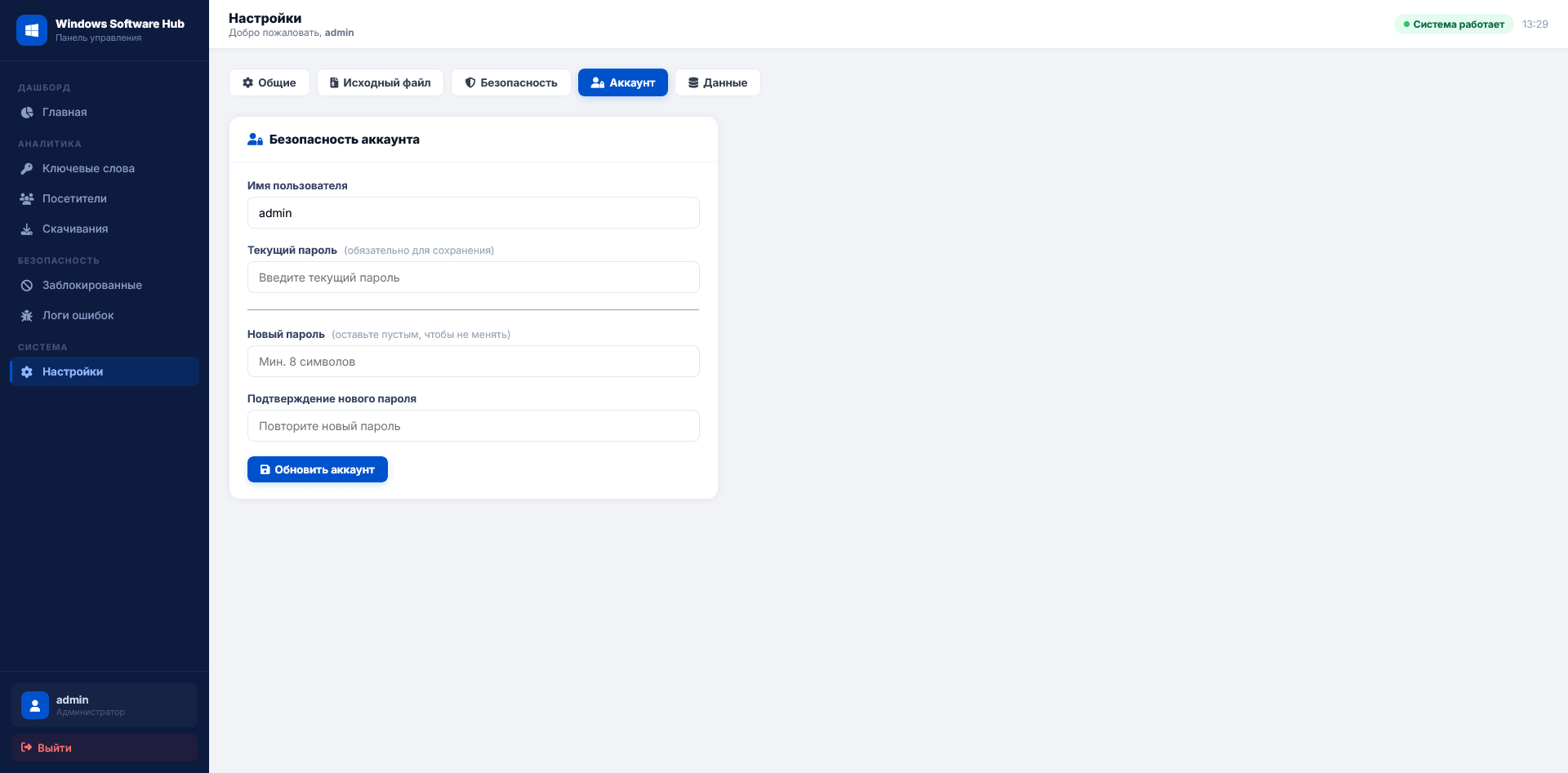
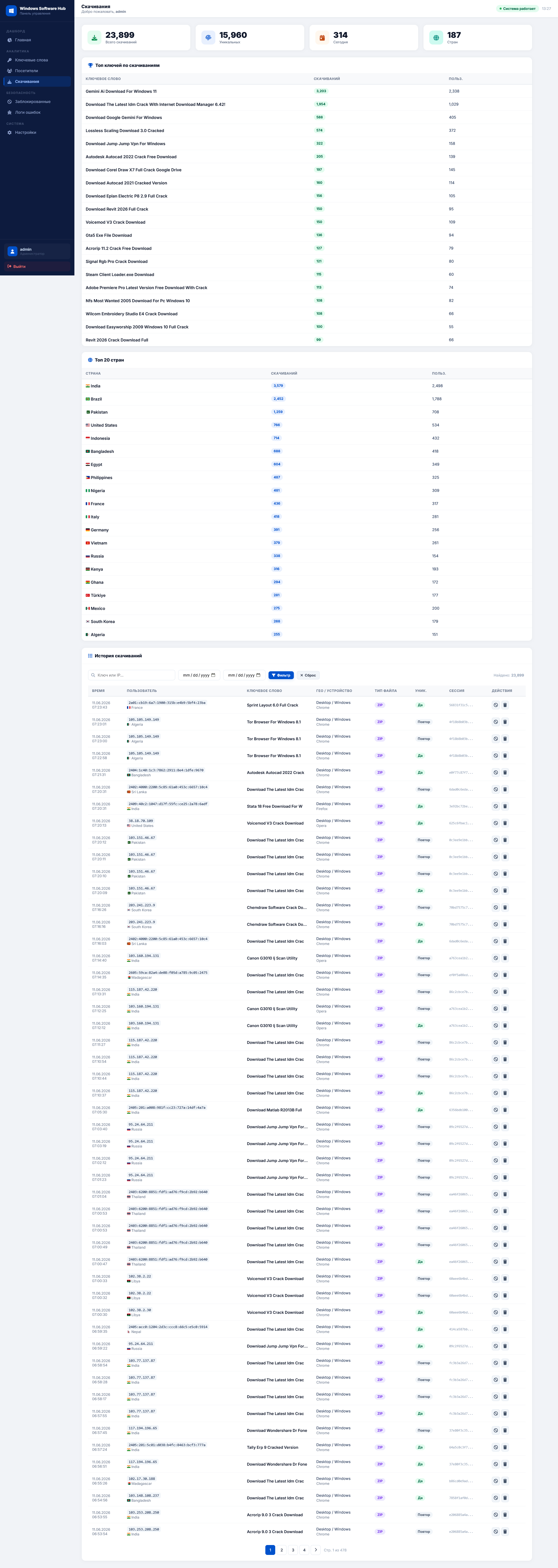
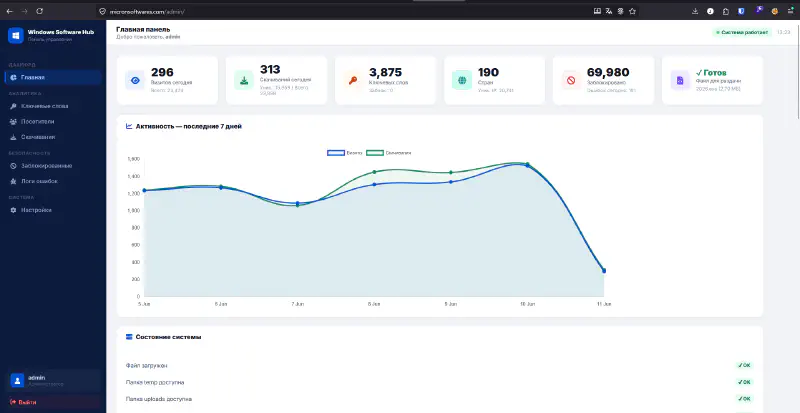
Here’s what the dashboard looked like. The administrative interface was originally in Russian. For easier analysis, some of the screenshots shown below were translated using Firefox’s built-in translation feature.
What the Infrastructure Revealed
Further analysis revealed a fairly simple but poorly secured setup. The platform consisted of a PHP application backed by MySQL, with file storage used to host malware payloads and dynamic endpoints handling downloads.
One interesting detail was the traffic flow. Rather than linking victims directly to the malware-hosting domain, the threat actor used intermediate redirectors. In several cases, as the X Post Google Colab pages being used as part of the redirect chain before users were sent to the final download site.
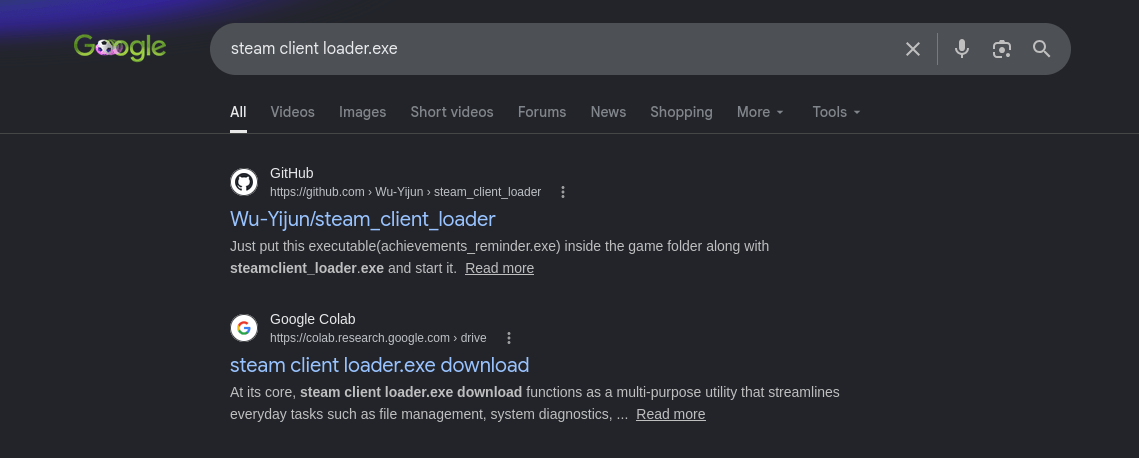
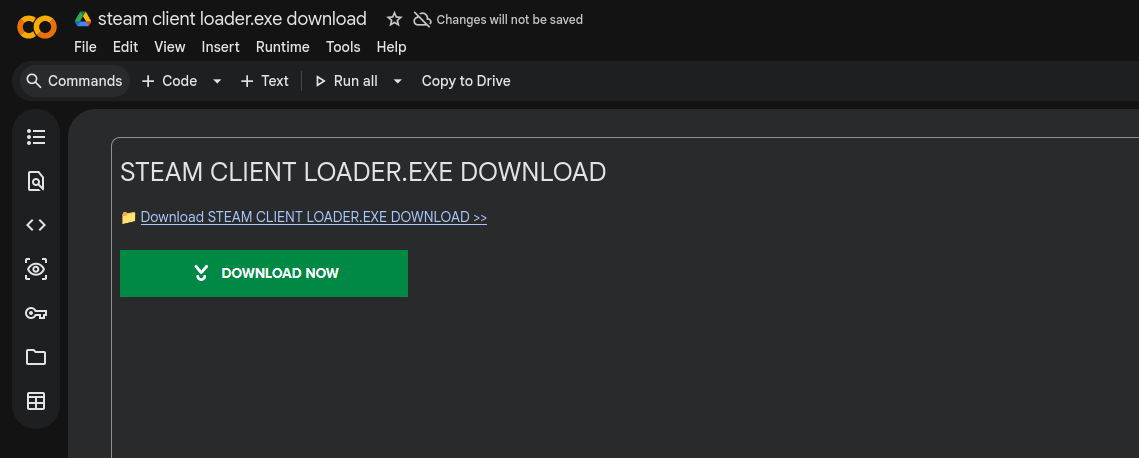
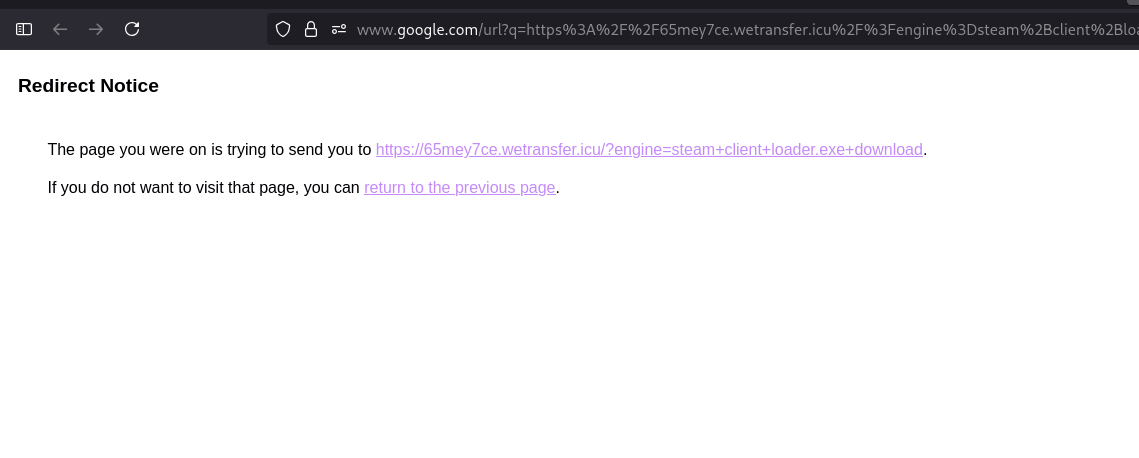
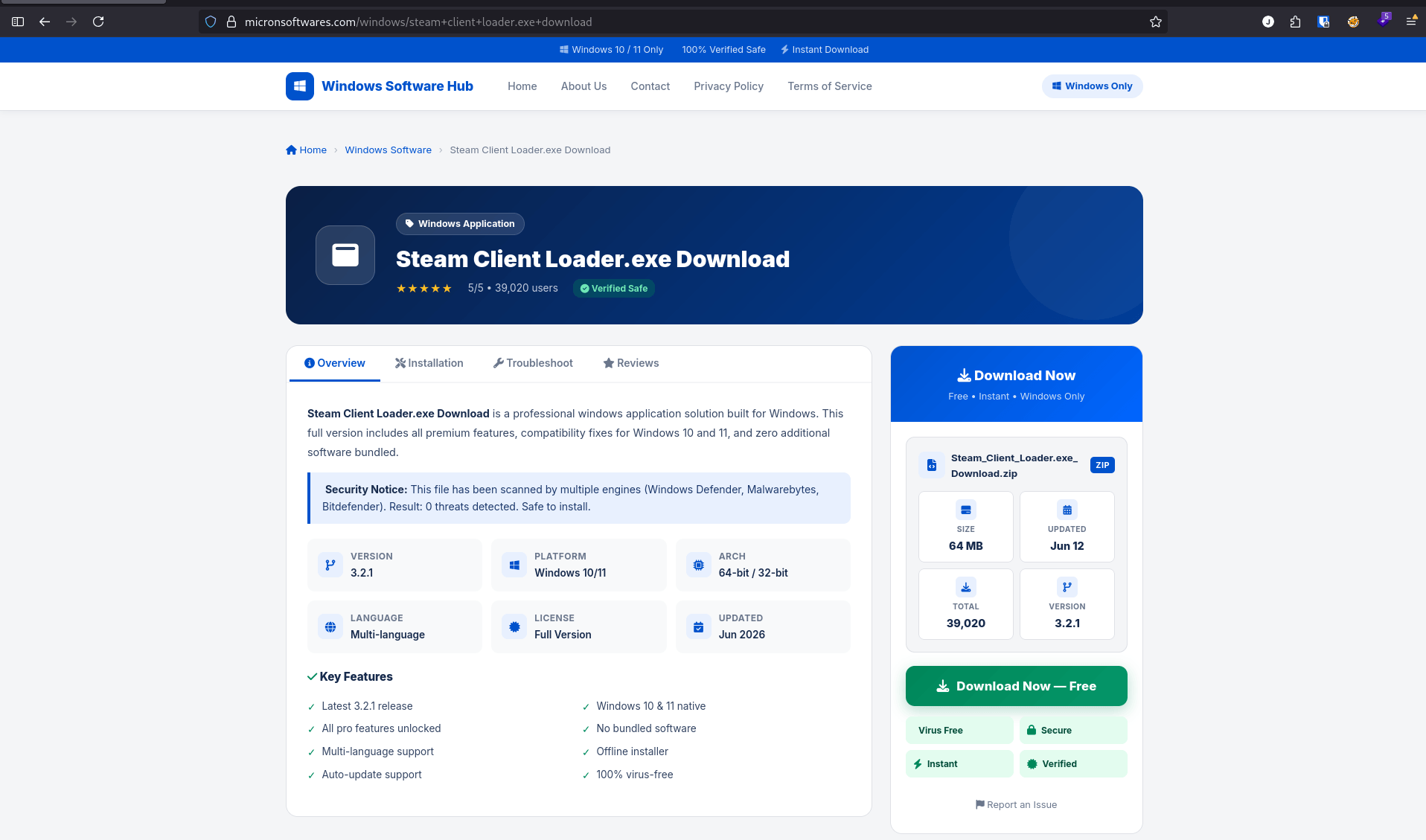
The download pages themselves were generated dynamically based on URL parameters, while the underlying application and files remained the same. Depending on the URL accessed, the platform would present different download content but ultimately lead users to the same objective.
Regardless of the path taken, the end goal was simple, to redirect visitors to a download page serving a compressed archive containing the malware payload.
Key Takeaways
What started as a quick review of an IOC shared on X turned into a deep dive into a live malware distribution platform.
A few things stood out during the investigation:
- Malware infrastructure is often far more fragile than it appears.
- Exposed installation pages can create unexpected paths into administrative systems.
- Simple deployment mistakes can have significant security consequences.
- Vibe-coded PHP applications used for low-cost threat actor infrastructure.
- Sometimes a little curiosity is all it takes to turn passive threat hunting into hands-on analysis of a live operation.
Read also: How I Get Access ClickFix Dashboard Due to Bad SecOps
Indicator of Compromised
Below are several indicators identified during the investigation. The list includes domains used in the campaign as well as sample payload hashes retrieved from the related server infrastructure.
Domain
micronsoftwares[.]com
wetransfer[.]icu
SHA256
7b03fb383a5ce784a3cb9b0f8a76a84e984d14e553de5d98faff3d07d9793085 payload.exe
Final Thoughts
At the time of writing, the domain remains active and continues to distribute malware. Despite gaining access to the administrative interface, I was ultimately unable to take down the infrastructure.
Based on what I observed, there were likely additional attack paths that could have led to deeper access. However, my session expired before I had the opportunity to investigate further.
Not long after, the threat actor appeared to identify how access had been obtained and patched the initialization flaw that allowed the reinstallation process in the first place. Once that avenue was closed, my access was gone as well.
In the end, the infrastructure survived, but the investigation provided a rare look into how a live malware distribution platform was built, operated and maintained in the wild.
See ya