Solution for 'Simple' Web Challenges
Preface
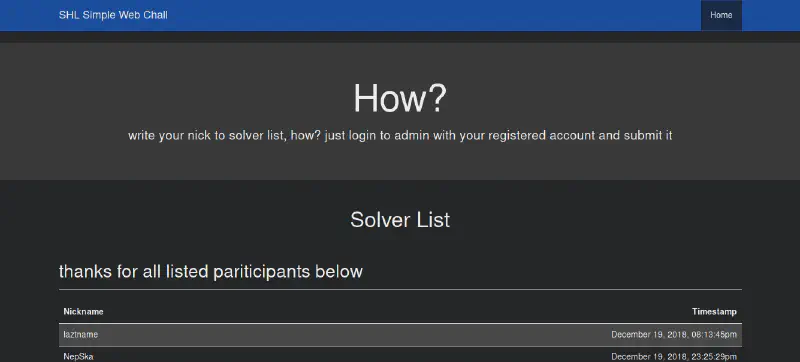
First of all, thanks to slashroot ctf because without slashroot ctf I might not have been able to provide these challenges through dewaweb.com. Thanks to all player who took the time to try this ‘simple’ challenge.
Notes
clue “recon, tools, sign-in, submit”
This recon is very easy, actually you don’t need to use tools or scanners. There are still many websites that store important things in HTML comments.
 It clearly shows info that the git repository (/.git/) was moved to the /git/ directory. Let’s try accessing it first.
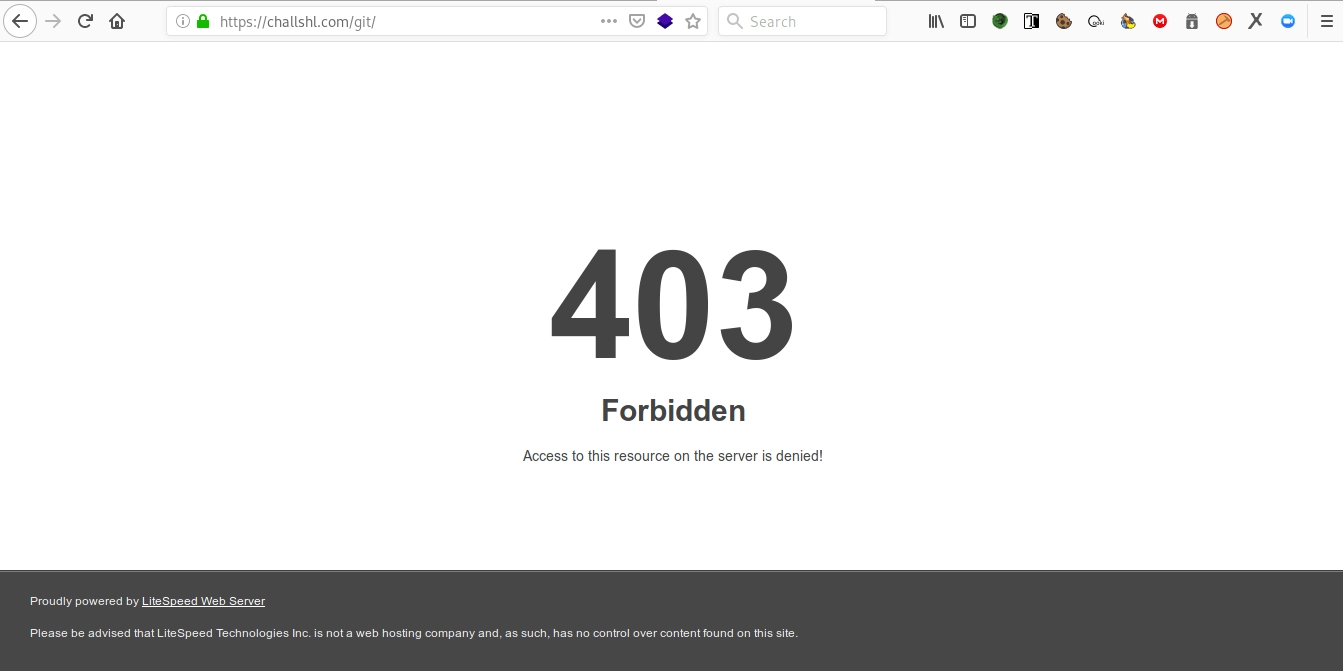 But when accessed, the server shows a forbidden page. However, that doesn’t mean the file or directory doesn’t exist, if it didn’t exist, the response should be 404 Not Found.
Because the web server used here is litespeed, directory listing is disabled by default, similar to the other web server (read: yes that one nging nginx). Let’s check if the git repository really exists in that directory. You probably remember the file structure that must exist in a git repo folder, yep, there must be:
- /git/config
- /git/description
- /git/HEAD
- etc
Then we try requesting one of the common files in the git directory.
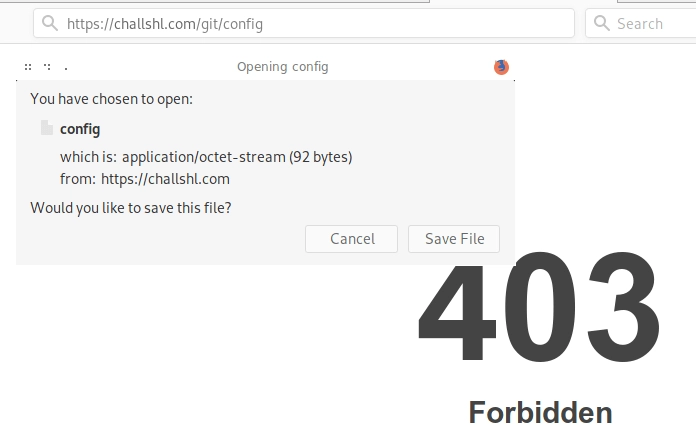 And it turns out to be true. A pop-up appears confirming download of the config file from the git directory.
Yay, the git repo is indeed located there.
Because we can’t view the directory contents and it would be troublesome to request files one by one from the git repository (even though one player did request them auto manually), we use the tool dvcs-ripper (read: how to dump exposed git repository).
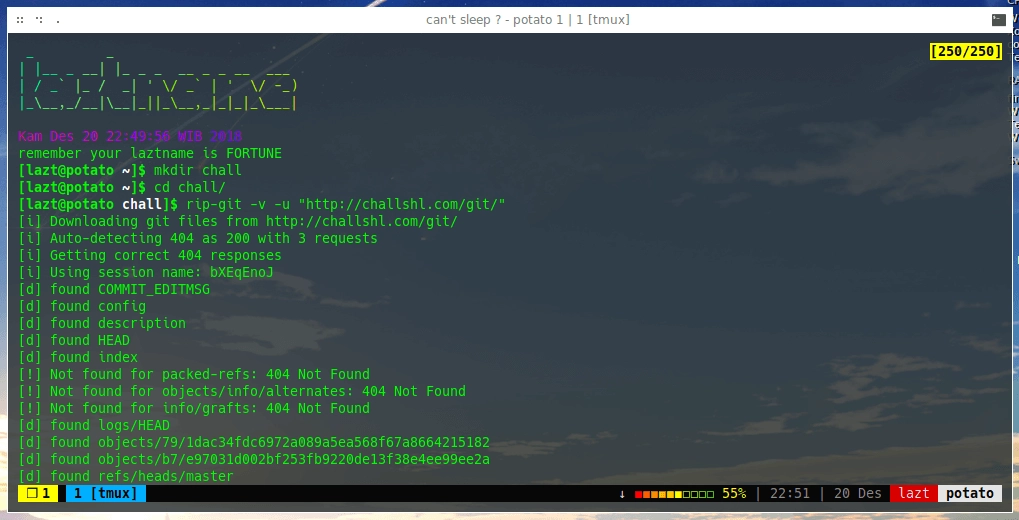 Wait until the git dump finishes.
And we successfully retrieved the source code of the website.
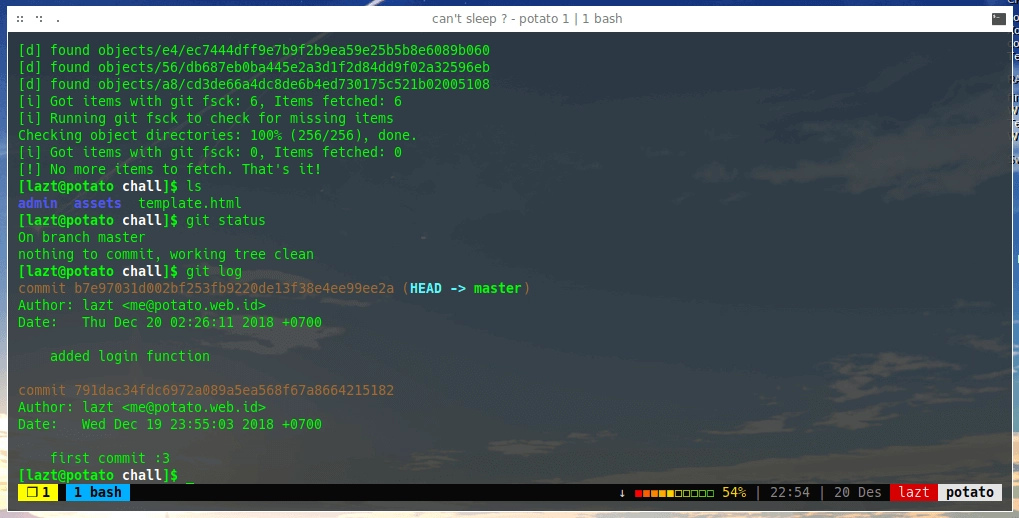 Turns out there’s a commit for the login function.
There is a login.php file in the admin folder, so the request is like challshl.com/admin/login.php. Time to read some bad code.
It turns out there are two types of POST data handled: sign-in and sign-up.
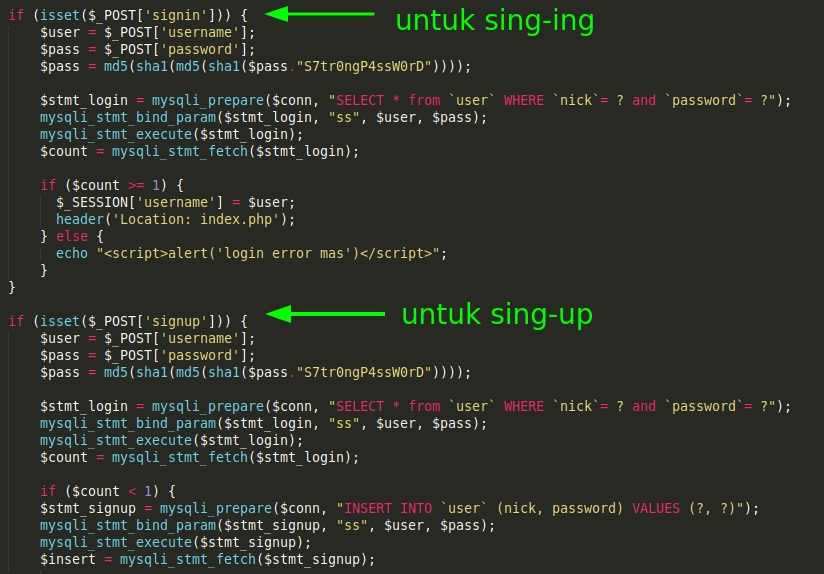 Contents of login.php file.
Because the check only looks for POST signin or signup, we just change our input data from signin to signup.
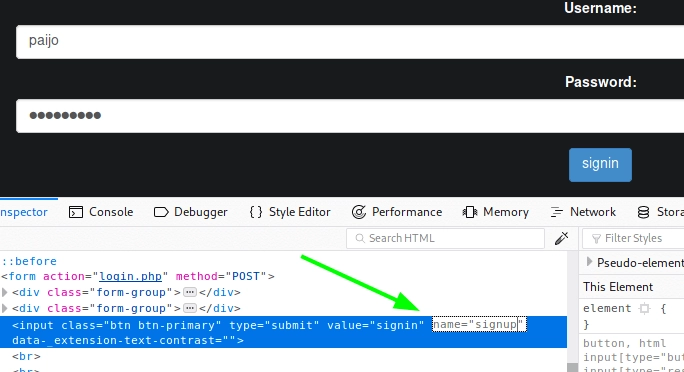 Submit, and we should get a successful registration pop-up but it doesn’t appear (it’s okay). Let’s just try logging in using the username and password we set earlier.
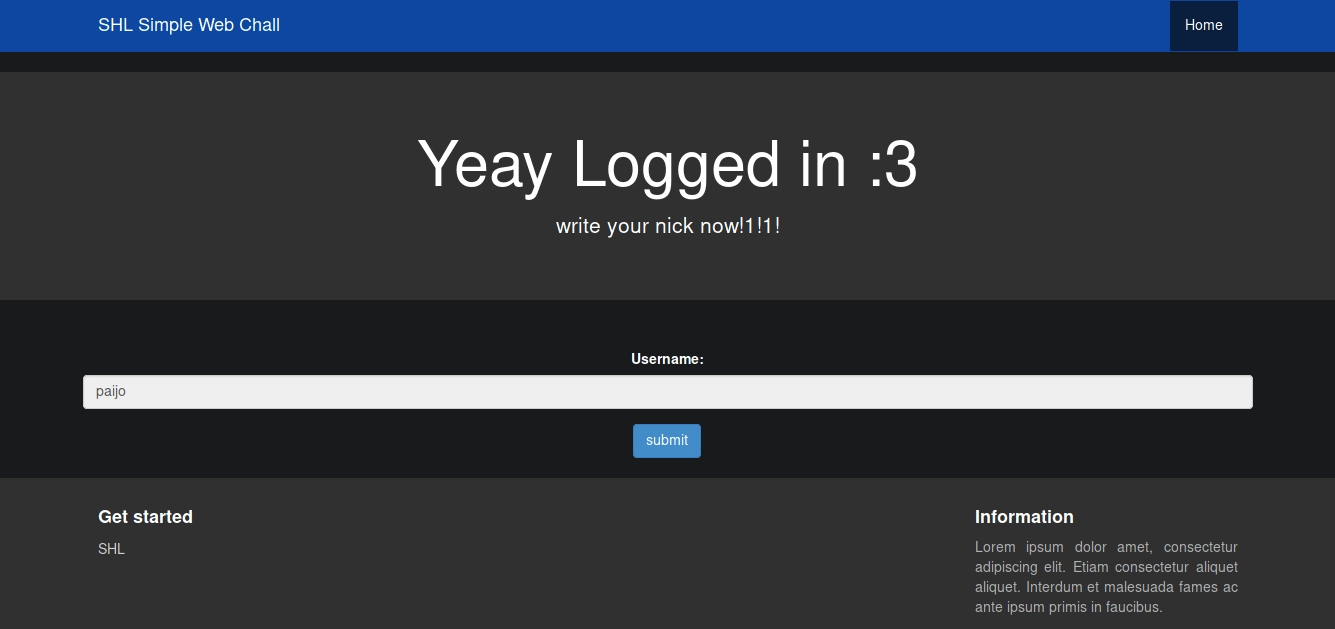 logged in :3
We successfully logged in, and when we click submit our username nickname is added to the solver list.
Afterword
Side story: the challenge is based on SVWA, which was modified by some of my friends. While maintaining the modified code, I noticed something odd — the sign-up form had been removed leaving only the sign-in form, but the sign-up function still existed. Out of curiosity I tried exploiting it and succeeded, and that’s how this challenge was created. Thanks bro to @Ytyao for getting first blood and reminding about EAR (Execution After Redirect) on /admin/ and
Korea, [20.12.18 06:50]
ngoding jangan pakai perasaan
ngarai
pekok,
ngae logika
perasaan iki kadang jare sayang yo ra sayang :v
See you on the next challenges
- Fin
