Secure Surfing Practice

The internet has become an important part of daily life. Most commonly, it is used as a source of information and entertainment. However, unwise and improper use of the internet can endanger data security and privacy. Below are several steps you can follow to stay safe while browsing the internet:
Add Web Protection
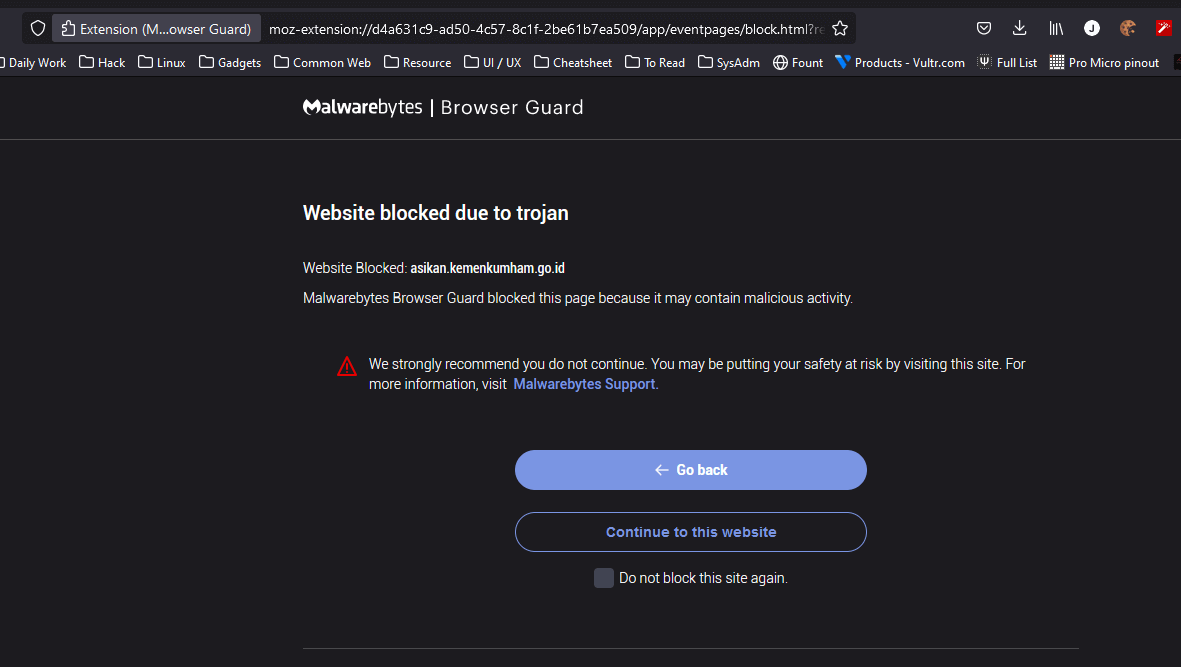
Install the Malwarebytes Browser Guard extension in your browser. With this extension, Malwarebytes will block access when you accidentally open a suspicious website or a site indicated as malware or trojan.
Firefox install
Chrome install
Secure DNS / DNS with Malware Blocking
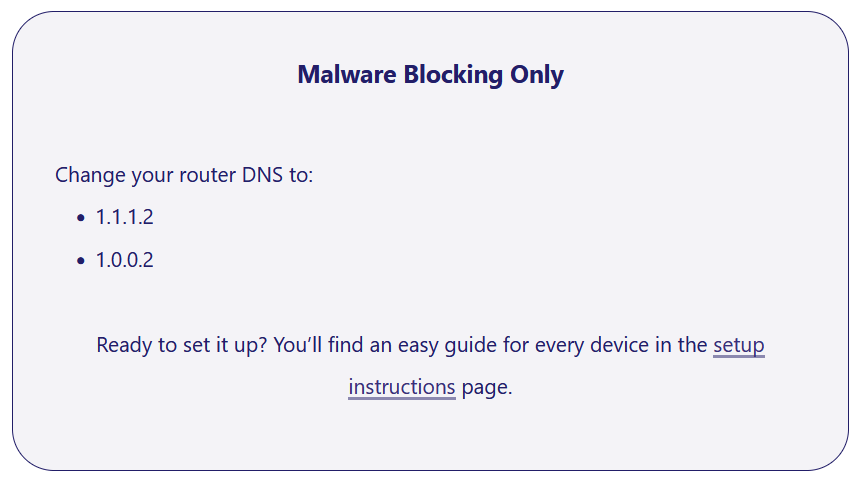
Use a DNS server that performs blocking or filtering against malware such as Cloudflare 1.1.1.2, nextdns.io, or check other providers at dnscrypt.
Disable Browser Save Password
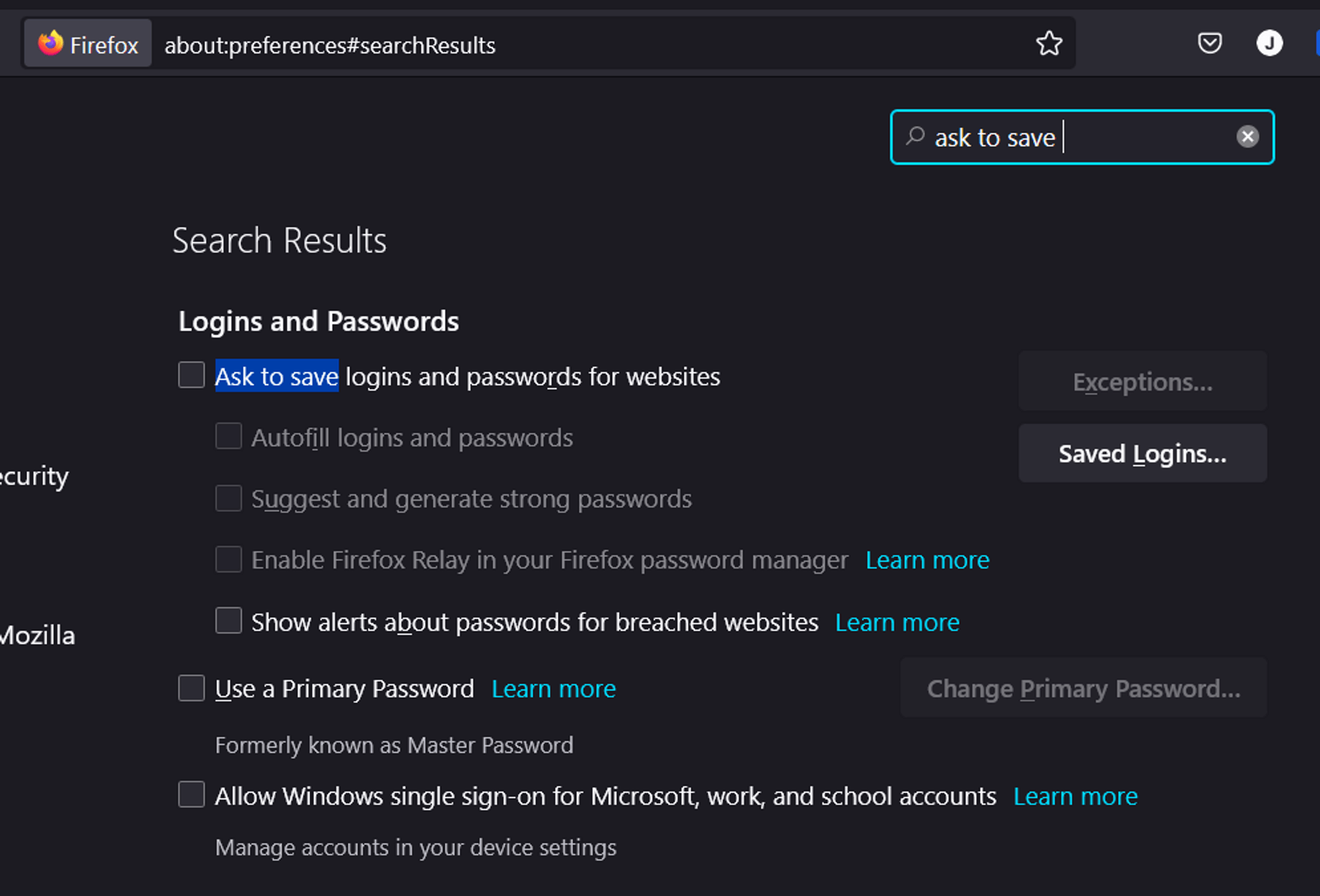
Recently, many types of malware steal credentials such as usernames and passwords stored in browsers. Therefore, it is better to disable this feature so there will be no more save password pop-ups and no passwords stored in the browser.
Do Not Use the Same Password Again, Ever
Using the same password everywhere may feel convenient, but it becomes a serious problem when that password is leaked. All accounts using the same password will be at risk of being taken over by attackers.
Use a Password Manager
Since you are no longer saving passwords in the browser and are using different passwords for each account, it will be difficult to remember them all. Therefore, use a password manager so you can create strong passwords and store them securely with a master password.
You can use Bitwarden or any other reputable password manager.
Enable Auto Update and Always Check
Always update your software and enable auto update. This ensures applications automatically install security patches for newly discovered vulnerabilities.
Use Anti Virus
Do not disable your antivirus. Keep it updated and perform regular scans. This helps protect your device from common virus attacks.
Be Careful with Links and Shortlinks
Be cautious with shortlinks. Avoid opening shortlinks from untrusted sources. Always double-check the sender and verify the original destination domain.
Respect Your Own Privacy
Be more protective of your personal information. Do not share sensitive data such as passwords, email accounts, phone numbers, authentication codes, or SMS OTPs with anyone.
Summary
By following these steps, you can improve your security while browsing the internet and protect your privacy and personal data. However, the practices written here are based on the author’s personal habits that may help others who are still confused about implementing safe surfing. These steps are not mandatory, but they are highly recommended.
