Phishing Simulation with GoPhish
Introduction
Phishing is an attack carried out by influencing someone to provide personal or confidential information. This attack is usually conducted by sending fake emails that resemble official emails from certain companies or organizations. In a phishing attack, the attacker attempts to obtain sensitive information such as username, password, and even credit card information.
As an organization that is aware of information security, it is important for us to conduct phishing simulations regularly. By conducting phishing simulations, we can measure the success rate of our users in identifying phishing attacks and taking appropriate action. A successful phishing attack can cause financial and reputational losses for the organization.
Read: Phishing Attacks and Their Prevention
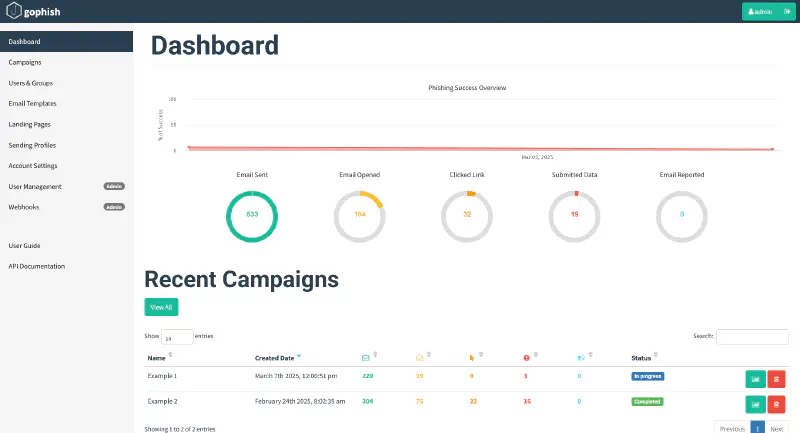
GoPhish is one of the open-source tools that can be used to conduct phishing simulations. With GoPhish, we can create phishing emails that resemble official emails from certain companies or organizations. We can also measure the success rate of phishing attacks and identify employees who are vulnerable to phishing attacks and minimize the risk of phishing attacks within our organization.
Preparation
Before conducting a phishing simulation using GoPhish, we need to make several preparations as follows:
0. Preparation
- Server (VPS as GoPhish Server and Landing Page)
- Domain (Domain for Landing Page to catch user input, better typosquatting or unregistered tld)
- TLS Certificate (SSL Certificate for Landing Page)
- SMTP Sender (Email Sender for Phishing Email)
1. Install GoPhish
- Download GoPhish via https://github.com/gophish/gophish/releases/ here I use GoPhish version 0.12.1
- Extract GoPhish on the prepared server and in the desired directory
- Add executable permission and run the gophish file
By default, the GoPhish password is randomly generated so it needs to be checked in the log output when running GoPhish.
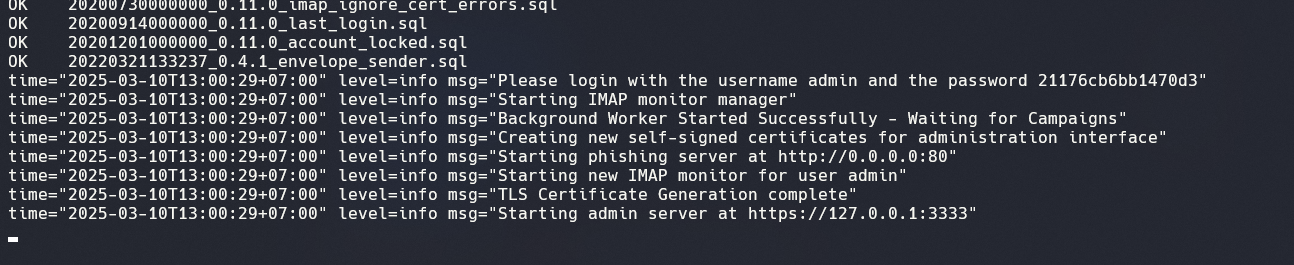
To access the GoPhish console, I prefer using localhost:3333 in the browser so the console is not exposed to the internet. To access the console, we can use SSH tunneling to access GoPhish through our machine’s web browser.
ssh -L 3333:localhost:3333 user@server
2. GoPhish Configuration
- Enter Sending Profile
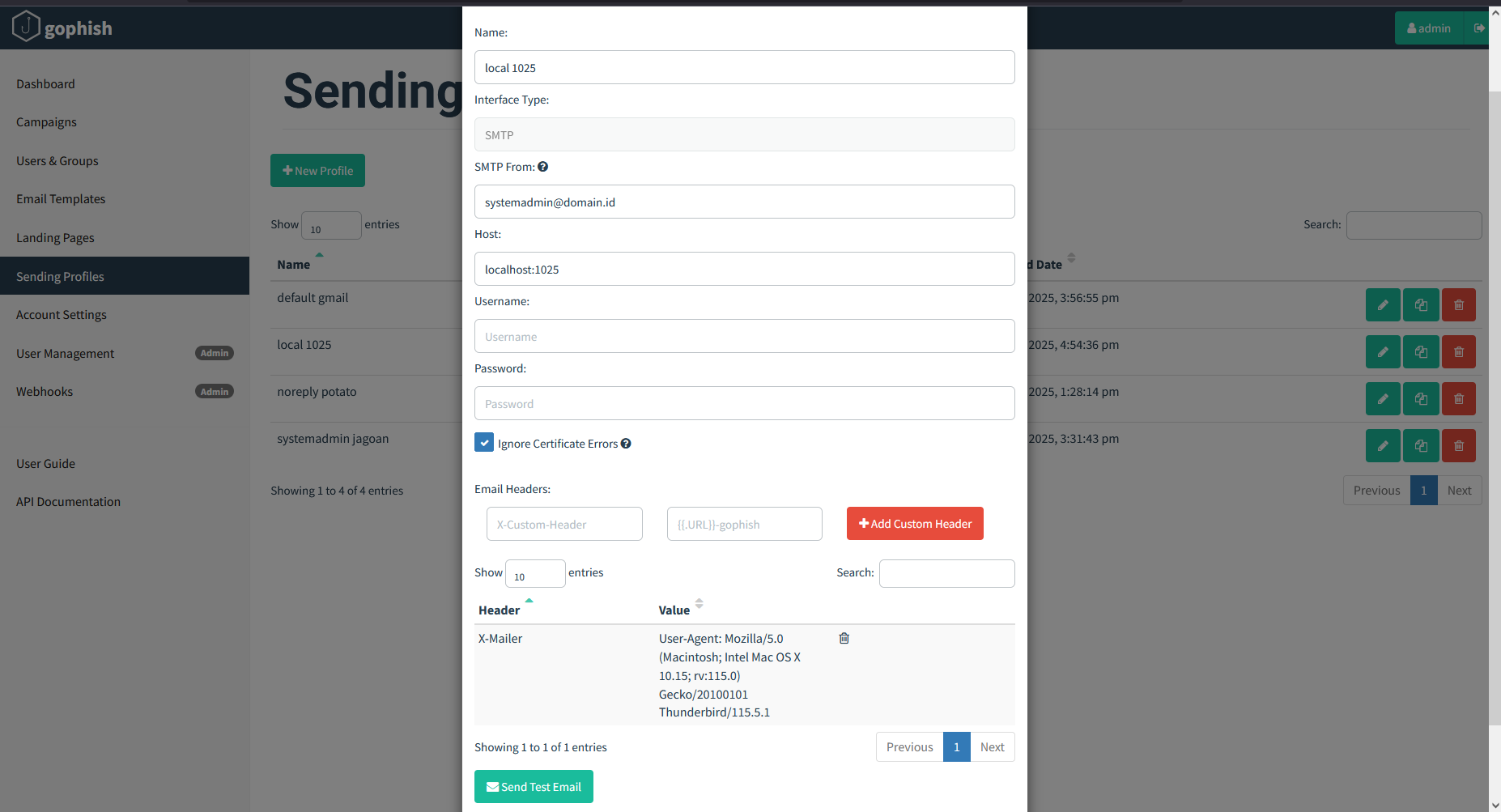
Sending Profile is the SMTP server configuration used to send phishing emails. We can use an internal or external SMTP server to send phishing emails. Here I use Google Suite as the SMTP server but use a delayer for sending, so the IP Port configuration follows the delayer being used.
- Enter Landing Page
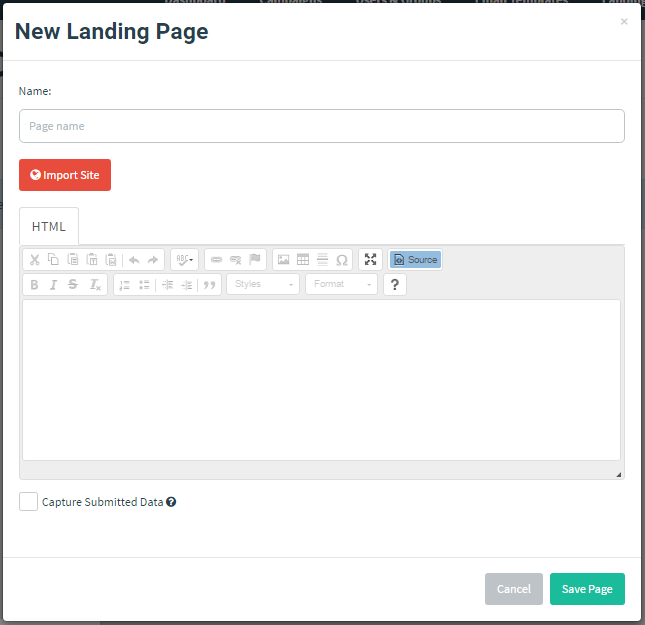
Landing Page is the web page used to capture sensitive information from victims. I use a landing page similar to Microsoft 365 login because my target is an organization that uses Microsoft 365 for daily operations.
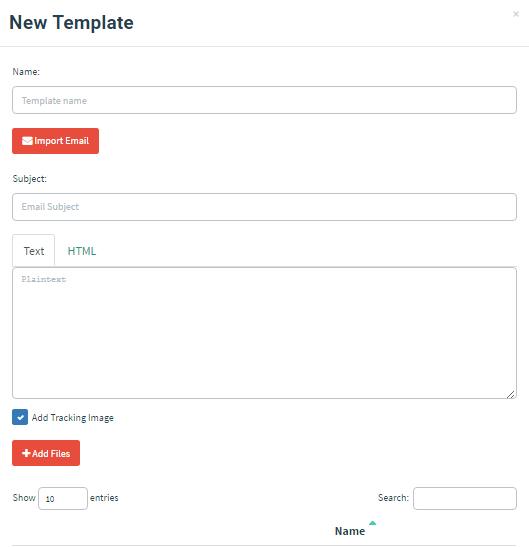
- Enter Email Template
Email Template is the email sent to influence victims to perform an action (Call to Action). Generally, phishing emails resemble official company emails or automated systems. I use a phishing email that resembles an official Microsoft 365 email to attract attention by informing victims that a system update is required and asking them to log in to the landing page.
- Enter Users and Groups
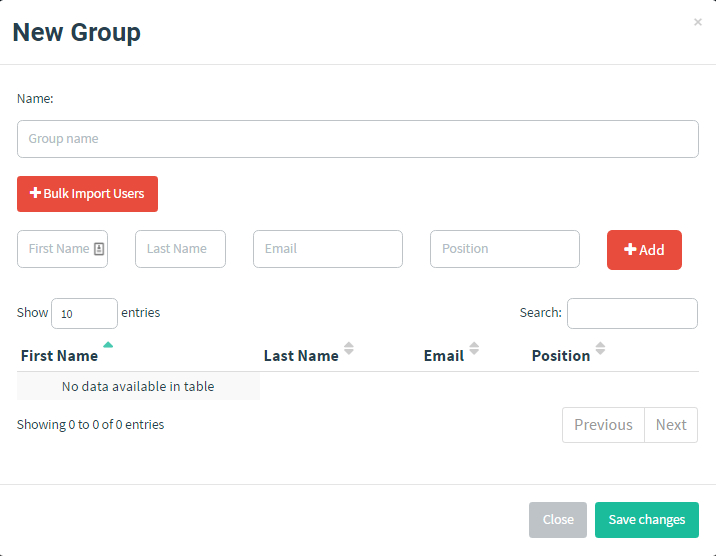
Users and Groups are the targets of the phishing simulation. We can add users and groups manually or import them from a CSV file. For this simulation, I added users from exported Microsoft 365 accounts because this phishing activity is legal and authorized by the company.
3. Server Configuration
- Setup SSL/TLS Certificate
Here I use Let’s Encrypt to obtain an SSL/TLS Certificate for the landing page used in the phishing simulation. We can use Certbot to obtain an SSL/TLS Certificate from Let’s Encrypt.
- Setup nginx as reverse proxy
Since we do not want GoPhish to be exposed to the internet, we can use nginx as a reverse proxy to forward requests from the internet to GoPhish. We can also use nginx to configure the SSL/TLS Certificate obtained from Let’s Encrypt.
$ cat /etc/nginx/sites-available/default
server {
        listen 443 ssl;
        listen [::]:443 ssl;

        server_name domain.id;

        ssl_certificate     /etc/letsencrypt/live/domain.id/fullchain.pem;
        ssl_certificate_key /etc/letsencrypt/live/domain.id/privkey.pem;

        location / {
          proxy_pass http://127.0.0.1/;
        }
}
- Setup delayer (Optional)
Here we add a delayer when sending phishing emails to prevent emails from going into the spam folder, so the email flow becomes:
Gophish Console → Delayer → SMTP Server → Victim Inbox
Read: SMTP Relay Queue
- Setup SMTP/Google Suite
We use an external SMTP server to send phishing emails. Here I use Google Suite as the SMTP server. Then we need to configure Google Suite to allow third-party applications to send emails via the Google Suite SMTP server.
Login as Google Suite admin → Security → API Controls → Manage Third-Party App Access → Enable less secure apps
Then enable multi-factor authentication (MFA) on the Google Suite account used and create an app password for GoPhish.
Do not forget to configure SPF, DKIM, and DMARC in the domain DNS records so phishing emails do not go into the spam folder.
Read: SPF DKIM and DMARC Configuration
After completing the configuration, we can use Google Suite as the SMTP server in GoPhish or use the delayer by running the previous Python script: SMTP Relay Queue, and configure the Google Suite SMTP username and password in that script.
In the SMTP configuration, I added the X-Mailer header because by default its value is GoPhish, which may cause phishing emails to go into the spam folder.
Executing the Phishing Simulation
4. Send Phishing Emails
After configuring GoPhish, we can send phishing emails to the defined targets. We can view phishing email statistics through the GoPhish console and measure the success rate of the phishing attack.
To send phishing emails, use the campaign feature in GoPhish. Create a new campaign, add the email template, and select the previously defined targets. After the campaign is completed, we can view the statistics through the GoPhish console.
Note: Do not forget to run the delayer so emails are sent immediately.
5. Result Analysis and Mitigation
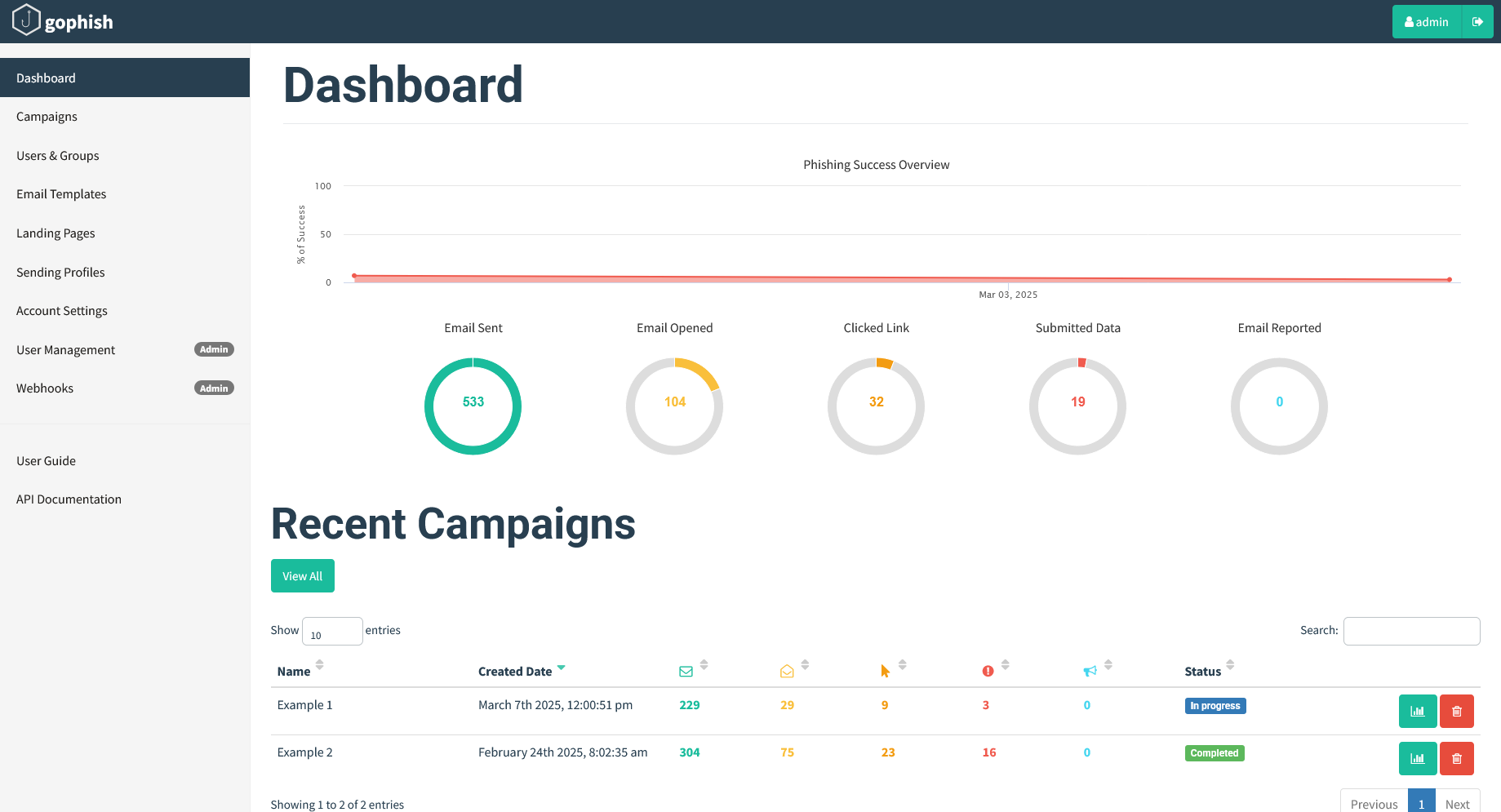
After conducting the phishing simulation, we can analyze the results. We can see statistics such as the number of successfully delivered emails, opened emails, clicked links, and captured sensitive information.
Determine the phishing attack success rate and identify employees who are vulnerable, such as the percentage who clicked phishing links, entered sensitive information on the landing page, and opened phishing emails.
In addition, we can take follow-up actions such as providing information security training to employees and updating existing information security policies within the organization.
Conclusion
Conducting phishing simulations with GoPhish can help organizations measure phishing attack success rates and identify employees who are vulnerable to phishing attacks.
By conducting phishing simulations regularly once a year, organizations can improve employee information security awareness and reduce phishing risks. Employees and organizations can also take appropriate action when phishing attacks occur.
Tips and Tricks
- Use a domain similar to the original domain for the landing page so victims are not suspicious.
- Configure SPF, DKIM, and DMARC in DNS records so phishing emails do not go into the spam folder.
- Change the X-Mailer header in phishing emails to prevent them from going into spam.
- Use an email template that resembles official company emails or automated system emails (expired password).
- Use an SSL/TLS Certificate so the landing page looks more professional and secure.
- Allow the GoPhish domain on the victim’s email server so phishing emails can enter the inbox reference: Allow Domain for Phishing Simulation
Read: Phishing Simulation and ClickFix using GoPhish
See you in the next write up!
If you encounter difficulties conducting a phishing simulation with GoPhish, you can leave a comment on this page or contact me via email or social media listed on the About page. I will gladly help you conduct phishing simulations with GoPhish to improve information security awareness together.
Remember: Phishing is an illegal activity, regulated by law and can harm others. Ensure phishing simulations are conducted with proper authorization so that no party is harmed.
