Yes, It was DNS!
As we know, DNS or Domain Name Server is a service responsible for translating domain names into IP addresses so users do not need to remember complicated IP addresses one by one. Therefore, DNS is a crucial service and must be configured properly. Otherwise, it may cause a domain to become difficult or even impossible for users to access.
For example, some time ago a colleague complained to the infrastructure team because they could not access monev.spbe.go.id. Long story short, I asked the user for additional information such as traceroute results and a screenshot of the error when accessing the website.
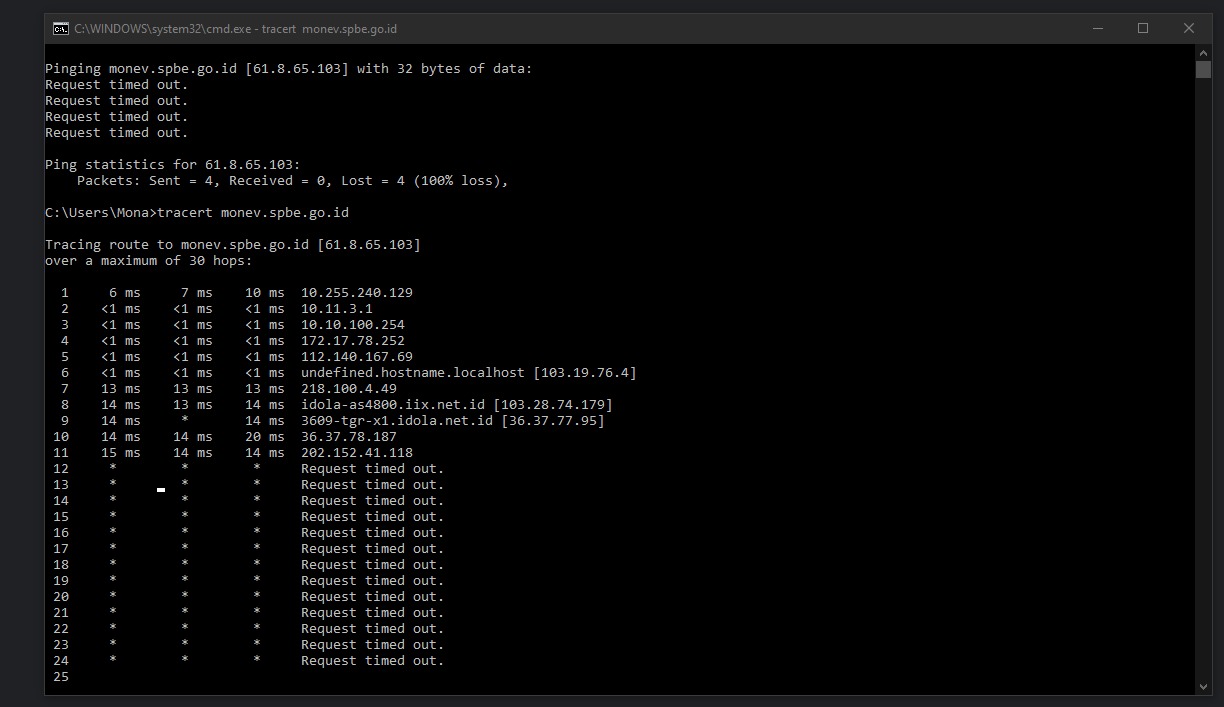
From the traceroute result, we can see RTO or no response from the server. It also shows that the destination server has IP address 61.8.65.103.
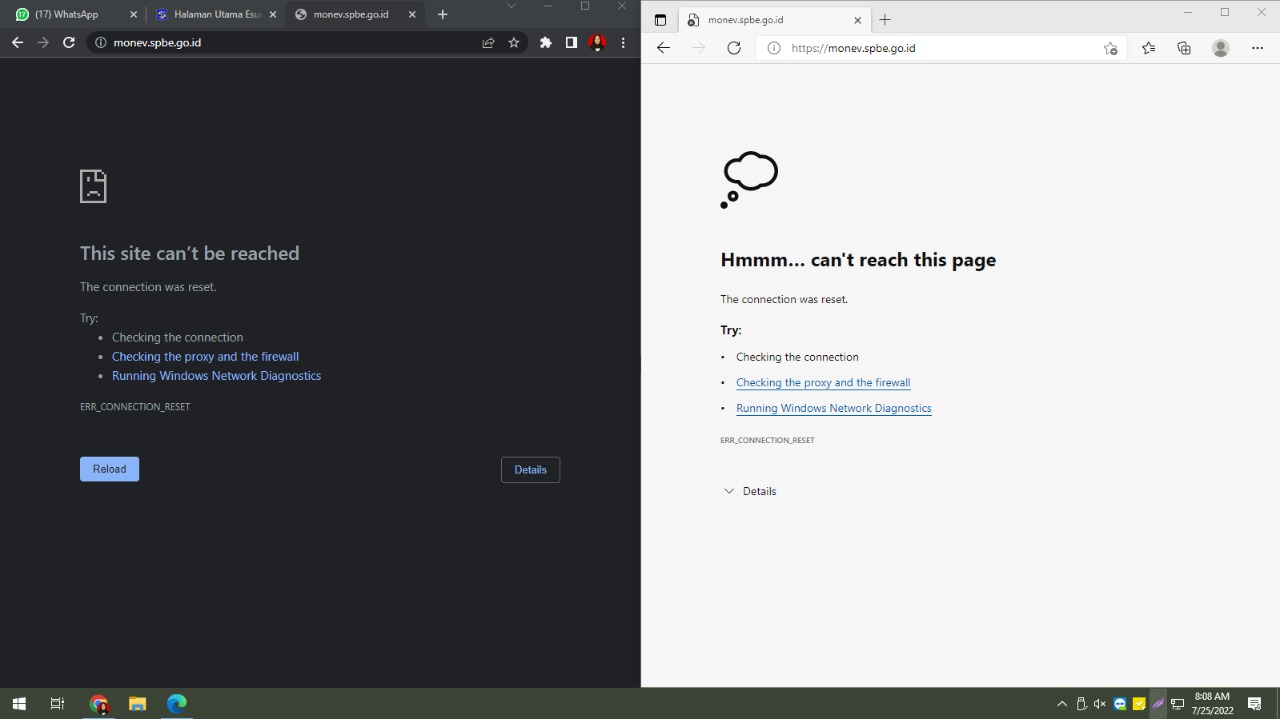
The user also provided a browser screenshot showing ERR_CONNECTION_RESET, which indicates a connection issue between client and server.
This was strange because on our computer there was no issue accessing the website, even though we were on the same network.
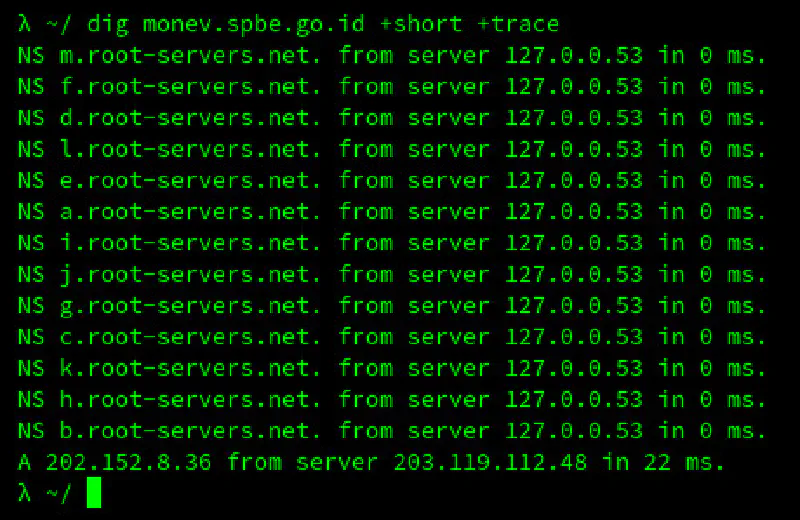
Therefore, I traced the DNS response for monev.spbe.go.id using dig. I ran the test multiple times and received two different results.
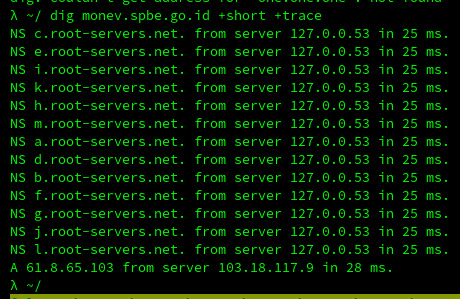
In the first attempt, the DNS server responded with IP 61.8.65.103, which was the same IP accessed by the user and was not responding properly.
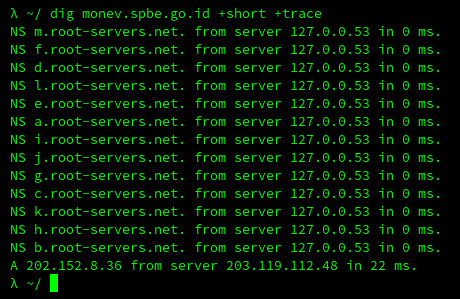
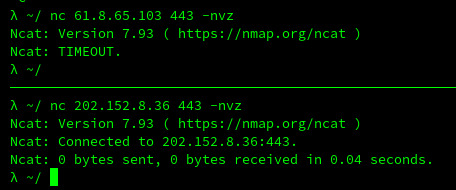
After running the test 3 to 5 times, the DNS server responded with a different IP: 202.152.8.36. From this result, we tested connectivity to both IPs on ports 80 and 443. The result showed that IP 61.8.65.103 no longer had HTTP or HTTPS services running and the host was essentially down, while IP 202.152.8.36 responded successfully.
From these findings, we suspected a DNS configuration issue on the nameservers of the spbe.go.id domain. Checking via whatsmydns.net showed two different responses for spbe.go.id, and intodns.com indicated there were four nameservers configured for the domain.
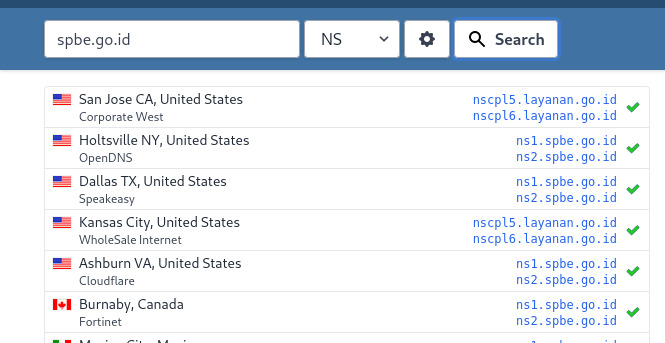
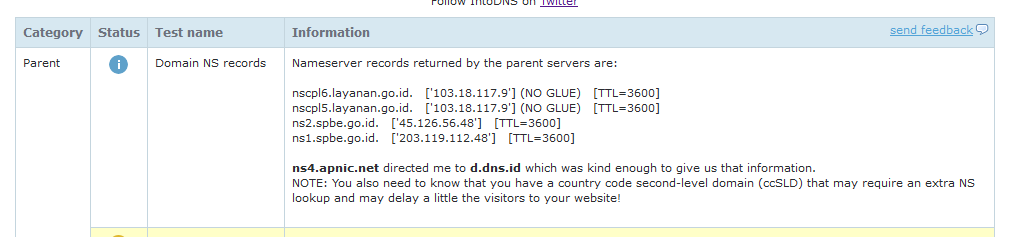
The nameserver with IP 103.18.117.9 (nscpl6.layanan.go.id / nscpl5.layanan.go.id) responded with DNS records for monev.spbe.go.id pointing to IP 61.8.65.103. Meanwhile, nameservers with IP 45.126.56.48 (ns2.spbe.go.id) and IP 203.119.112.48 (ns1.spbe.go.id) responded with IP 202.152.8.36.
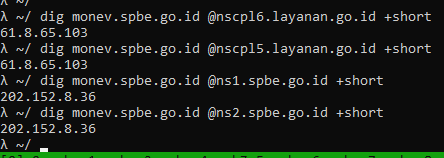
This was the main reason why monev.spbe.go.id could not be accessed by our users. The intodns.com result also mentioned that the SOA records on the configured nameservers were not synchronized, causing two different responses for the same domain.

The proper solution would be to remove nameservers nscpl6.layanan.go.id and nscpl5.layanan.go.id from spbe.go.id, or synchronize the outdated nameservers so all DNS servers respond with the same data. However, since this was outside our team’s control, we could not implement that fix directly.
The simplest workaround was to add the correct record in the /etc/hosts file on the user’s computer. But since there were many users, adding it one by one would be impractical.
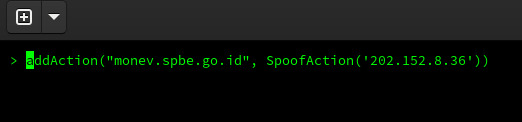
Therefore, I suggested spoofing the domain on the local recursive DNS server so it would resolve to the correct IP address 202.152.8.36.
Improper configuration of a critical service can have significant impact. That is why following best practices is essential to prevent similar issues in the future.
Similar to the issue with the domain jakarta.go.id
