Convert PFX, CRT, and PEM Azure SSL/TLS Certificates
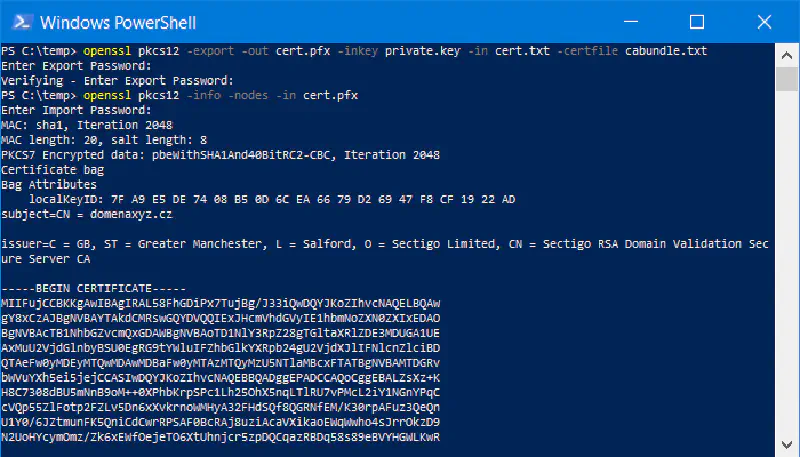
What is SSL/TLS?
SSL/TLS (Secure Sockets Layer/Transport Layer Security) is a security protocol used to secure communication between a server and a client. In the web context, SSL/TLS is used to encrypt data transmitted between a browser and a web server, so that sensitive information such as passwords and credit card numbers cannot be accessed by third parties.
SSL is the earlier version of the protocol, while TLS is the newer and more secure version. Although the term SSL is still commonly used, most websites today actually use TLS, often referred to as SSL/TLS.
Why Do We Need an SSL/TLS Certificate?
An SSL/TLS certificate is required to enable HTTPS (HTTP Secure) on a website. By using HTTPS, data transmitted between the browser and the web server is encrypted, improving user security and privacy. In addition, an SSL/TLS certificate provides trust to users that the website is secure and reliable.
In this case, we have purchased an SSL/TLS certificate through Azure App Service Certificate, which provides the certificate in PFX format. We will discuss how to convert that certificate into other formats such as PEM and CRT.
How to Get an SSL/TLS Certificate from Azure App Service Certificate
To obtain an SSL/TLS certificate from Azure App Service Certificate, follow these steps:
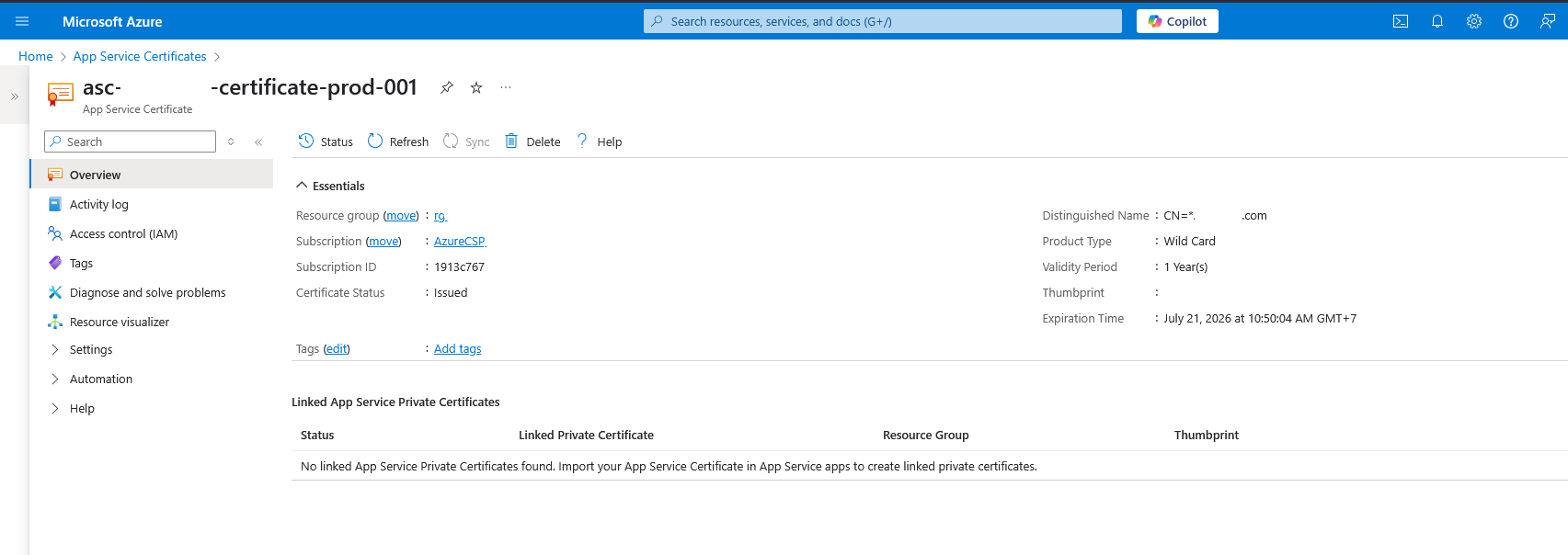
After logging in to the Azure portal, select “App Service Certificates” from the main menu or use the search feature.
Select “App Service Certificates” from the menu.
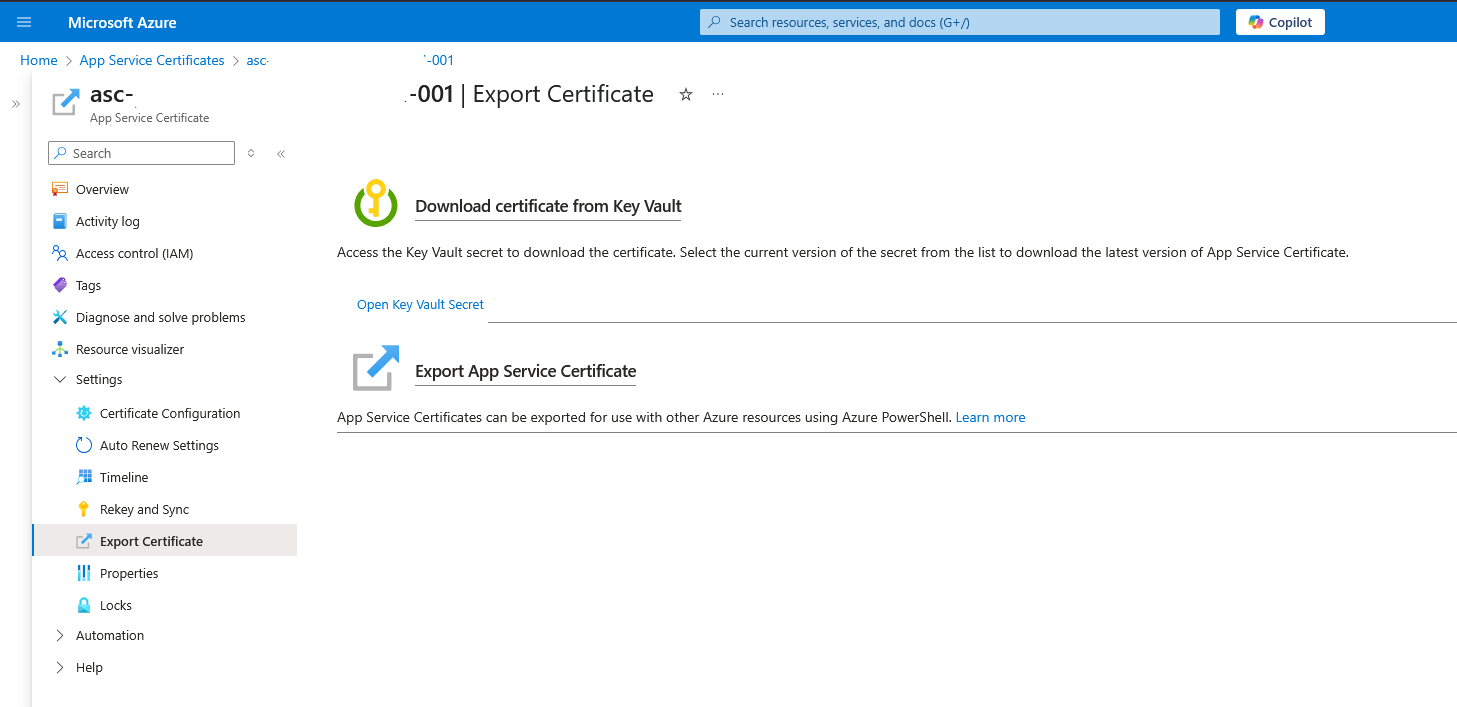
Open the Settings sub menu, then select “Export Certificate”, and choose “Open Key Vault Secrets” to download the certificate.
Select the certificate version you want to download, then click “Download as a certificate”. The download dialog will appear, and you will receive a file with the .pfx extension.
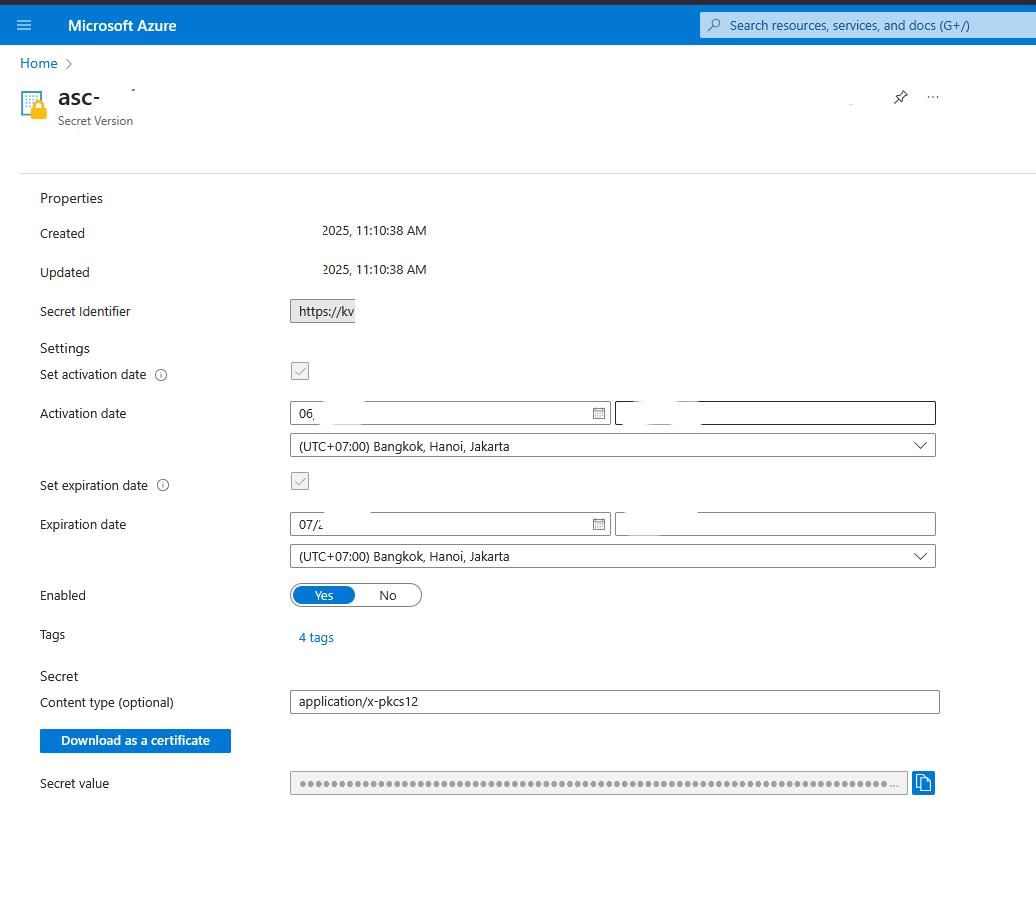
After downloading the certificate from Azure App Service Certificate, you will get a .pfx file. This file contains the server certificate and the private key.
You can view the contents of the PFX file using the following command:
openssl pkcs12 -in kv-funccertprod1-drsb.pfx -nodes
The command above will display information about the certificate, private key, and CA certificate included in the PFX file if available. You will be prompted to enter the password used when downloading the certificate from Azure App Service Certificate.
At this point, we have successfully extracted the SSL/TLS certificate from Azure App Service Certificate. However, we still need to convert the PFX file into other formats such as PEM or CRT so it can be used on a web server.
How to Convert SSL/TLS Certificates from PFX Format
If you have downloaded the SSL/TLS certificate from Azure App Service Certificate in PFX format, you can convert it to PEM or CRT format. For example, suppose we have the following file:
server.pfx: server certificate in PFX format
We can use the following commands to convert the PFX file and extract the private key and certificate:
openssl pkcs12 -in cert.pfx -nocerts -out cert-encrypt.key```

```# remove the password from the private key
openssl rsa -in cert-encrypt.key -out cert.key```

```# extract the certificate from the PFX file
openssl pkcs12 -in cert.pfx -clcerts -nokeys -out cert.crt```

The commands above will generate files that can be used for SSL/TLS configuration on a web server.

Usually, I clean up the OpenSSL output file by keeping only the header and footer, resulting in content like this:

```$ cat cert.crt
-----BEGIN CERTIFICATE-----
MIIGkjCCBXqgAwIBAgIID4lE64Tq38wwDQYJKoZIhvcNAQELBQAwgbQxCzAJBgNV
...snip...
L0Xb3ClP
-----END CERTIFICATE-----```

## How to Create an SSL/TLS Certificate in PEM Format

Assume that we have purchased an SSL certificate from a certificate provider and received the following files:

- ```cert.crt``` : server certificate
- ```cert.key``` : certificate private key
- ```ca.crt``` : CA certificate from the certificate provider. In this case, we are using GoDaddy as the certificate provider.

To create a full chain SSL/TLS certificate in PEM format, use the following command:

```cat cert.crt ca.crt > server.pem```

The command above will combine the server certificate and the CA certificate into a single ```server.pem``` file that can be used for SSL/TLS configuration on a web server such as nginx.

## Conclusion

In this tutorial, we have discussed how to convert SSL/TLS certificates from PFX format to PEM and CRT formats. We also covered how to obtain an SSL/TLS certificate from Azure App Service Certificate and how to combine the server certificate with the CA certificate to create a complete PEM file.

Azure App Service Certificate uses GoDaddy as the certificate provider. For ```ca.crt``` or the CA certificate, you can obtain it from the certificate provider or download it from their website at https://certs.godaddy.com/repository/. This also applies to other CA certificates or certificate providers.

Make sure to store your certificate files and private keys securely, and never share them with unauthorized parties. SSL/TLS certificates are an essential part of website security and must be managed carefully to maintain integrity and user trust.
